For MSPs and IT partners
Account management for all your clients, driven by their HR system
For an MSP, every joiner and leaver at a client is a ticket, a checklist and work that is hard to bill for. Joinly picks up those changes from your client's HR system and handles accounts, groups, licences and access automatically. For all your clients, from one login, with each client in its own environment.


The short answer
Joinly is a Dutch IAM platform that lets MSPs and IT service providers automate account management for all their clients. The client's HR system is the source: when someone joins, changes role or leaves, Joinly updates their accounts and access in Microsoft Entra ID, Active Directory and that client's applications. You manage every client from one login, and each client has its own separate environment.
- One login for all your clients, each client in its own environment with its own integrations
- 78 ready-made HR integrations and a generic integration for the rest
- An audit log and access review per client, for audits and NIS2 questions
- An API with keys per client, so Joinly fits into your own tooling
- Priced per active identity per client, data in Amsterdam, ISO 27001
Chapter 1
Every joiner and leaver at a client starts as a ticket
You know the rhythm. A client emails to say someone starts on Monday. Someone on your service desk creates an account, works out which groups a colleague in the same role is in, assigns a licence and forwards the login details. Leavers go the same way, except you often hear about them later, and sometimes not at all.
The work keeps coming back, it is scattered and it is slightly different at every client. It fits badly into a fixed monthly fee, and billing separate tickets mostly leads to arguments. Meanwhile the risk you see least keeps growing: accounts of people who have already left, rights piling up for people who change roles, licences running on for nobody.
Your clients are also asking different questions than a few years ago. Who has access to what, and why? Organisations covered by the Cyberbeveiligingswet, the Dutch implementation of NIS2, have to be able to show that, and the question ends up with their IT partner.
Chapter 2
Your client's HR system gives the signal
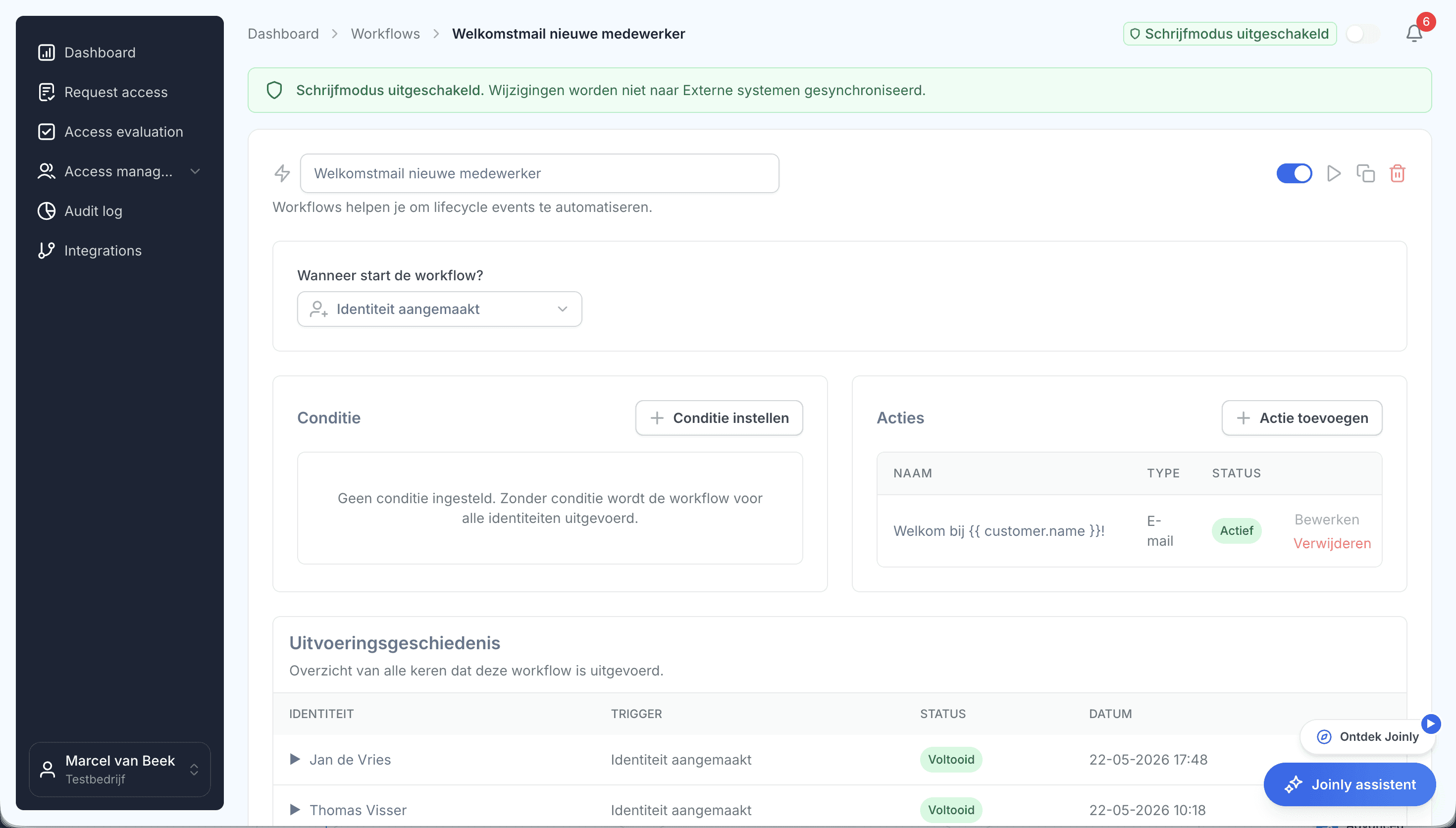
Joinly reverses the order. Your client records a new employee in AFAS, Nmbrs, Visma, Loket or one of the other HR systems, and that is the signal. Joinly creates the account in Microsoft Entra ID or Active Directory, puts the employee in the right groups and Teams, assigns the licence and sends the welcome email. Everything is ready before the first working day, without a ticket.
When someone's role changes, their access moves with it: what belongs to the new role is added, what belonged to the old one is removed. When someone leaves, their account, sessions and licence are closed on their last day and their mailbox is dealt with. You set out how that works per client once, in roles and workflows.
Your service desk no longer has to keep up with your clients' rhythm. You set it up once per client and from then on you see what happens, and why.
Chapter 3
All your clients from one login, each client separate
As an MSP you work in many environments at once. In Joinly each client has its own environment, with its own integrations, its own credentials for those integrations, its own roles and its own audit log. What happens at one client is never seen or touched by another.
You switch between your clients from one login, with an overview per client of what is running. Your client can also look in, each with their own view: HR sees the employee data, IT the technical side and a manager their own team.
What you already use for tenant management stays exactly where it is. Microsoft 365 Lighthouse and GDAP handle your access to your clients' tenants and their security settings. Joinly handles who should have an account within that tenant, and with what access.
Set it up once per client. From then on, access follows whatever changes in HR.
Chapter 4
Bringing on a new client becomes repeat work
You set up your first client carefully: the naming convention, when an account closes, which groups belong to which role, what goes in the welcome email and which ticket lands in your service desk. That becomes your standard. Every next client starts from it, and you adjust whatever is different for that client.
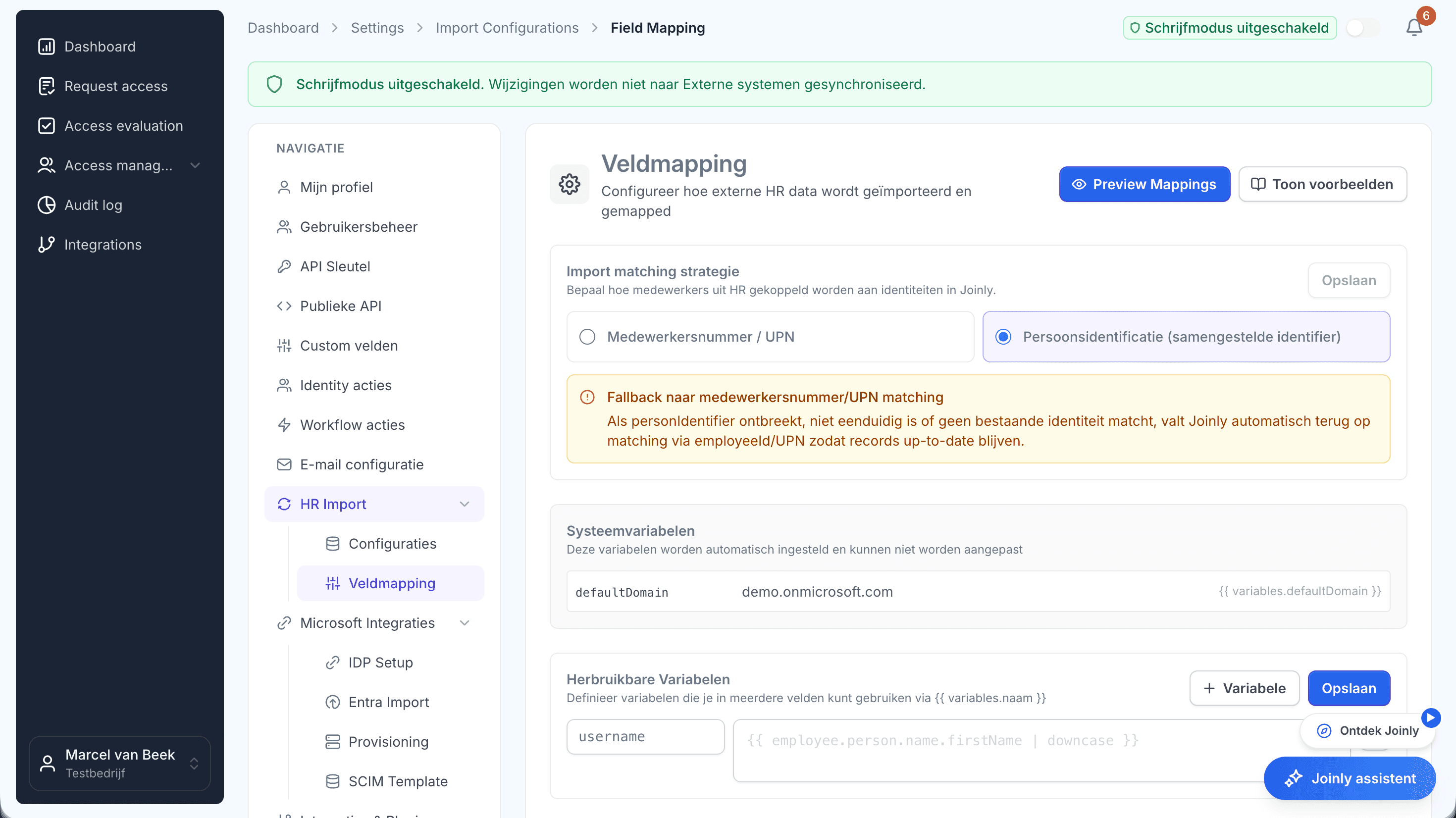
Every client having a different HR system is no obstacle. Joinly has 78 ready-made HR integrations and a generic integration for any system with an API or a reliable export. A client with two HR systems, or with a separate source for contractors, works too.
Before anything changes in your client's environment, you run a trial import. You see in advance which accounts would be created, changed or blocked, and you can go through it with your client as an Excel file. A threshold stops an import that suddenly changes far more than you expect. If a client still has an on-premises Active Directory, the Joinly Agent runs there, with outbound traffic only.
Chapter 5
Evidence per client, ready for any audit
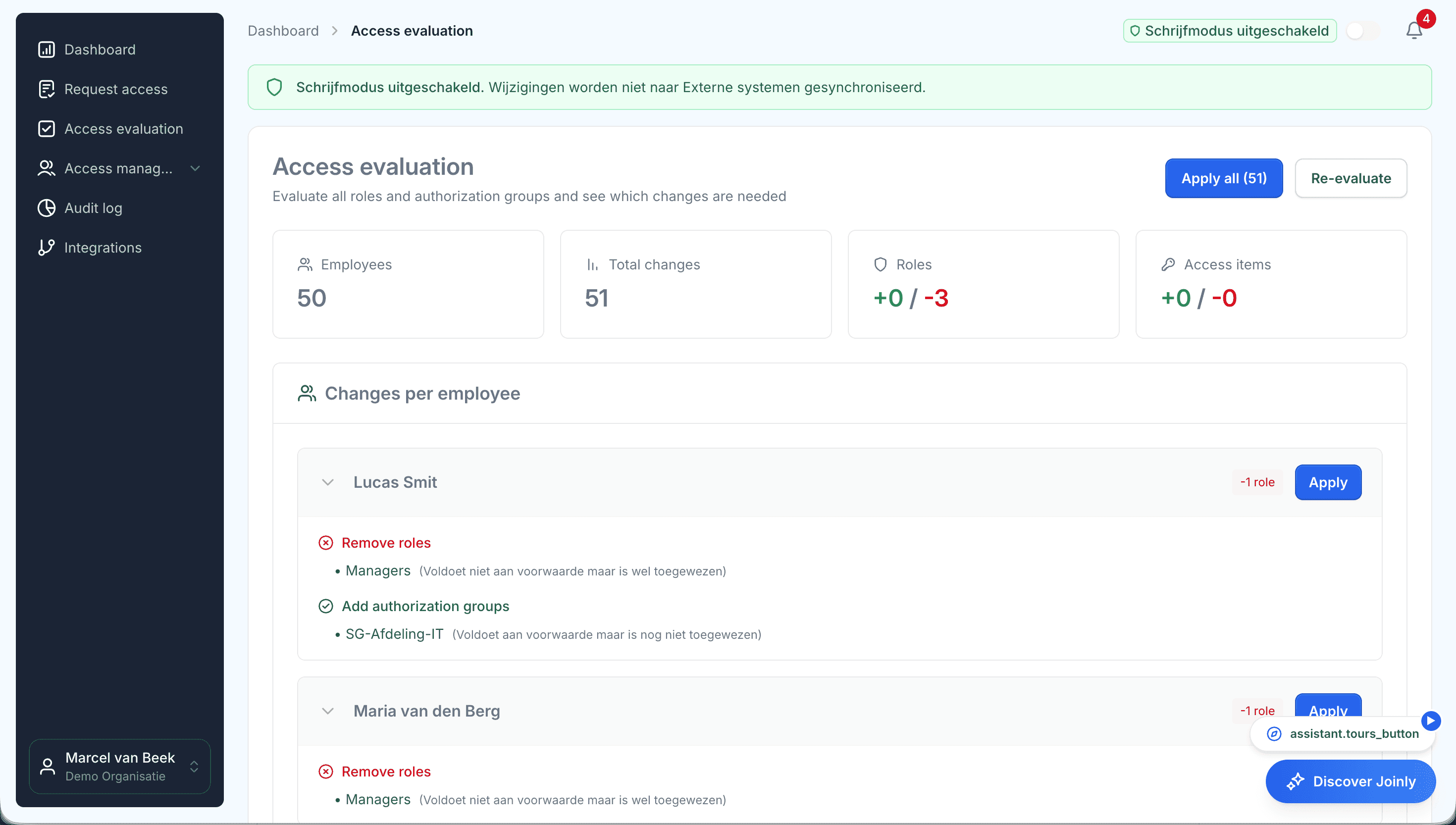
Every change Joinly makes goes into that client's audit log: who, what, when and why, and whether it came from HR, a workflow, an administrator or the API. With the access review you put the access someone has next to the access that belongs to their role, and you see where the two differ.
That is exactly what clients covered by the Cyberbeveiligingswet will ask their suppliers. The NIS2 directive names managed service providers explicitly and asks organisations to have their supply chain and their access policy in order. A report per client gives you that answer, without piecing it together client by client.
For your own supplier file: Joinly is ISO 27001 certified and your clients' data is stored in Amsterdam, within the EU. Anything else a security reviewer wants to know is in the Trust Centre.
Chapter 6
Account management becomes a service you can sell
What are now hours you struggle to bill becomes a fixed service with a predictable price. Joinly charges per active identity per client, and accounts of people who have left do not count. So you know where you stand with each client, and your service grows with your client's headcount.
Per client you switch on what that client needs. A client can start with the lifecycle from HR and later grow into roles, segregation of duties and access requests. You can upgrade per client at any time, and the setup stays in place.
If your services run through your own portal or PSA, you work with the API. It uses keys per client, and for each key you decide what it may do. Every change through the API is in the audit log, with the name of the key.
At a glance
- For
- MSPs, IT service providers and IT partners
- Per client
- Its own environment with its own integrations, roles and audit log
- HR systems
- 78 ready-made, a generic integration for the rest
- Target systems
- Microsoft Entra ID, Active Directory, Exchange, Teams and your applications
- Price
- Per active identity per client
- Data
- In Amsterdam, ISO 27001 certified
By topic
What MSPs ask us about most
Twenty-three topics in four groups, each with its own page. Start with whatever takes the most time at your clients.
Joiners, movers and leavers
Everything that happens when someone at your client starts, changes role or leaves, and how you bring a new client on board.
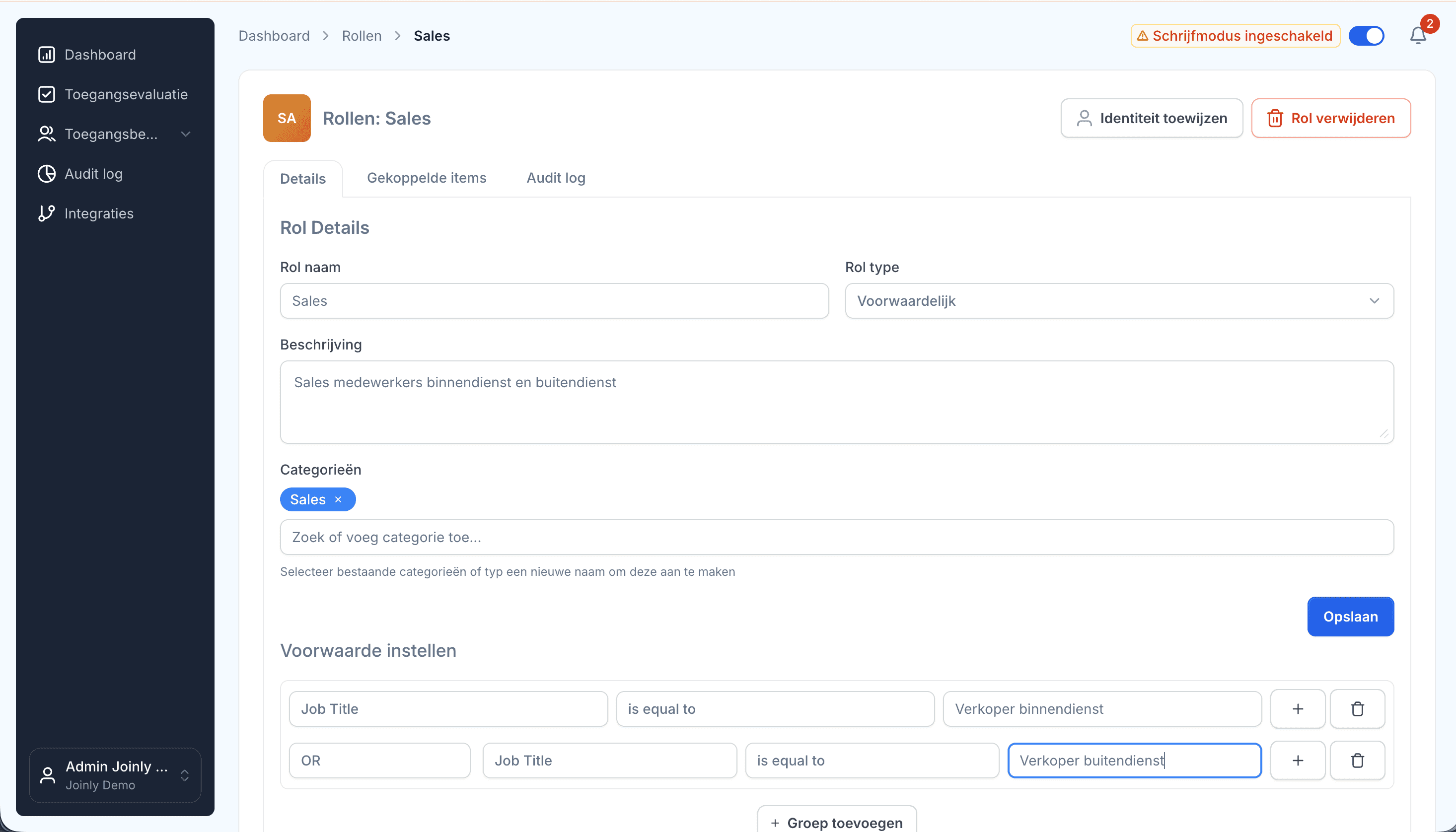
- Onboarding and offboardingAn onboarding checklist per client and an offboarding ticket that arrives too late: for most MSPs, that is the work that comes back most often. With Joinly it starts as soon as your client records an employee in HR, and it follows the whole lifecycle.
- An HR integration per clientOne client uses AFAS, the next Nmbrs and a third a system you have never heard of. For an MSP, that is normal. Joinly connects them all to Microsoft Entra ID or Active Directory in the same way.
- Onboarding a new clientWhen you take over a client, you also inherit everything that has piled up over the years before you: accounts of former employees, shared logins and groups whose purpose nobody remembers. With Joinly you put HR next to your client's environment in the first few weeks and start with a clean slate.
- IT offboarding checklistWhen someone leaves, IT has one question to answer: can this person still get into anything after their last day? This checklist goes through the steps that takes, and shows for each step what Joinly does as soon as the end date is in HR.
- IT onboarding checklistA new employee knows on their first morning whether IT was on time. This checklist goes through the steps that takes, and shows for each step what Joinly does as soon as the employee is in HR.
- On-premises Active DirectoryPlenty of clients are not fully in the cloud. An Active Directory in the server cupboard, hybrid Exchange, an application that runs on AD groups: for many MSPs that is daily work. Joinly handles the same lifecycle there as in the cloud.
- Joiner-mover-leaverJoiner-mover-leaver, JML for short, is the lifecycle of every employee as IT sees it: someone arrives, someone changes, someone goes. It sounds simple, and it is the part of IT management where most access risks start.
What you run into in practice
The situations that keep coming back at clients and that a simple integration cannot handle.
- Multiple employmentsA nurse who also works evening shifts at another location. A teacher with a post at two schools. In HR those are two employments, and a simple integration turns them into two accounts. Joinly recognises that it is one person.
- Account namingIs the account jan.devries, j.de.vries or jdevries? With the official first name or the preferred name? Every client has their own convention, and anyone creating accounts by hand drifts from it sooner or later. In Joinly you set the naming per client, and every account follows that convention.
- Access requests without ticketsA large share of an MSP's tickets are about access: I need this folder, I have to be in that Teams channel, can I get into this system too? Your service desk cannot judge that request, so an email goes to the manager, and everyone waits. With Joinly the employee requests it themselves and the manager decides.
- Multiple entities or tenantsA holding company with three operating companies, each with its own records in HR. An education foundation with ten schools. A client that has taken over a competitor and now has two tenants. For an MSP, that is where account management gets complicated. In Joinly you put it side by side in one environment.
- Client switches HR systemMoving to another HR system is a project for HR with its own schedule. For IT it is a risk: if the integration recognises nobody on switchover day, it looks as if everyone has left. With Joinly you see in advance whether the new system matches up.
- Leaver reported too lateThe email arrives on Monday: could you block the account of someone whose last day was Friday? Or it never arrives, and you find out months later. For an MSP, it is one of the most common and most risky gaps in account management.
- Guest account clean-upA guest account is quick to invite: a supplier who needs to see a Teams channel, a consultant for a project. It almost never goes away again. After a few years your client's tenant holds dozens of guests, and nobody remembers why they are there.
Access and oversight per client
Who has access to what, why, and how you keep track of it for all your clients from one place.
- Multi-tenant identity managementYou probably have tenant management sorted already. What most MSPs do not do from one place is keep track of who should have an account at each client. That is where Joinly sits alongside your existing tooling.
- Cleaning up stale accountsAlmost every environment has accounts that no longer belong there: of people who left long ago, of a test that was never finished, of a connection nobody remembers. As long as they are there, they are a way in. This is how you find them, and how you make sure they do not come back.
- Microsoft 365 licencesLicences are the part of account management your client sees on the invoice. A licence that keeps running for someone who left months ago, or a heavy licence for a role that needs a light one, gets noticed sooner or later. With Joinly the licence belongs to the role and follows what happens in HR.
- Access control matrix per clientAlmost every organisation has an access control matrix somewhere: a spreadsheet with job roles in the rows and systems in the columns. And almost everywhere it lags behind what is actually set up. With Joinly the matrix becomes the place access comes from, so it never lags behind again.
- User access review per clientThe classic access review is an export sent round to managers who do not recognise the group names. What comes back is a column of ticks. With Joinly you review per client what is actually set up, next to what was intended, and for every difference you see where it comes from.
Compliance and your services
What NIS2 and ISO 27001 ask of your clients and of you, and how you turn it into a service.
- NIS2 for MSPsWith the Cyberbeveiligingswet, the Dutch implementation of NIS2, the directive reaches an MSP in two ways: as an obligation of your own, and through your clients' questionnaires. Access management is in both. This is how you deliver the answer per client, without piecing it together again every time.
- Account management as a serviceFor many MSPs, account management is work that disappears into the contract: it has to be done, it takes time and nobody sees it. With Joinly it becomes a service with a clear outcome and a price that moves with your client.
- Automation without scriptsMost MSPs already automate. A PowerShell script for new users, a Power Automate flow for a client who asked for one. That works, until another client comes along, an HR field changes or the engineer who wrote it leaves.
- ISO 27001 and access controlAccess control always comes up in an ISO 27001 audit. The standard asks for a policy, and it also asks you to show that the policy is carried out. If you are the MSP doing the management, that question lands with you.
What you can count on
- No vendor lock-inYour identities and your configuration stay yours.
- Your data out whenever you wantYou can export your data at any time.
- Standard SLAOur standard SLA is available on request.
- Support during implementationOur specialists set it up together with you.
- ISO 27001 certifiedInformation security to an internationally recognised standard.
For MSPs and IT partners
Frequently asked questions
Is Joinly multi-tenant?
Yes. Each client has its own, strictly separated environment with its own integrations, roles and audit log. As a partner you switch between those environments from one login.
Can each client have a different HR system?
Yes. You choose the integration per client: ready-made for 78 HR systems, including AFAS, Nmbrs, Visma, Loket, HR2Day and SD Worx, and generic for any system with an API or a reliable export. Several HR sources per client are possible too.
How quickly is a new client live?
A new client environment is set up quickly. The lead time is in the HR integration, access to your client's Microsoft environment and the trial runs. Once you have your own standard, it becomes repeat work.
Who does the implementation?
Joinly guides every implementation. Together we connect your client's HR system and Microsoft environment, run the trials and switch on the workflows. How we divide the tasks with you is agreed per partner.
Does Joinly replace Microsoft 365 Lighthouse or our RMM tooling?
No. Lighthouse and your RMM tooling are about managing tenants and devices. Joinly is about identities: who should have an account at your client and with what access, based on HR. You use them side by side.
What if a client still has an on-premises Active Directory?
Then the Joinly Agent runs at that client, for Active Directory and hybrid Exchange, with outbound traffic only. No VPN and no inbound port. Clients that work fully in the cloud do not need the agent.
Can my client look in too?
Yes, with a view per role. HR sees the employee data, IT the technical settings and a manager who in their team has access to which applications.
Can we connect Joinly to our own tooling?
Yes. The API uses keys per client, and for each key you decide what it may do. Every change through the API goes into the audit log, with the name of the key. You can revoke a key whenever you like.
How does pricing work for an MSP?
Joinly charges per active identity per client; accounts of people who have left do not count. The rates are on the pricing page. We agree the terms of a partnership in a conversation.
How does Joinly help with my clients' NIS2 questions?
Clients covered by the Cyberbeveiligingswet have to have their supply chain and their access management in order, and they put that question to their IT partner. With the audit log and the access review per client, you deliver that evidence client by client.
Where is my clients' data stored?
In Amsterdam, within the EU. Joinly is ISO 27001 certified. The Trust Centre describes how we handle the data and which documents you can request.
Can we try Joinly ourselves first?
Yes. With the free trial you work in a Joinly environment straight away, with nothing to install. If you want to see how it would work at one of your clients, book an introduction.
More about Joinly
Account management for your clients as a standard service?
In an introduction we walk through how Joinly would work for your clients: which HR systems, which environments and where you want to start. We agree the terms of a partnership in the same conversation.
Book an introduction