
NIS2 and the Cybersecurity Act
Access management you can show the supervisor
The Dutch Cybersecurity Act, the Dutch implementation of NIS2, asks for an access security policy, MFA and demonstrable control, and the board is responsible for it. Joinly makes your access management automatic and logged, so the evidence is there when someone asks for it.
No credit card, nothing to install. Talk to an IAM specialist
- ISO 27001-certified
- Certified by AFAS
- Data in Amsterdam
“IT will sort that out”
Under the Cybersecurity Act that is no longer a tenable position. The board approves the measures, oversees their implementation and can be held personally liable if the duty of care is demonstrably neglected.
And the act reaches along the chain. Even if your organisation does not fall under it, customers that do will set requirements for your access management, closing accounts on time and logging.
The duty of care
What the act asks of your access management
The duty of care requires appropriate and proportionate measures in ten areas. Five of them bear directly on access management.
- 1An access security policyA record of who gets access on what grounds, and a process that carries that policy out.
- 2Strong authenticationMulti-factor or continuous authentication is an explicitly named area. Under NIS2 it is an obligation.
- 3Least privilege and lifecycleAccess limited to what the job needs, moving with joining, changing jobs and leaving.
- 4Logging and incidentsAn early warning within 24 hours and a report within 72. That is only possible if you can reconstruct who had access when.
- 5The supply chainAccess for suppliers and external staff as controlled as your own employees', and closed on time when the contract ends.
How it works
Four questions the supervisor asks, and where the answer is
Step 1
Why does this person have access?
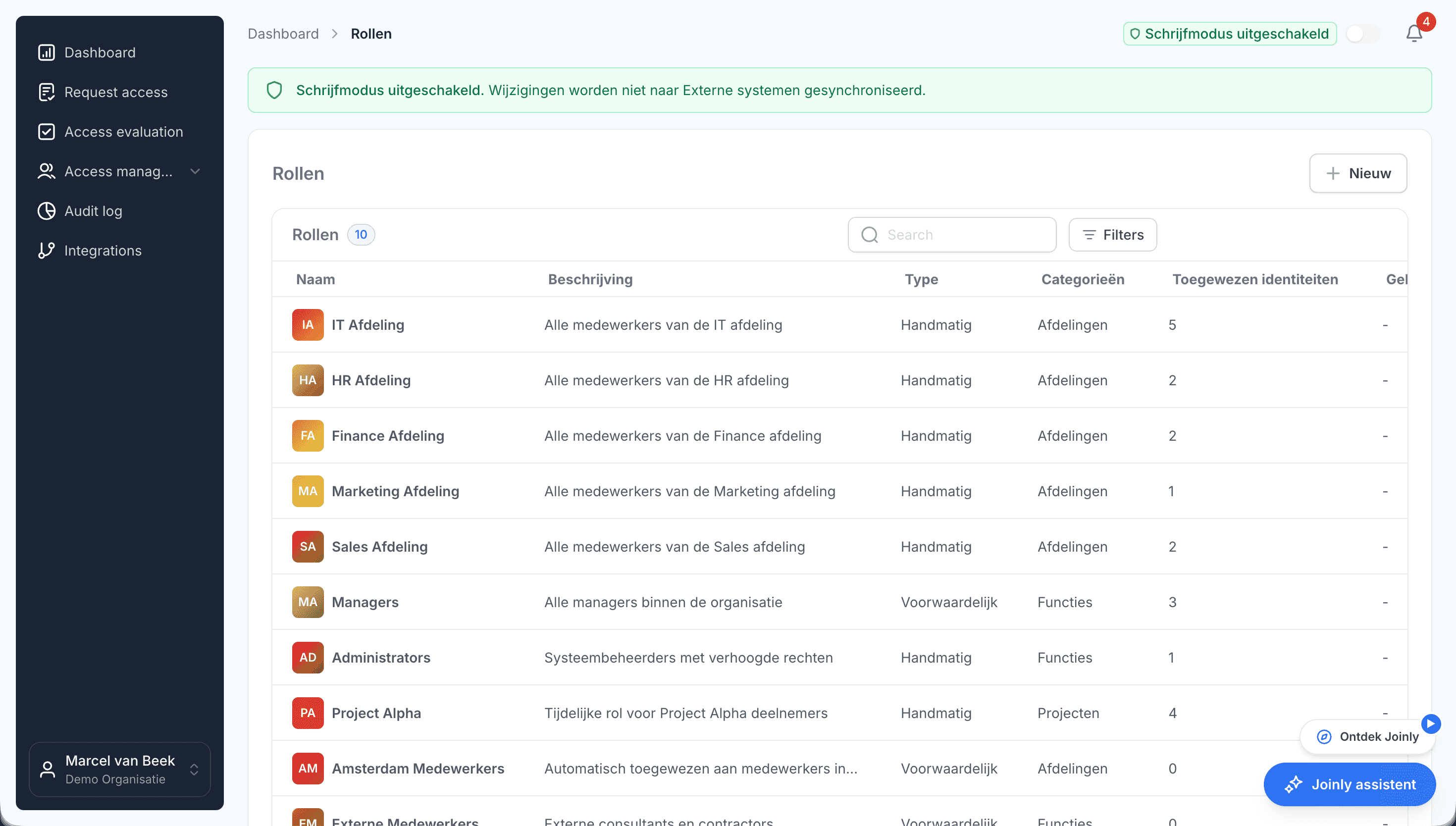
Access has to trace back to a role or job, and not to a stray ticket from three years ago. In Joinly access follows from roles on department, job and location from HR, and for every assignment you see which rule granted it.
Step 2
Were leavers and external staff closed off in time?
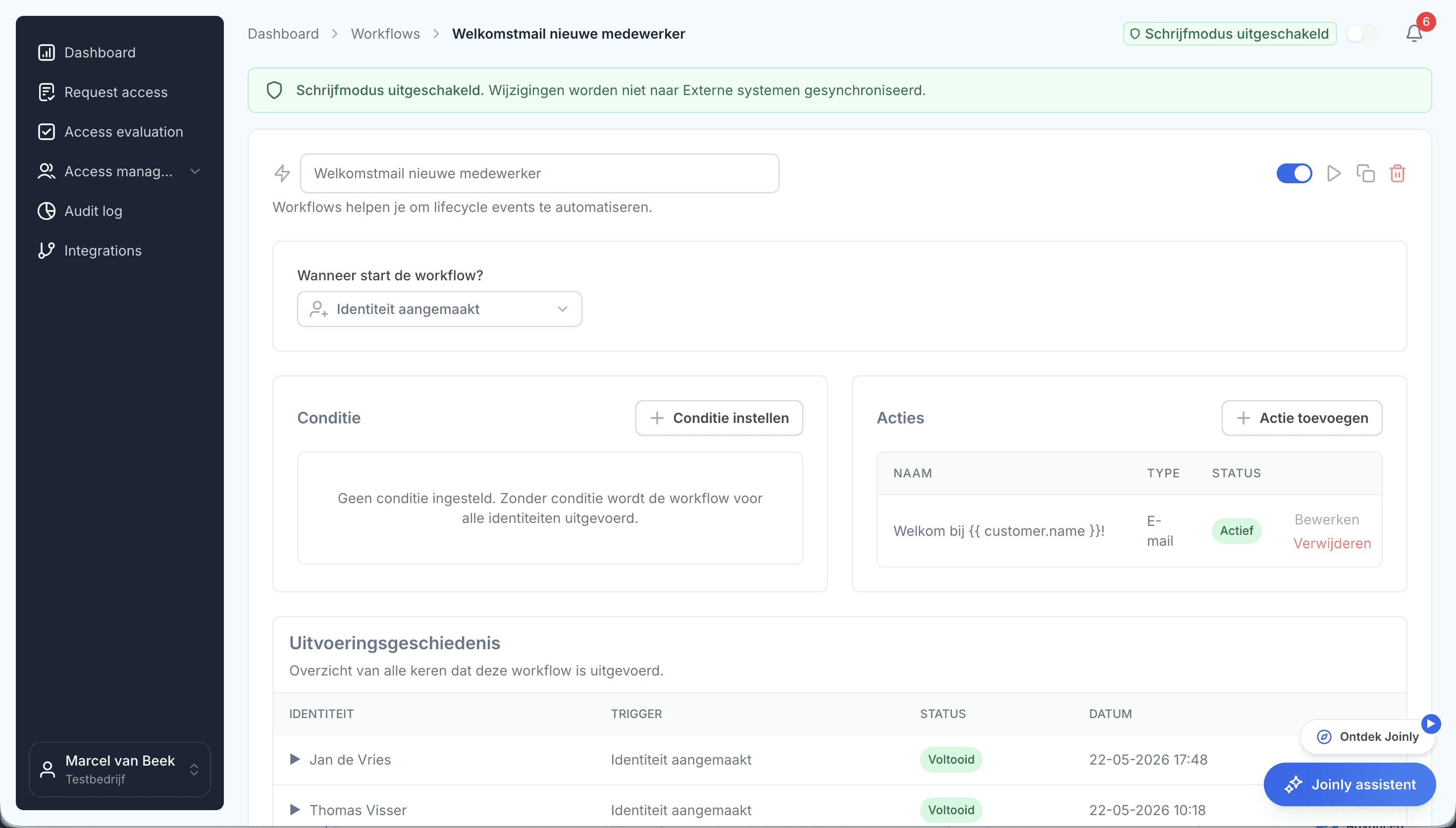
On the leaving date the account is disabled, sessions are revoked and licences are freed. External staff and guests run through the same lifecycle, with a mandatory end date.
Step 3
Where is it recorded when someone gained or lost access?
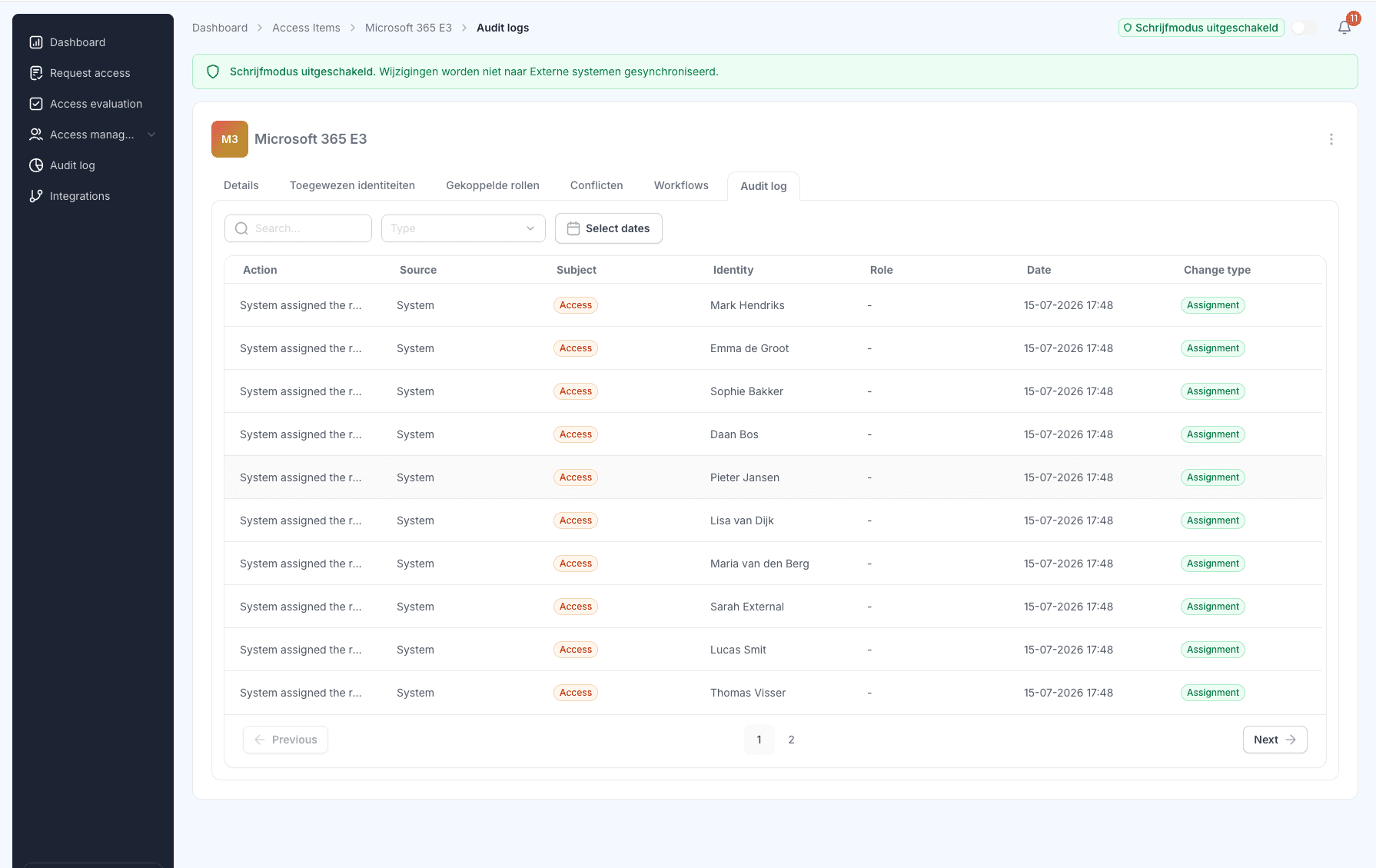
Every grant, change and revocation is in the audit log: who, what, when and on what grounds, with the old and the new value. Logs cannot be changed afterwards.
Step 4
Does actual access match intended access?
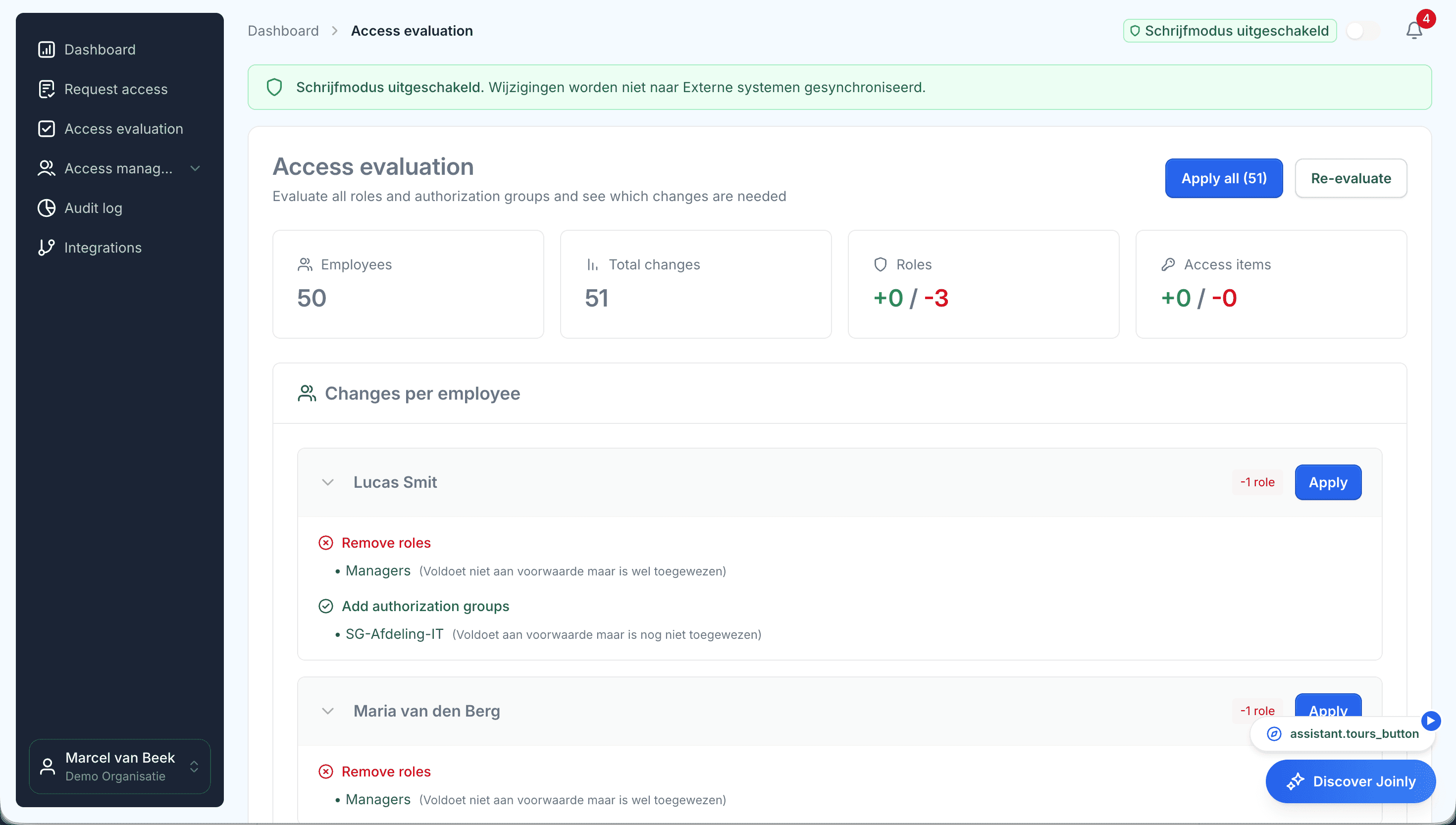
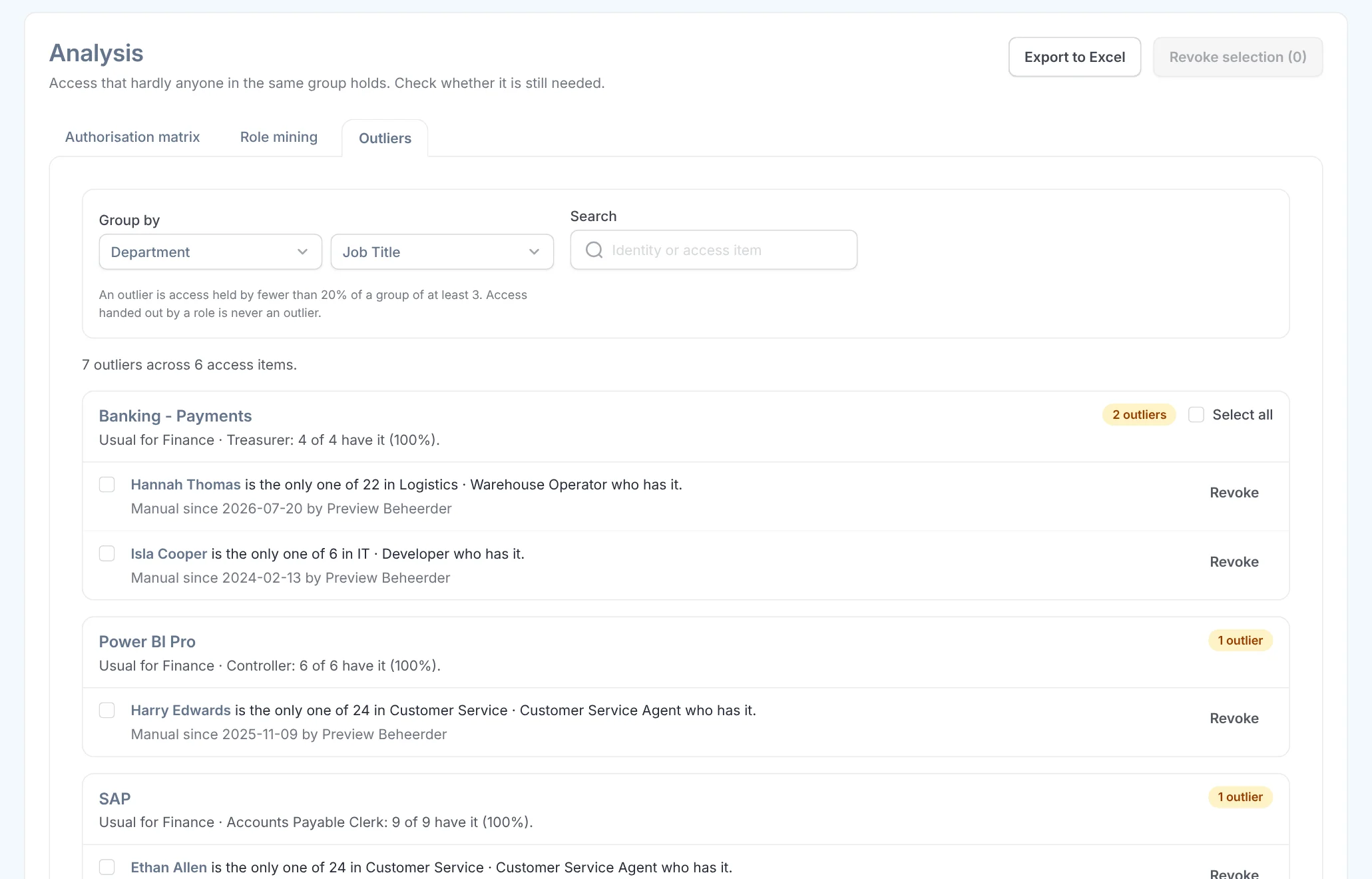
Access evaluation puts what is there next to what should be there. You apply corrections per person or in bulk, and those are in the audit log too.
In an incident you block an account straight away: sessions revoked, MFA reset, and logged.
What it delivers
For the board
Sight of a measure you sign for
You show how access is arranged, with overviews from the audit log instead of reassurance from IT.
For the security officer
The access part of the duty of care, demonstrable
Roles, lifecycle, evaluation and logging in one process. You answer the supervisor's four questions in minutes.
For IT
Evidence as a by-product
What Joinly does automatically, it records itself. No spreadsheets and screenshots for an audit.

Tool · 2 minuten
Weten waar je staat?
Doe de NIS2-check en zie binnen twee minuten of je onder de wet valt en welke stappen voor jouw organisatie het meest urgent zijn.
NIS2-check
Beantwoord 8 ja/nee-vragen en zie binnen twee minuten of je onder de wet valt en welke stappen het meest urgent zijn.
Valt je organisatie in een aangewezen sector (energie, transport, zorg, drinkwater, digitale infra, overheid, afval, levensmiddelen, chemie, post/koerier, digitale aanbieders …)?
Ask away
Frequently asked questions about NIS2
Does my organisation fall under the Cybersecurity Act?
The act applies to essential and important entities in designated sectors, usually from 50 employees or 10 million euros in turnover. For government there is no size criterion: every municipality, province and water board falls under it. Even if you fall outside the act yourself, the supply chain obligation can bring requirements from customers.
Is Microsoft Entra ID enough for NIS2?
Entra ID handles authentication and identities. NIS2 also asks you to show why someone has access, that access moves with staff changes and that every change can be traced. Joinly adds that layer on top of Entra ID and on-premises Active Directory.
Which part of NIS2 does Joinly cover?
Access management and the evidence for it: a lifecycle driven by HR, least privilege through roles, periodic access evaluation and an immutable audit log. That is the part most visible under supervision and the easiest to check.
Is MFA mandatory under NIS2?
Strong authentication, including MFA, is an explicitly named area. In practice that means MFA on critical access. You set the policy in Entra ID; Joinly handles the administration around it, such as an MFA reset and a Temporary Access Pass, and records who carried out those actions.
Does NIS2 apply to suppliers too?
Through the supply chain obligation, yes. Organisations under the act have to manage risks in their supply chain, and so they set requirements for suppliers: demonstrable access management, revoking accounts on time and logging.
Where do I start?
With the actual situation. Put your existing Entra and AD access next to your HR system: accounts without an HR link and leavers with active access are your first risk list straight away. Making that gap visible is something you can already show a supervisor.
More of the product
- Lifecycle managementJoiners, movers and leavers from HR
- WorkflowsEverything that follows a change
- Roles and RBACAccess that follows the job
- Role miningRoles from the access that is there
- Authorisation matrixAlways current, exportable
- Segregation of dutiesStop conflicting rights
- Logging and auditingWho, what, when and why
- Application integrationsAccounts in every application
- SCIM gatewayOne standard for provisioning
See how the evidence comes about
In your free trial environment you see with demo data how roles, lifecycle and audit log together record what the supervisor asks for.
No credit card, nothing to install.
Rather talk to someone first? Talk to an IAM specialist