Access requests
Access requests that go straight to your client's manager
A large share of an MSP's tickets are about access: I need this folder, I have to be in that Teams channel, can I get into this system too? Your service desk cannot judge that request, so an email goes to the manager, and everyone waits. With Joinly the employee requests it themselves and the manager decides.
The short answer
With self-service access requests, an employee at your client requests access themselves to, for example, a group, a Teams channel or an application. The request goes to their manager, who approves or rejects it. Once approved, Joinly grants the access, and temporary access gets an end date with a reminder to extend. Everything goes into the audit log, and your service desk does not have to do anything.
Tickets your service desk cannot judge
Technically, an access request is a small task, but your service desk cannot decide whether someone is allowed something. So a question goes to the manager at the client, an answer comes back after a few days, and the ticket is closed. The employee has been waiting in the meantime, and nobody has recorded why the access was given.
The employee asks, the manager decides
In Joinly an employee requests the access they need themselves. The request goes to their manager, because the manager knows whether it is needed. If the manager approves it, Joinly grants the access. If they reject it, nothing happens.
Temporary access, for a project for example, gets an end date. Shortly before that date a reminder arrives, so the manager can extend it or let the access expire.
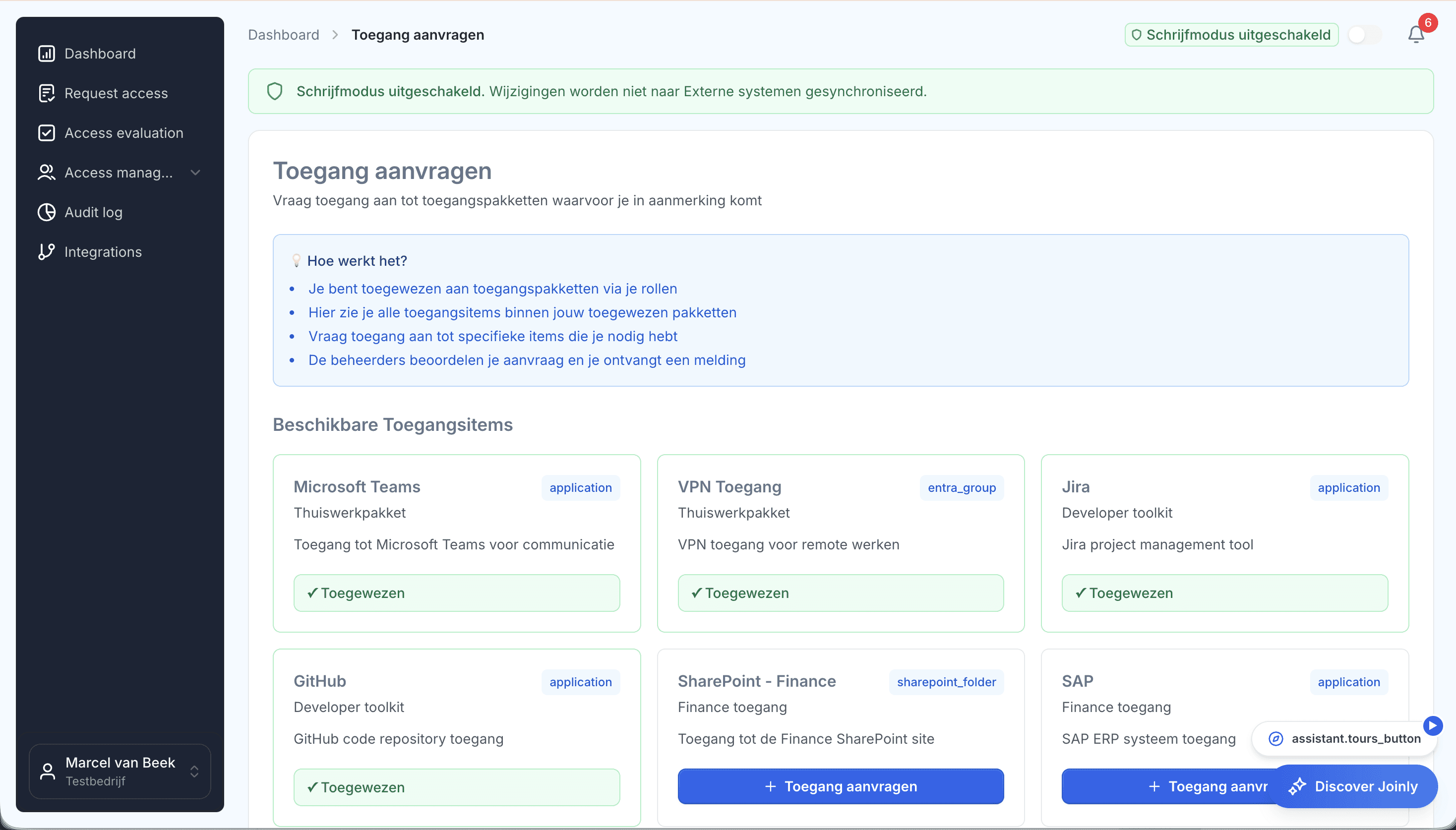
Fewer tickets, with the evidence included
Your service desk no longer sits between the employee and your client's manager. And every access granted this way is in the audit log with who asked, who approved it and until when it applies. In an access review it is then clear straight away why someone has something.
Access requests
Frequently asked questions
What is a self-service access request?
A request an employee submits themselves for access to, for example, a group, a Teams channel or an application. Their manager approves it, and then the access is granted automatically.
Who approves an access request?
The employee's manager, as recorded in HR.
Can access be given temporarily?
Yes. Temporary access gets an end date and a reminder to extend. If it is not extended, the access expires.
Does our service desk still get a ticket?
No, not for the request itself. It goes from the employee to the manager, and Joinly carries it out.
Is it recorded why someone was given access?
Yes. The audit log shows who asked, who approved it and until when it applies.
- Joinly for MSPsFor an MSP, every joiner and leaver at a client is a ticket, a checklist and work that is hard to bill for. Joinly picks up those changes from your client's HR system and handles accounts, groups, licences and access automatically. For all your clients, from one login, with each client in its own environment.
- User access review per clientThe classic access review is an export sent round to managers who do not recognise the group names. What comes back is a column of ticks. With Joinly you review per client what is actually set up, next to what was intended, and for every difference you see where it comes from.
- Access control matrix per clientAlmost every organisation has an access control matrix somewhere: a spreadsheet with job roles in the rows and systems in the columns. And almost everywhere it lags behind what is actually set up. With Joinly the matrix becomes the place access comes from, so it never lags behind again.
- Account management as a serviceFor many MSPs, account management is work that disappears into the contract: it has to be done, it takes time and nobody sees it. With Joinly it becomes a service with a clear outcome and a price that moves with your client.
Account management for your clients as a standard service?
In an introduction we walk through how Joinly would work for your clients: which HR systems, which environments and where you want to start. We agree the terms of a partnership in the same conversation.
Book an introduction