
Logging and auditing
Who, what, when and why. For every change in access.
Joinly records every change to identities and access, from employees and contractors to interns and pupils. Newest first: assignments, revocations, provisioning and changes from HR, with who did it and why. That way you answer the auditor's question as it is asked.
No credit card, nothing to install. Talk to an IAM specialist
- ISO 27001-certified
- Certified by AFAS
- Data in Amsterdam
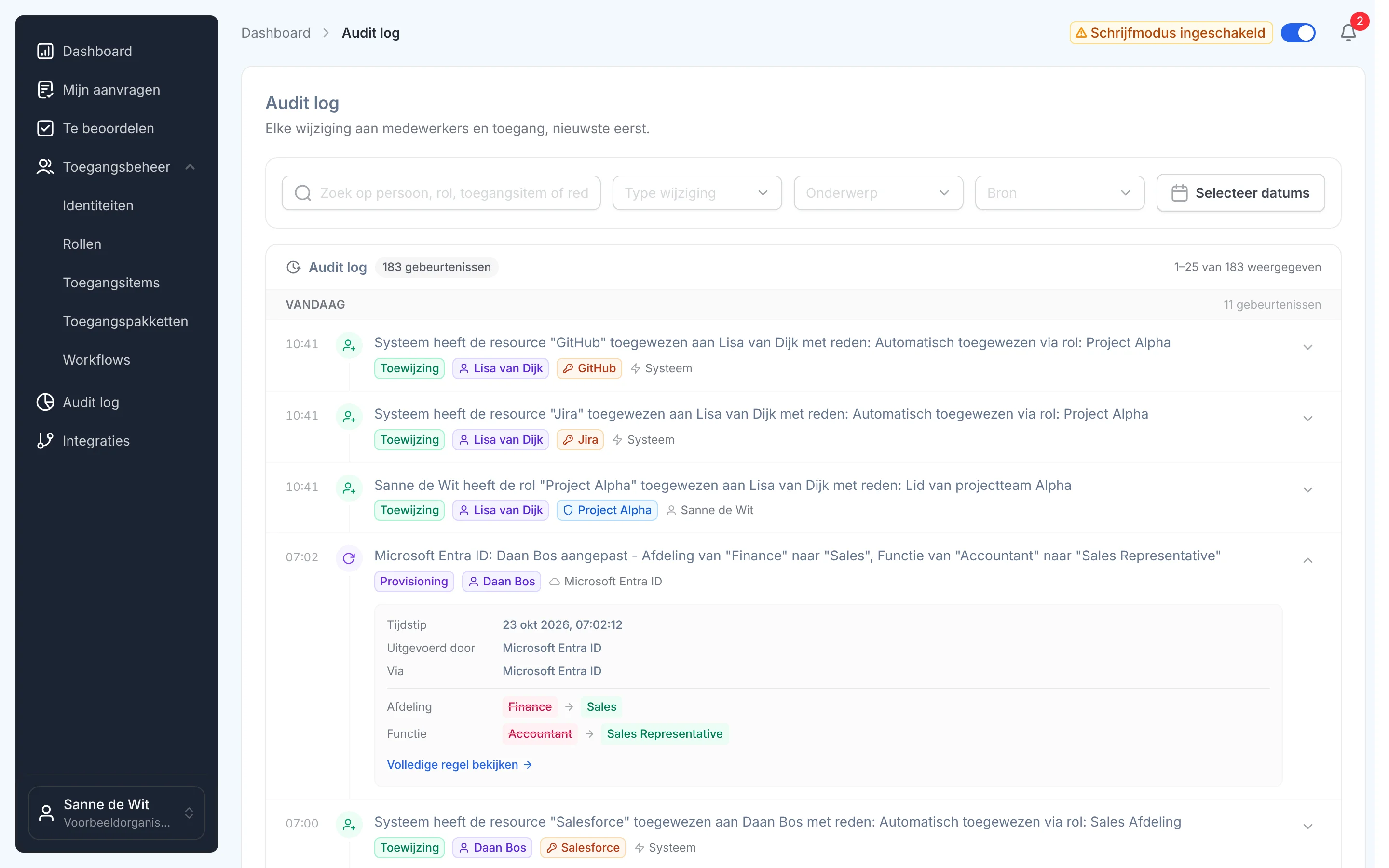
“Can you show why she has access to this?”
That is what the auditor asks, and then the searching starts: in tickets, in email, in a spreadsheet nobody kept up. Weeks of digging for an answer that should already have been there.
Under NIS2, ISO 27001 and NEN 7510 you have to be able to show who got access when, why, and when it went again.
How it works
From event to answer
Step 1
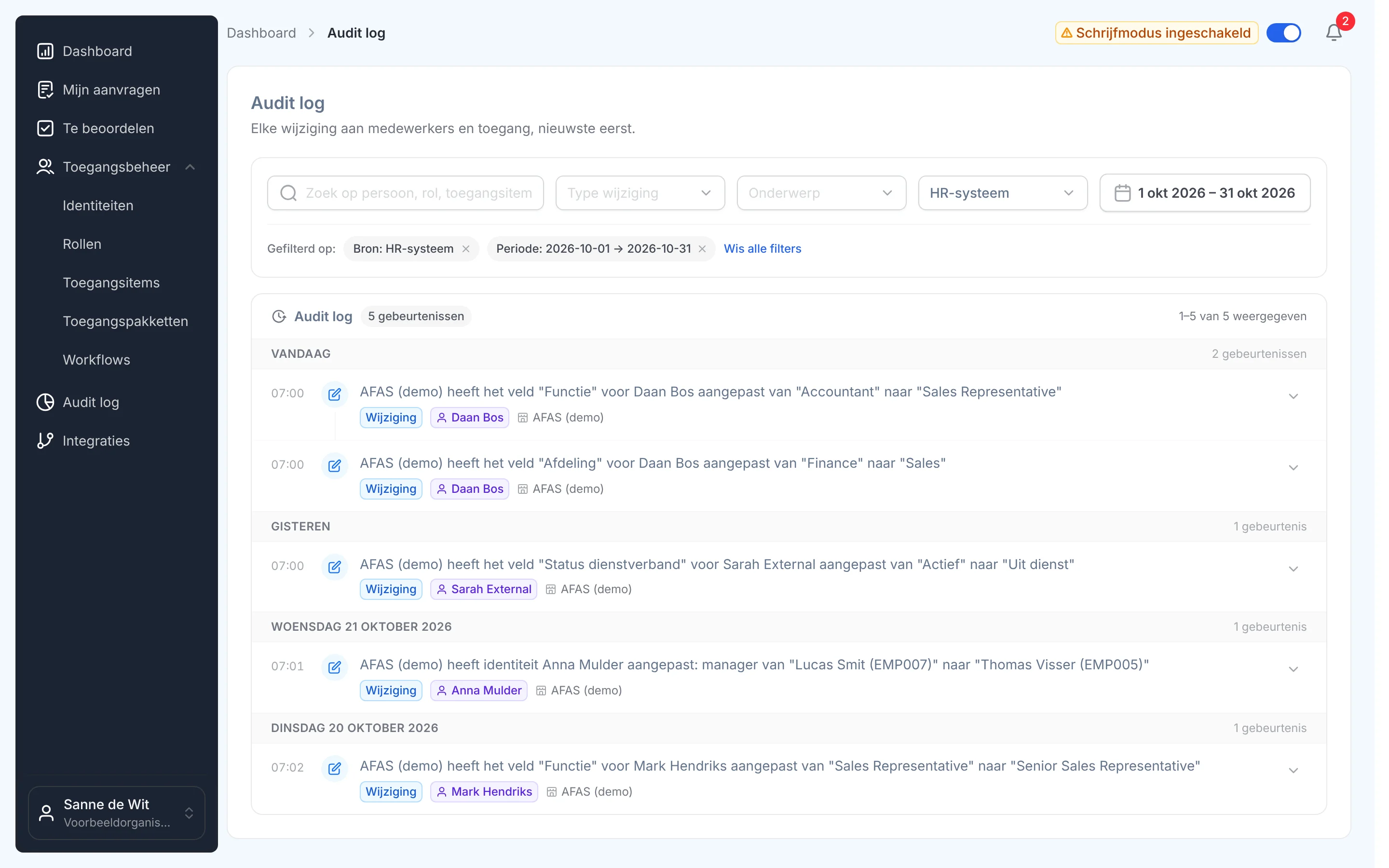
Find any change in a few clicks
Search by person, role, access item or reason, and filter by type of change, subject, source and period. Every change from AFAS this month, or everything one role did: it is there straight away.
Step 2
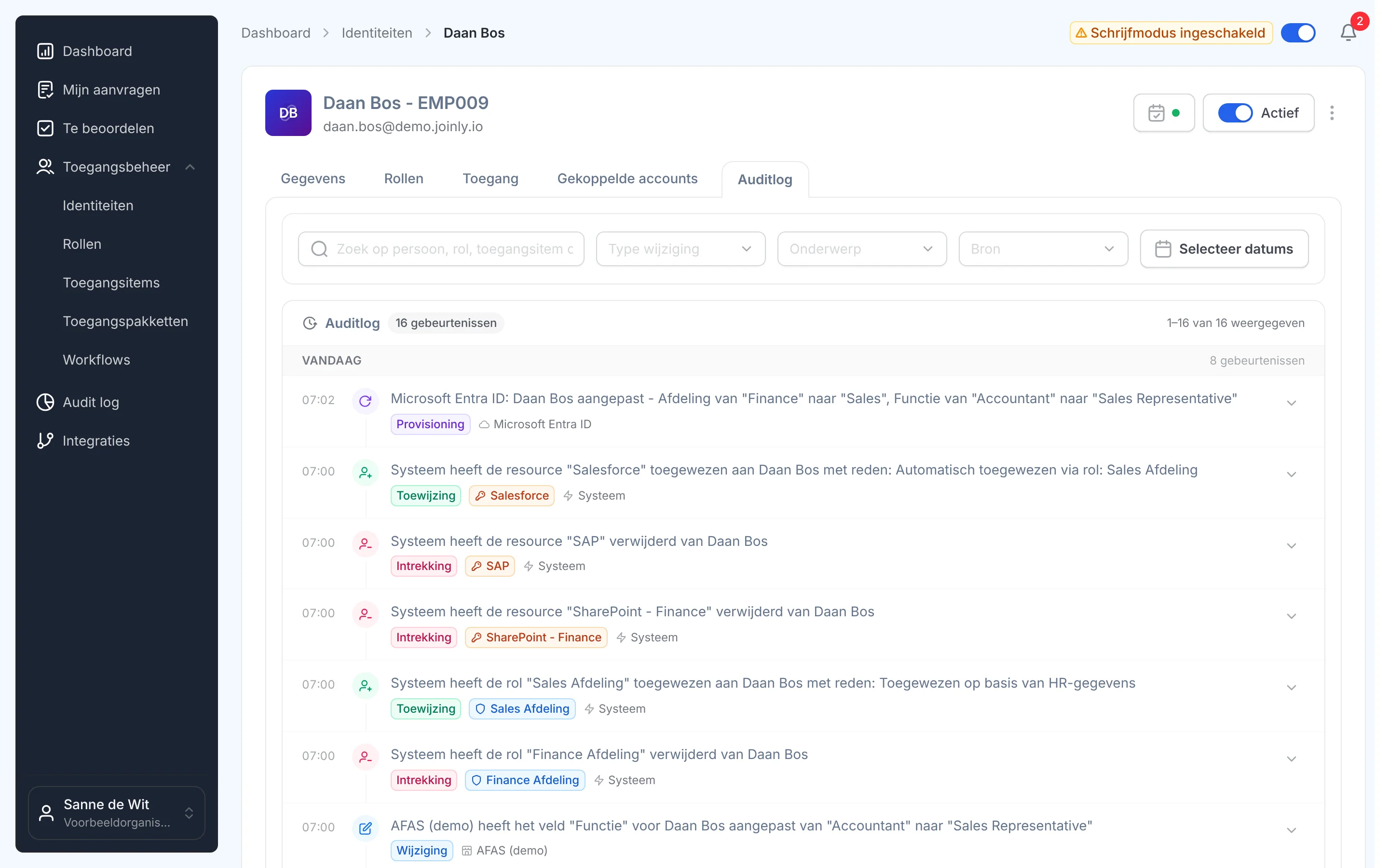
One person's whole story
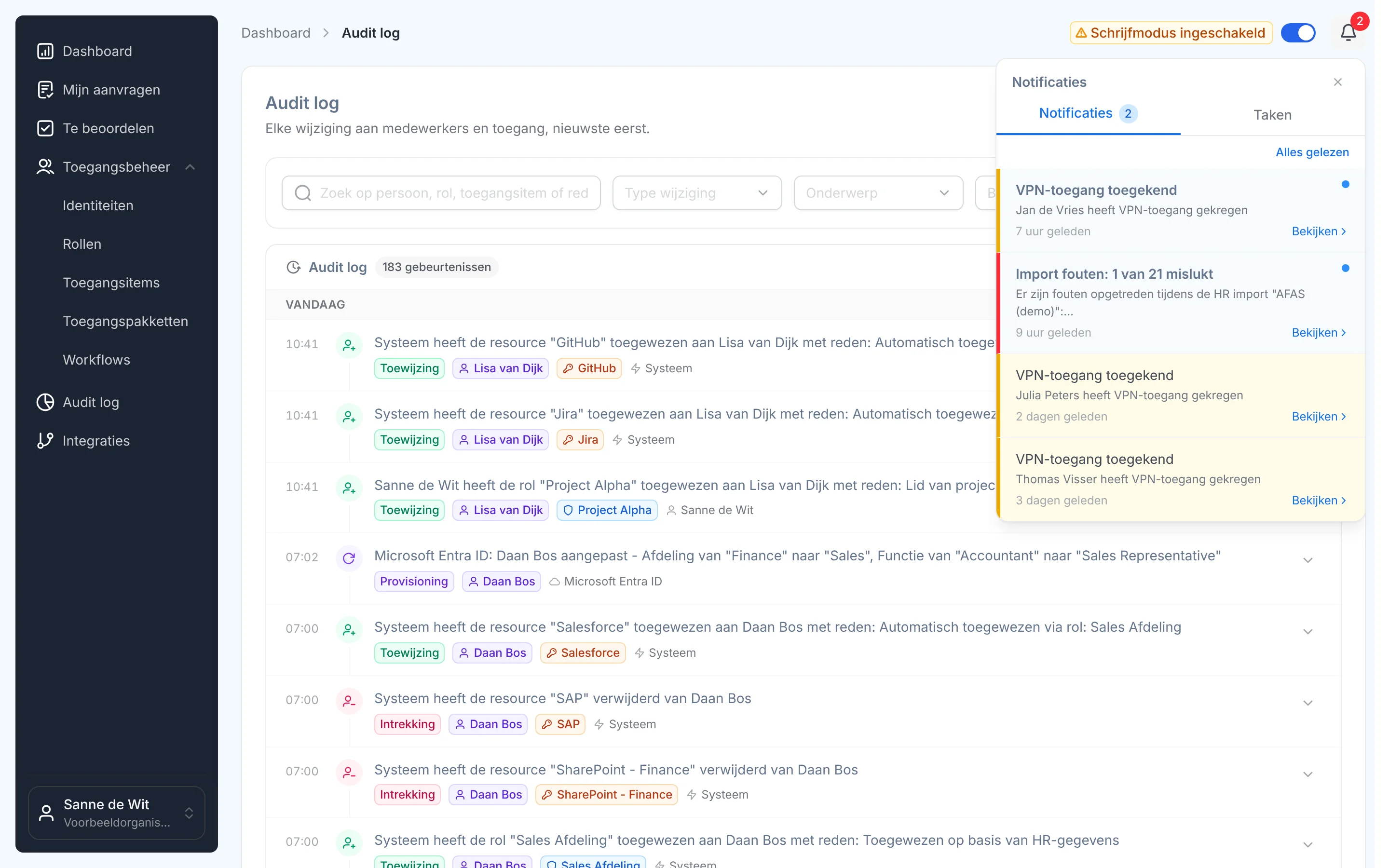
Every identity has its own audit log, whether it is an employee, a contractor or an intern. An internal move reads like a story: the change of job from HR, the roles and access that lapsed and were added, and the update in Microsoft Entra ID.
Roles, access items and HR imports each have their own log.
Step 3
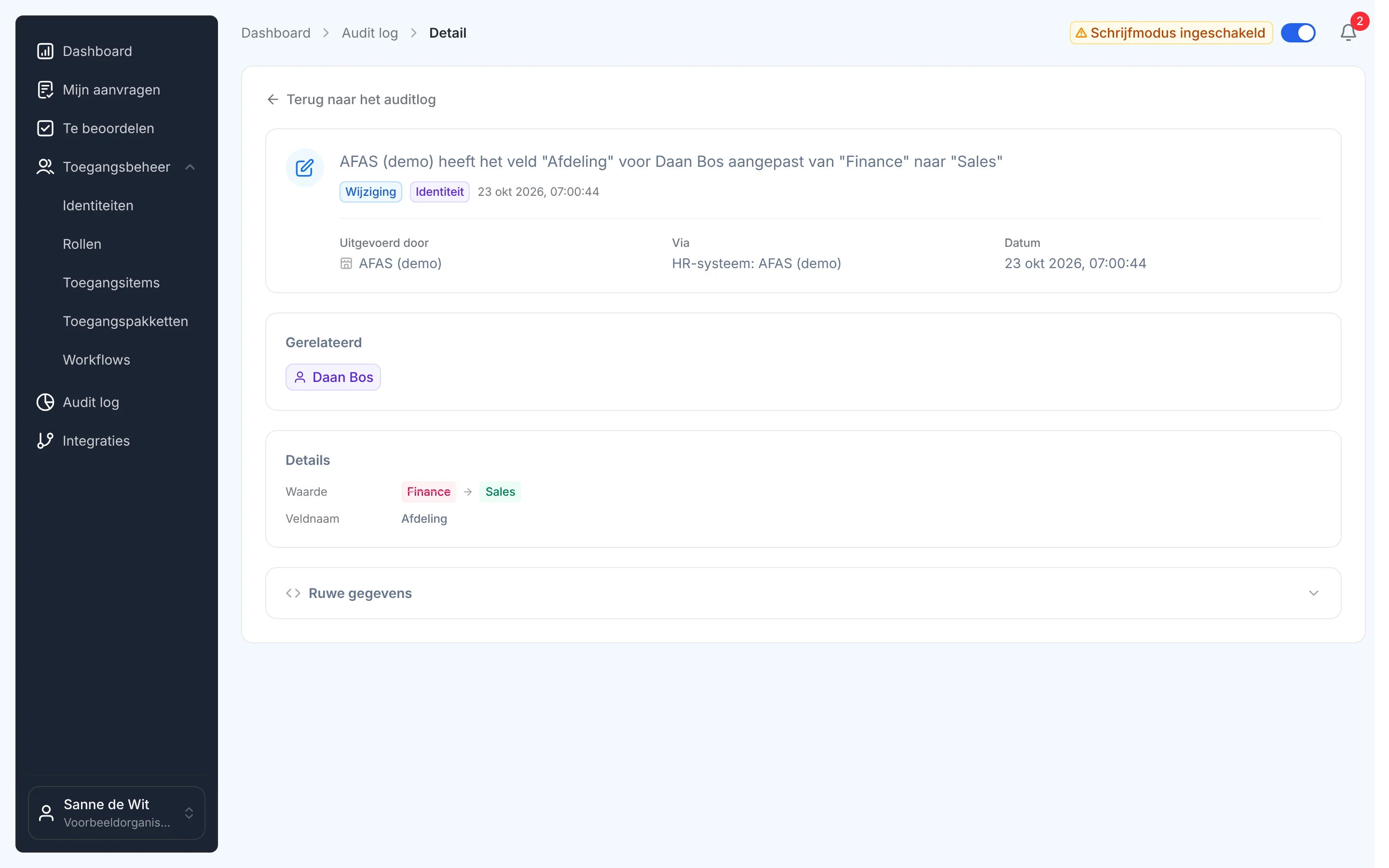
Old and new, per field
You see every row in detail: the time, who did it, through which system, the person or role concerned, and per field the old and the new value. Logs are stored securely and cannot be changed afterwards.
Step 4
A heads-up when something goes wrong
If an identity fails in an HR import, or someone gets access you want to follow, it shows up in your notifications, with a link to the details.
What it delivers
For the security officer
An answer in minutes
Why does someone have access, since when and who granted it? It is there, per person, with the reason.
For the auditor
Evidence that is already there
A full history per identity, role and access item, from logs that cannot be changed.
For IT
No more digging
No searching through tickets and mailboxes. Every step Joinly takes, it records itself, and changes from HR and Entra ID too.

Ask away
Frequently asked questions about logging
What is in the audit log?
Every change to identities and access, for employees, contractors, interns and pupils: assignments and revocations of roles and access items, provisioning to Entra ID and Active Directory, and changes from HR. With the time, who did it, the system, the reason and, for a change, the old and the new value.
What can I search and filter on?
You search by person, role, access item or reason, and filter by type of change, subject, source and period, from today to this year or a date range of your own.
Does every identity have its own log?
Yes. Employee, contractor or intern: every identity has its own audit log on its page, and roles, access items and HR imports have one too.
Can anyone change a log afterwards?
No. Logs are stored securely and cannot be changed afterwards.
Do I get notified of important events?
Yes. Failed HR imports and access you want to follow show up in your notifications, with a link to the details.
Does this help with NIS2 and ISO 27001?
Yes. Both ask you to show who got and lost access when, and why. The audit log is that evidence, per identity and per change.
More of the product
- Lifecycle managementJoiners, movers and leavers from HR
- WorkflowsThe right steps for every change
- Roles and RBACAccess that follows the job
- Role miningRoles from the access that is there
- Authorisation matrixAlways current, exportable
- Segregation of dutiesStop conflicting rights
- Application integrationsAccounts in every application
- SCIM gatewayOne standard for provisioning
- Active DirectoryOn-premises and hybrid
See the audit log yourself
In your free trial environment you see with demo data how every change in access is recorded.
No credit card, nothing to install.
Rather talk to someone first? Talk to an IAM specialist