Access control matrix
An access control matrix per client that carries itself out
Almost every organisation has an access control matrix somewhere: a spreadsheet with job roles in the rows and systems in the columns. And almost everywhere it lags behind what is actually set up. With Joinly the matrix becomes the place access comes from, so it never lags behind again.
The short answer
An access control matrix, sometimes called an authorisation matrix, records which job roles get access to which systems and data. In a spreadsheet it is a document that sits next to reality. In Joinly the matrix consists of roles based on job title, department and location from HR, with the groups, Teams, licences, mailboxes and applications that belong to them. Joinly grants that access itself and revokes it again, so the matrix and your client's environment say the same thing.
What an access control matrix is
An access control matrix is a table. The rows hold job roles, the columns hold the systems, folders and applications, and each cell says whether that role has access, and with which permissions. It is the agreement on who gets access to what.
Auditors ask for it, NIS2 and ISO 27001 expect such an agreement, and for an MSP it is the basis of every new employee at a client: which access belongs to this job?
Why the spreadsheet always lags behind
The matrix is made once, often for an audit, and then maintained alongside the environment. Or not. A new application arrives, a department is split, a job title changes, and the spreadsheet does not follow. After a year it describes the environment as it was once meant to be.
The second problem is that the matrix does nothing. Someone has to read it and carry it out, for every new starter and every change of role. In practice, people end up copying from a colleague again.
The matrix as roles in Joinly
In Joinly you record the matrix as roles. A role belongs to a job title, a department, a location or a combination of these from HR, and contains the access that goes with it: groups, Teams channels, SharePoint, licences, shared mailboxes and applications. Whoever has the role gets that access. Whoever loses it, loses the access.
Exceptions are still possible, with a reason and an end date, so temporary really is temporary. With segregation of duties you record which permissions may never come together in one person.
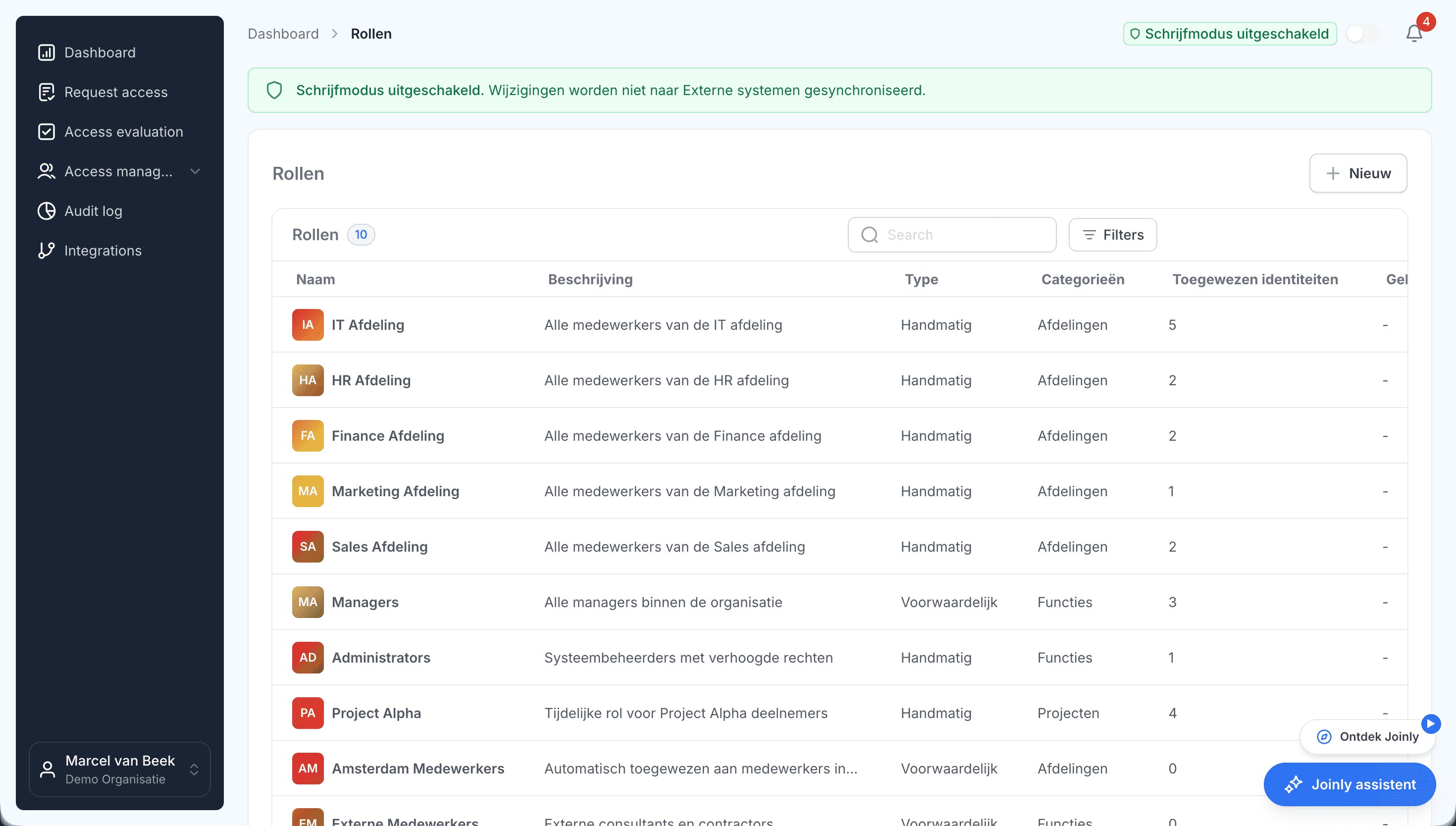
A matrix of its own for each client
Every client has its own job roles and systems, so every client gets its own matrix. Whatever is the same at all your clients, such as a role for everyone with the basic licence and the general Teams, is your standard. The rest you set up per client.
An example
What part of an access control matrix looks like in Joinly, for a fictional client.
Role
Access
How it is granted
- All employees
- Access: Basic licence, general Teams, intranet
- How it is granted: Everyone employed
- Finance department
- Access: Accounting software, finance folders
- How it is granted: By department from HR
- Manager
- Access: Management Teams channel, approvals
- How it is granted: By job title from HR
- Branch
- Access: That branch's group and printers
- How it is granted: By location from HR
- Temporary project
- Access: Project site in SharePoint
- How it is granted: Exception with a reason and an end date
Access control matrix
Frequently asked questions
What is an access control matrix?
A table that records which job roles get access to which systems, folders and applications, and with which permissions.
How do you create an access control matrix?
Start with the job titles and departments from HR and the systems the organisation uses. Record per job what is needed, start with what everyone gets and add per department and job. In Joinly you record that directly as roles, so the matrix is also carried out.
What is the difference between an access control matrix and RBAC?
The access control matrix is the agreement: which job gets what. RBAC, role-based access control, is how you carry out that agreement: through roles that grant access. Joinly does the second based on the first.
What do you do with exceptions?
You record them with a reason and an end date. That way it stays visible why someone has something extra, and it closes again by itself.
How do you prevent dangerous combinations of permissions?
With segregation of duties. You record which permissions may never come together in one person, and Joinly warns or blocks when an assignment would do exactly that.
- Joinly for MSPsFor an MSP, every joiner and leaver at a client is a ticket, a checklist and work that is hard to bill for. Joinly picks up those changes from your client's HR system and handles accounts, groups, licences and access automatically. For all your clients, from one login, with each client in its own environment.
- User access review per clientThe classic access review is an export sent round to managers who do not recognise the group names. What comes back is a column of ticks. With Joinly you review per client what is actually set up, next to what was intended, and for every difference you see where it comes from.
- IT onboarding checklistA new employee knows on their first morning whether IT was on time. This checklist goes through the steps that takes, and shows for each step what Joinly does as soon as the employee is in HR.
- ISO 27001 and access controlAccess control always comes up in an ISO 27001 audit. The standard asks for a policy, and it also asks you to show that the policy is carried out. If you are the MSP doing the management, that question lands with you.
Account management for your clients as a standard service?
In an introduction we walk through how Joinly would work for your clients: which HR systems, which environments and where you want to start. We agree the terms of a partnership in the same conversation.
Book an introduction