
Roles and RBAC
Everyone gets the access their job needs. Automatically.
Define once what a job needs. Joinly gives that access to everyone in that job, adjusts it when someone moves, and revokes it when they leave. Starting from access that grew over the years? Joinly suggests the roles from your own data.
No credit card, nothing to install. Talk to an IAM specialist
- ISO 27001-certified
- Certified by AFAS
- Data in Amsterdam
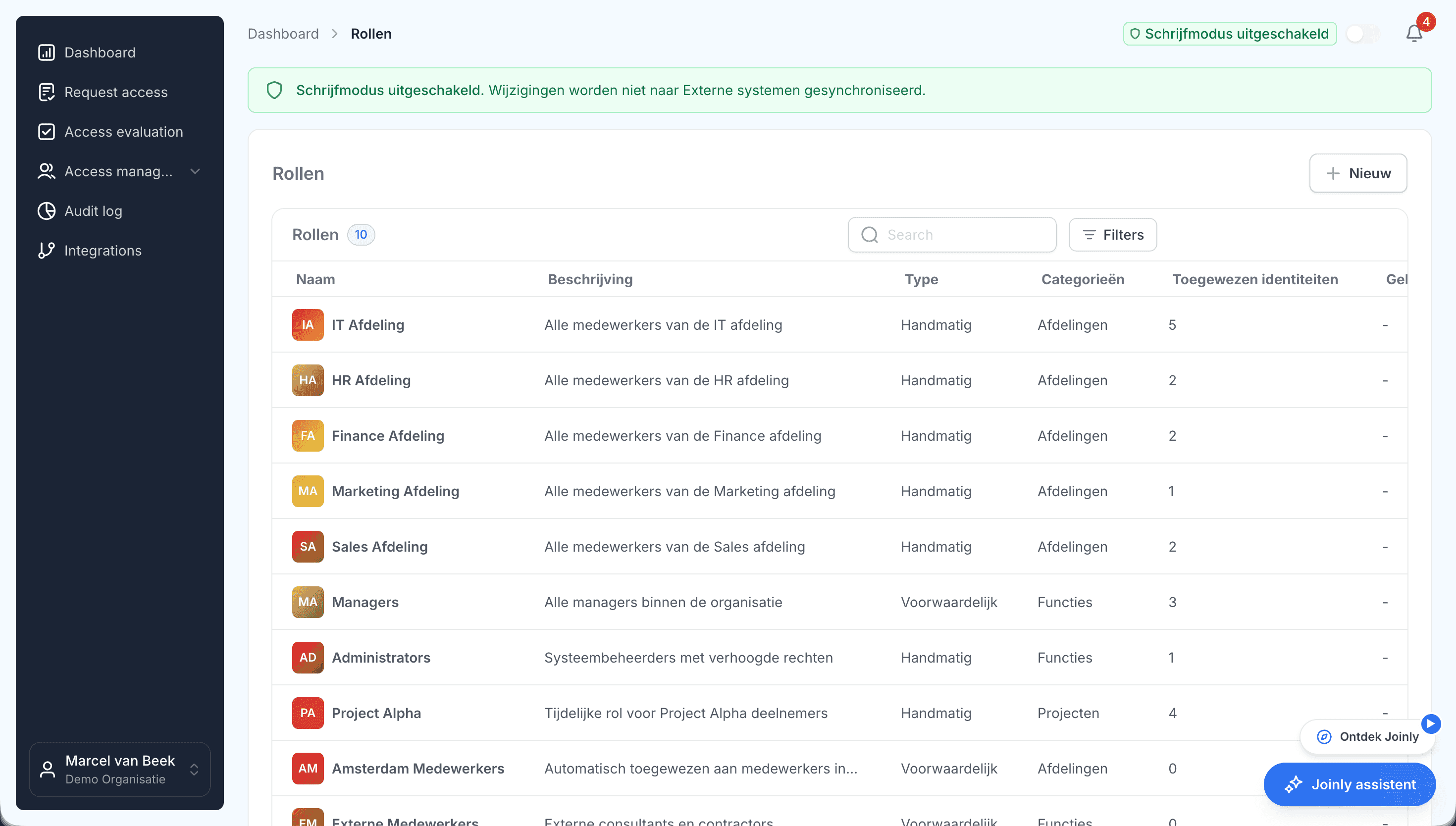
“Just give him the same rights as Kees”
That is how access grows in most organisations. Someone gets a colleague's rights, that colleague already had too many, and nobody ever cleans it up.
For IT that means tickets every week. For the security officer it means rights nobody can explain any more, and no answer to the question of who can reach the financial data.
How it works
From access that grew to roles that keep themselves up to date
Step 1
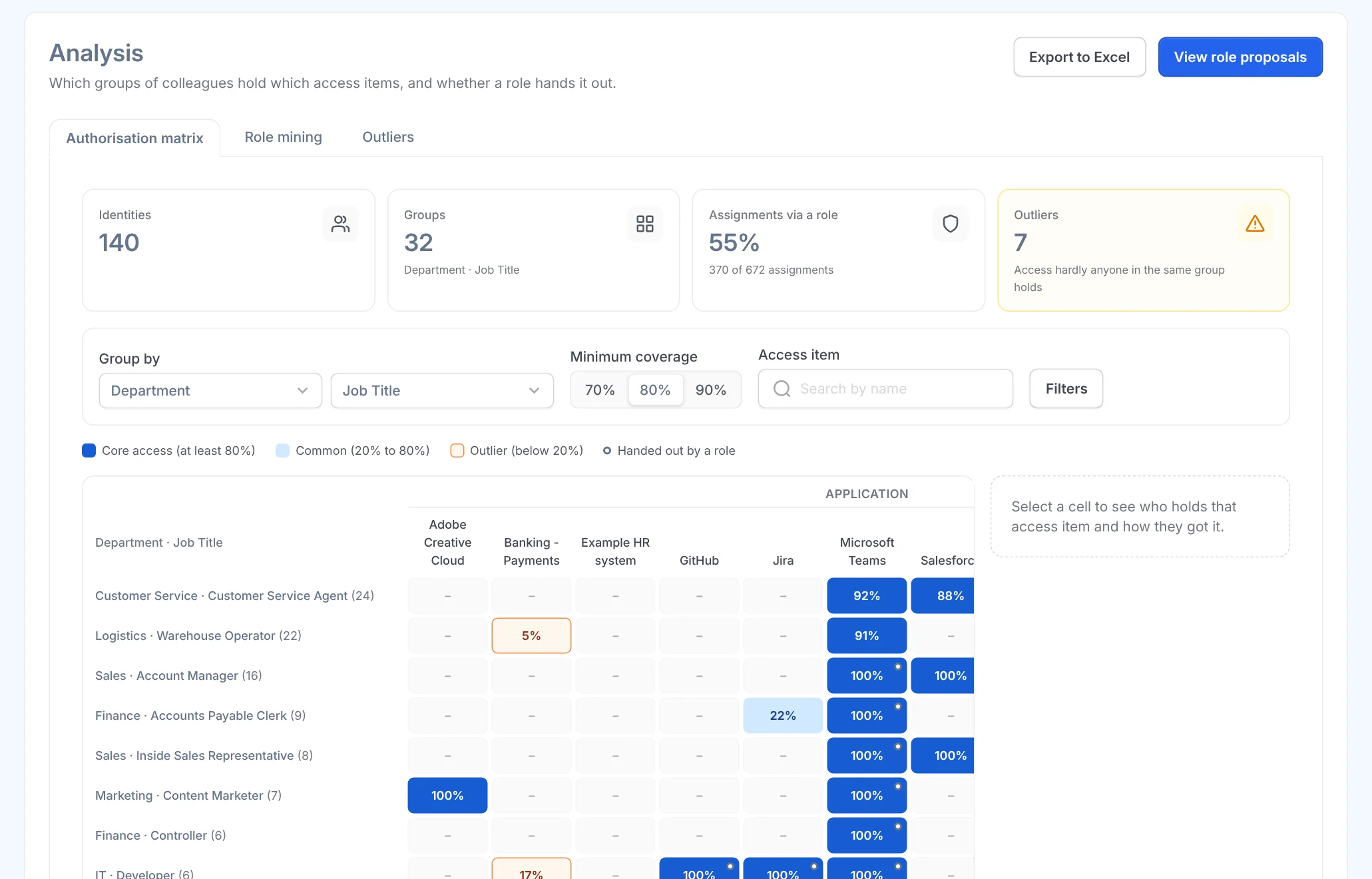
See who has what
The authorisation matrix sets groups of colleagues against every access item. Each cell shows what share of the group has it, and whether a role grants it. Dark blue and assigned by hand: that is where a role is waiting.
Export the matrix to Excel for the auditor.
Step 2
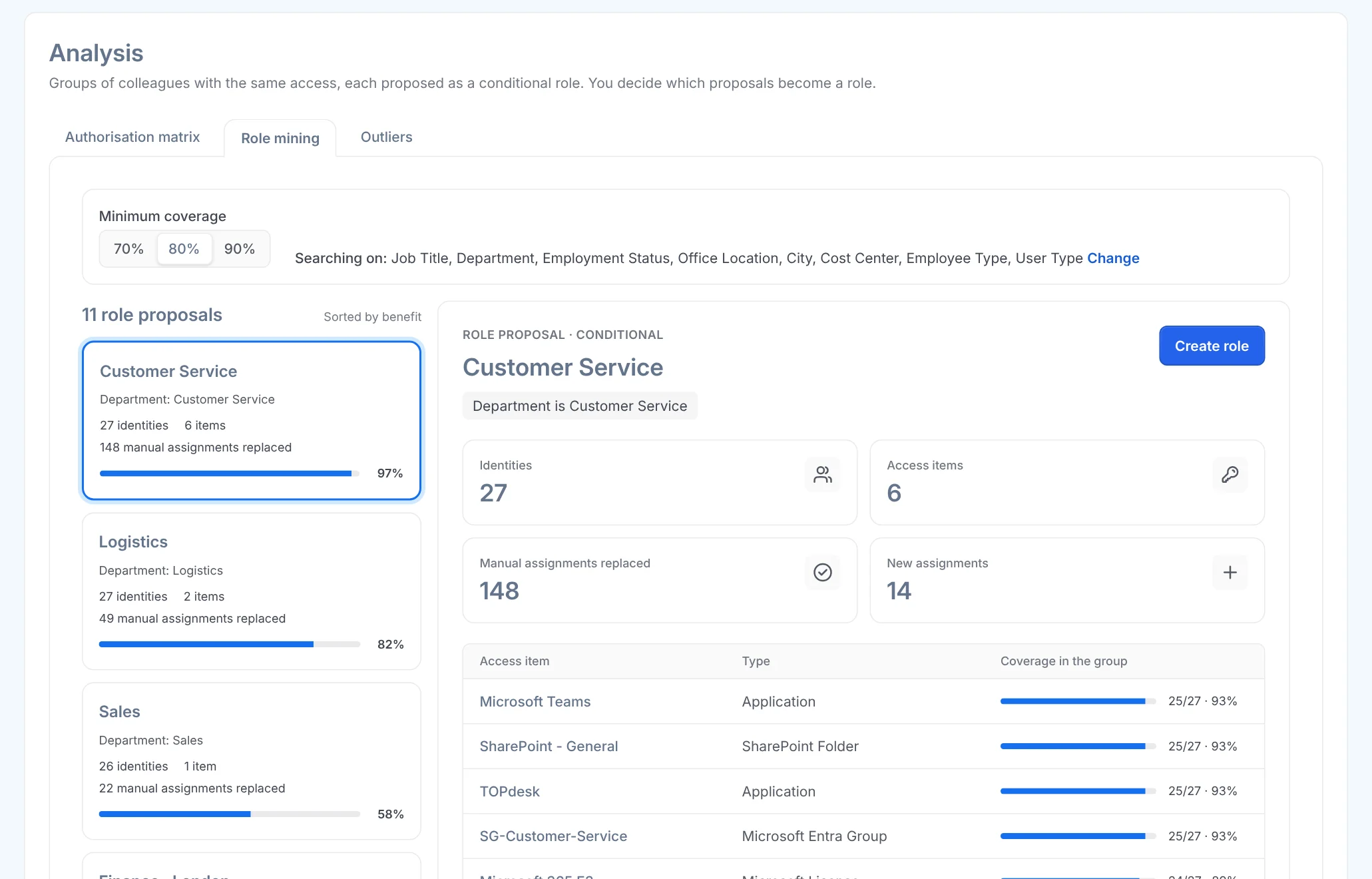
Let Joinly suggest the roles
Joinly finds groups with the same access, by department, job, location and your other fields, and suggests each group as a conditional role. At the top, the suggestion that takes over the most manual assignments.
Step 3
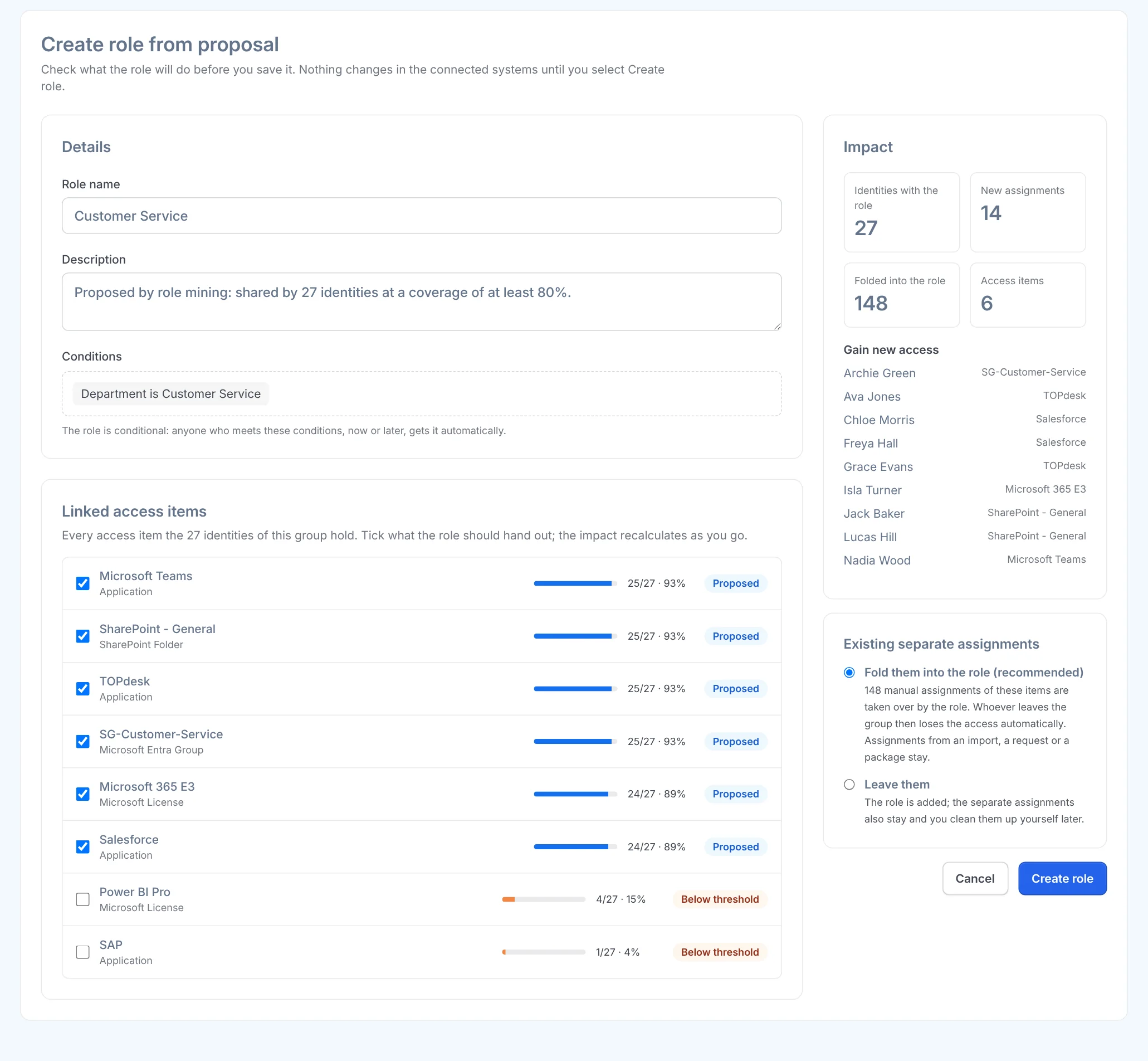
Create the role, seeing the impact first
Before anything is saved, you see who gets the role, who gains new access through it and which manual assignments it absorbs. From then on the role follows HR: new colleagues get it automatically, and whoever moves loses it.
Step 4
Keep roles and reality in line
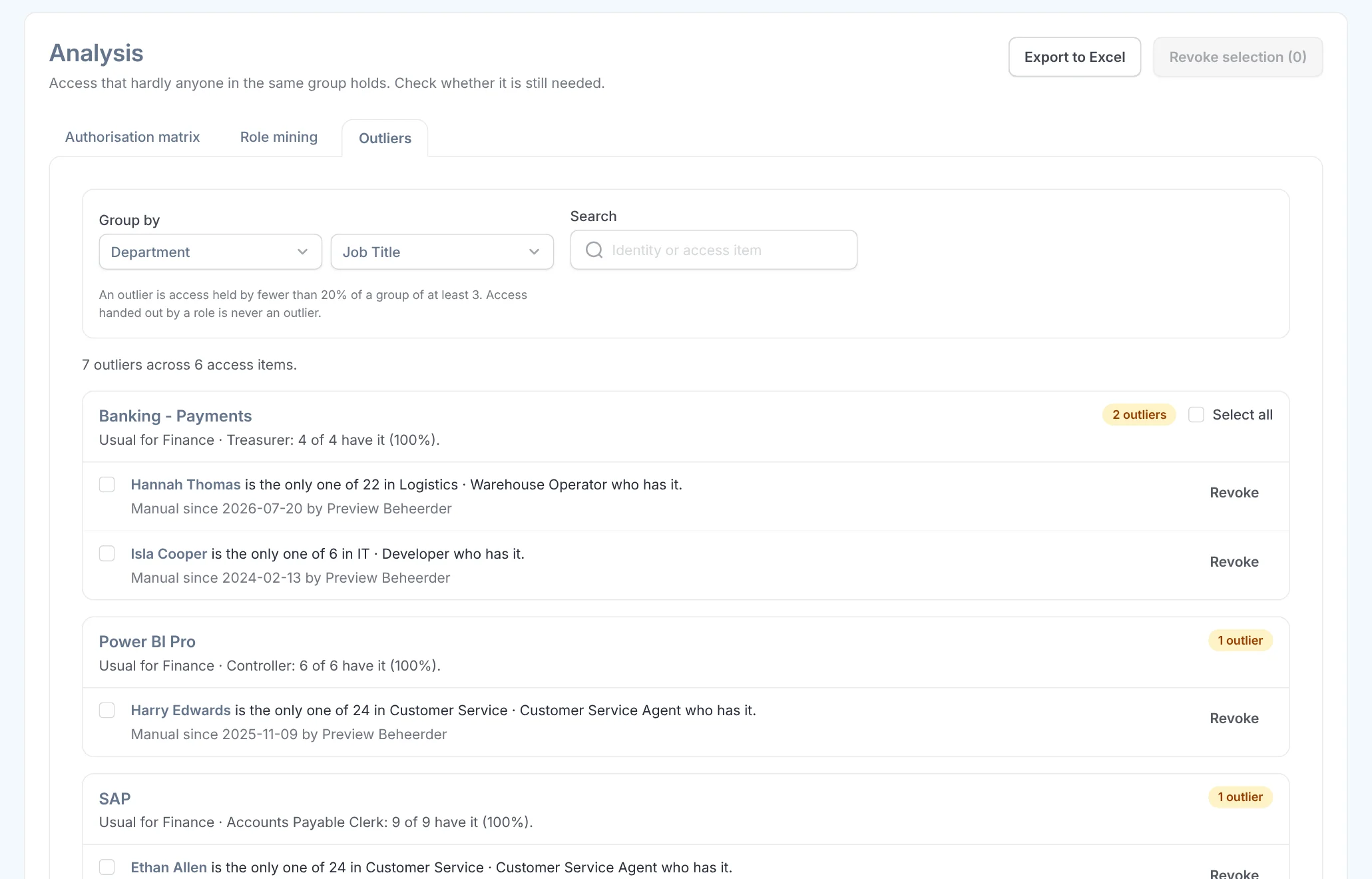
Role evaluation puts who should have a role next to who has it. Deviations show access that hardly anyone in the same group has, with its source and who granted it. You apply the difference in one click.
Access another source still covers stays in place when you revoke.
What it delivers
For IT
No more tickets for standard access
New colleagues have exactly what their job needs on day one. A change of job is one change in HR.
For the security officer
Every assignment can be explained
For each person you see which rule granted the access, and you clean up deviations in one click. It is all in the audit log.
For the auditor
The authorisation matrix is always current
No spreadsheet that falls behind: the matrix comes from actual access, and you export it whenever you like.

Ask away
Frequently asked questions about roles
What goes into a role?
Entra groups (security and Microsoft 365), Enterprise Applications with their app roles, Microsoft licences and applications such as Bitwarden or HubSpot. Whoever gets the role gets all of it at once, and loses it again when it is revoked, unless another source still covers the access.
Which data can a role be assigned on?
Any field from your HR system: department, job, location, contract type or a custom field. You combine them, for example department Care and location Utrecht. When HR changes a field, the access moves with it.
How do I start if my access has grown over the years?
With the authorisation matrix and the role suggestions: they show which groups of colleagues already have the same access. You bring existing memberships along as a source, so nothing disappears. Then you introduce one role at a time, and role evaluation shows beforehand what will change.
What is the difference between RBAC and ABAC?
With RBAC, access hangs on a role; with ABAC, on attributes such as department, location or contract type. The best models use both: a role per job, and rules on attributes for what differs by department or location. Those attributes are already in your HR system.
Can I hand out temporary roles?
Yes. A role or a single right gets an end date, and on that date the access lapses by itself. That way contractors and interns never keep access longer than agreed.
How do I avoid too many roles?
Keep roles broad and use rules on HR attributes for the differences. Genuine exceptions go through a request with approval. Make a role for every exception and within a year you have more roles than employees.
What if two rights may not go together?
Then you record that as segregation of duties. If someone gets the second half through a role, Joinly holds that access until someone chooses.
More of the product
- Lifecycle managementJoiners, movers and leavers from HR
- WorkflowsEverything that follows a change
- Role miningRoles from the access that is there
- Authorisation matrixAlways current, exportable
- Segregation of dutiesStop conflicting rights
- Logging and auditingWho, what, when and why
- Application integrationsAccounts in every application
- SCIM gatewayOne standard for provisioning
Try roles yourself
In your free trial environment you see with demo data how roles grant access by job, department and location.
No credit card, nothing to install.
Rather talk to someone first? Talk to an IAM specialist