
Role mining
Roles from the access that is already there
Joinly searches your colleagues' access for groups with the same rights, by department, job, location and your other fields. Each group becomes a suggestion for a conditional role, showing first who gets it and which manual assignments it absorbs.
No credit card, nothing to install. Talk to an IAM specialist
- ISO 27001-certified
- Certified by AFAS
- Data in Amsterdam
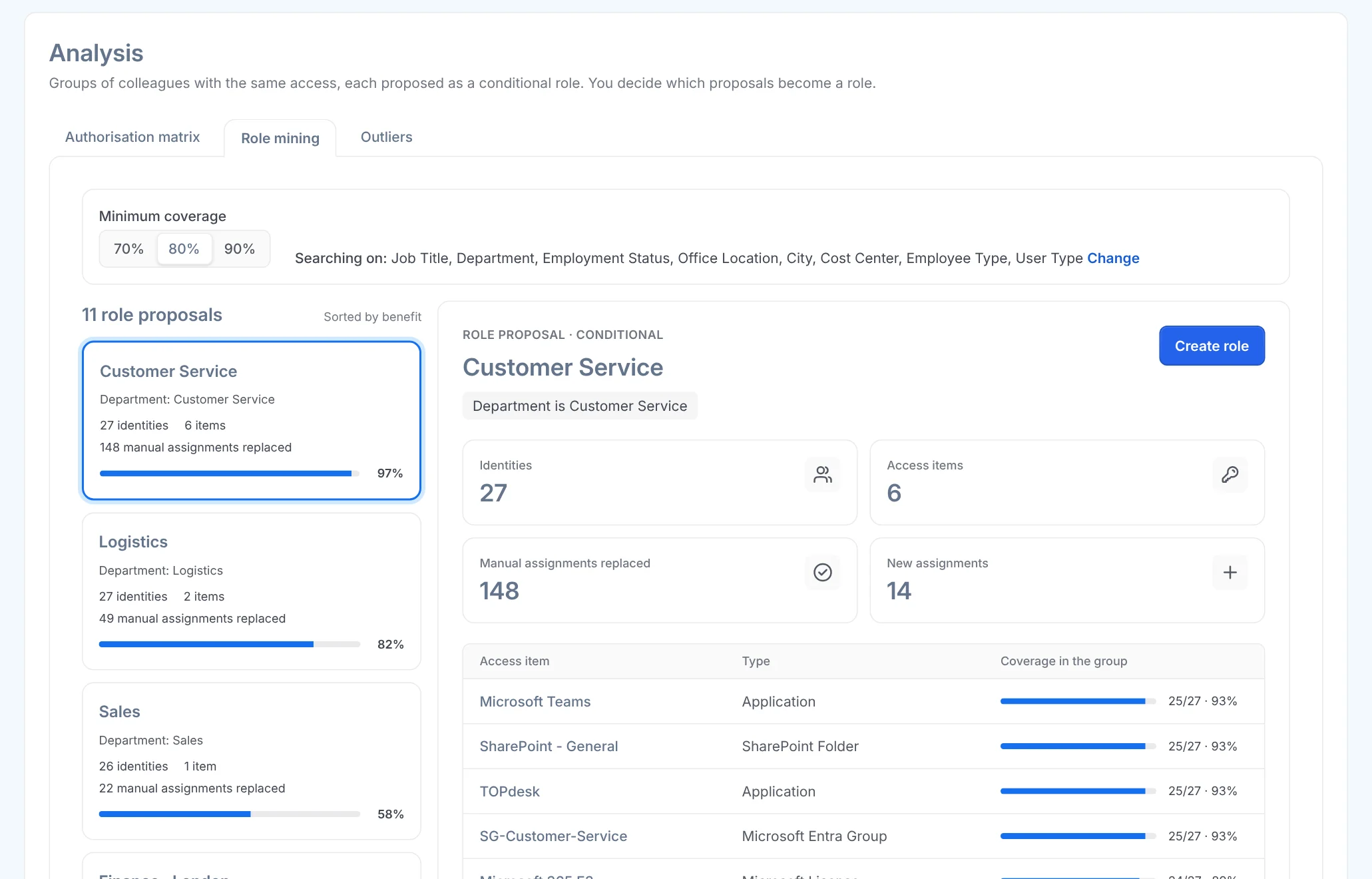
Designing a role model takes months
Almost every organisation starts with rights that were copied for years. Anyone who wants to extract roles from that by hand spends weeks in Excel, and finishes just as the organisation has changed again.
Meanwhile the manual assignments stay in place, and so do the rights nobody can explain any more.
How it works
From access that grew to roles, in three steps
Step 1
Start from what is there
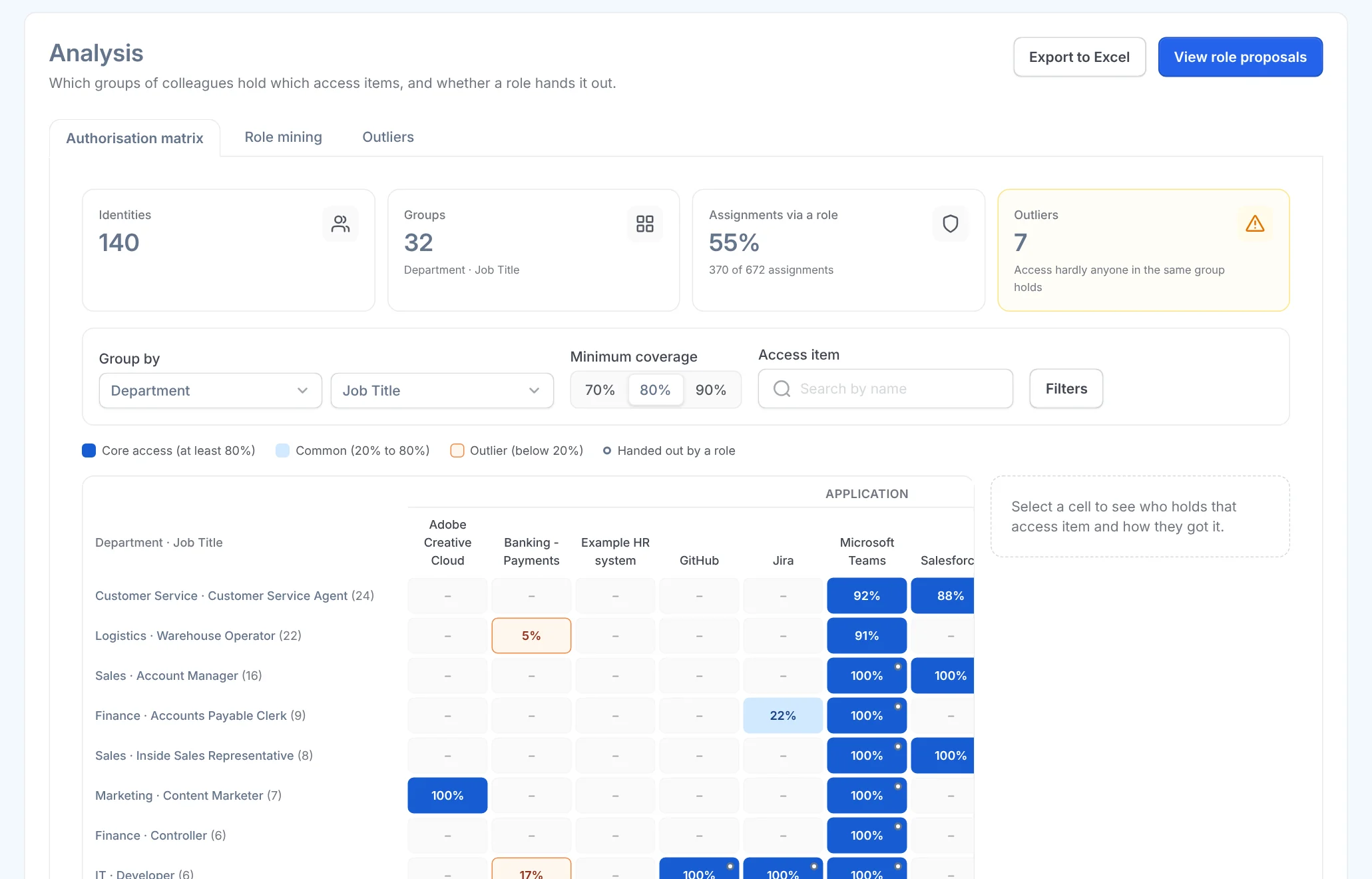
The authorisation matrix sets groups of colleagues against every access item. Where almost everyone in a group has the same thing and it was assigned by hand, a role is waiting. Role suggestions puts those groups in order: at the top, the suggestion that takes over the most manual assignments.
Step 2
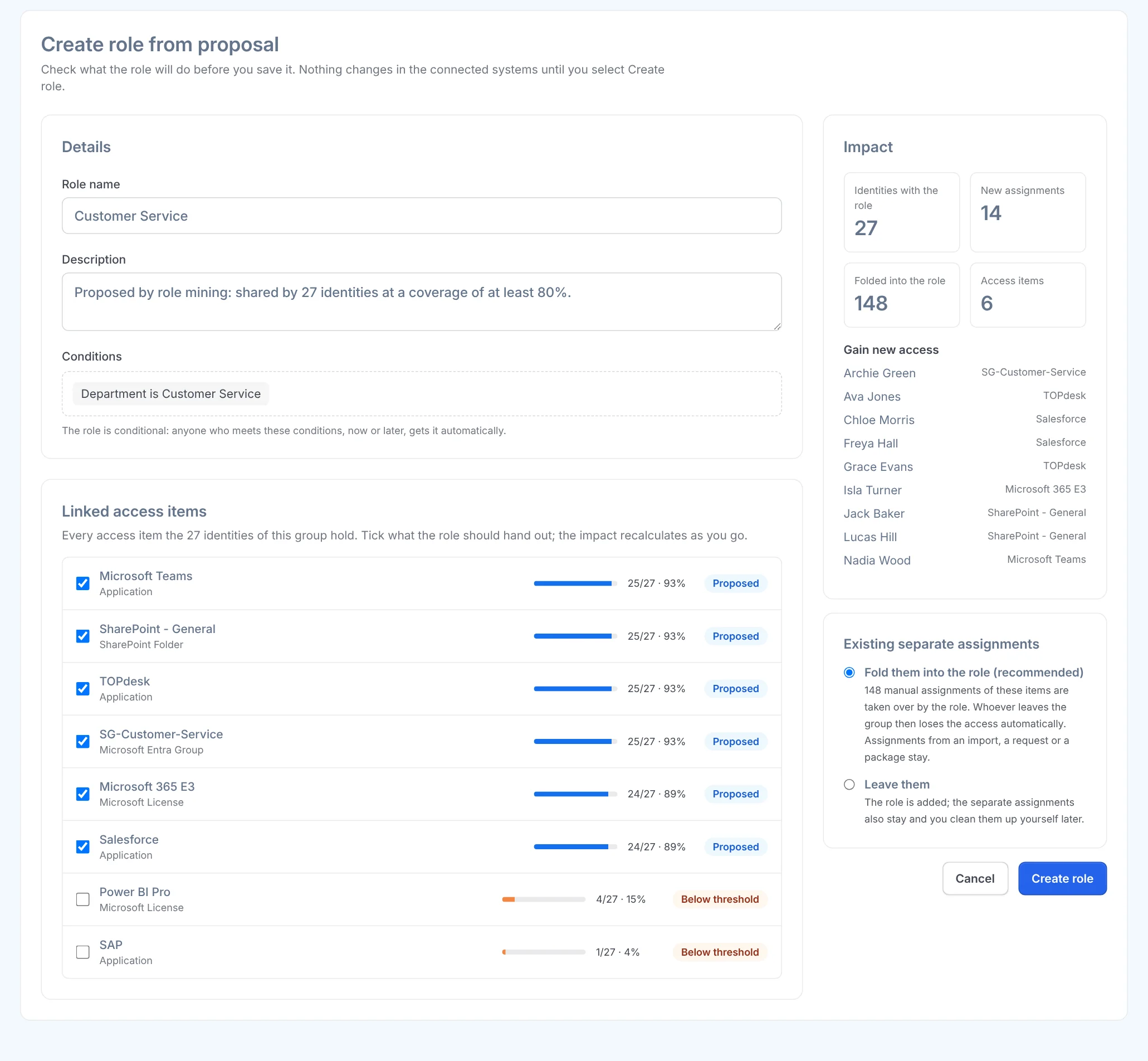
Create the role, seeing the impact first
You see who gets the role, who gains new access through it and which manual assignments it absorbs. You adjust the conditions and the access items, and only then is anything saved.
If the role would cause a segregation of duties conflict, you confirm that explicitly.
Step 3
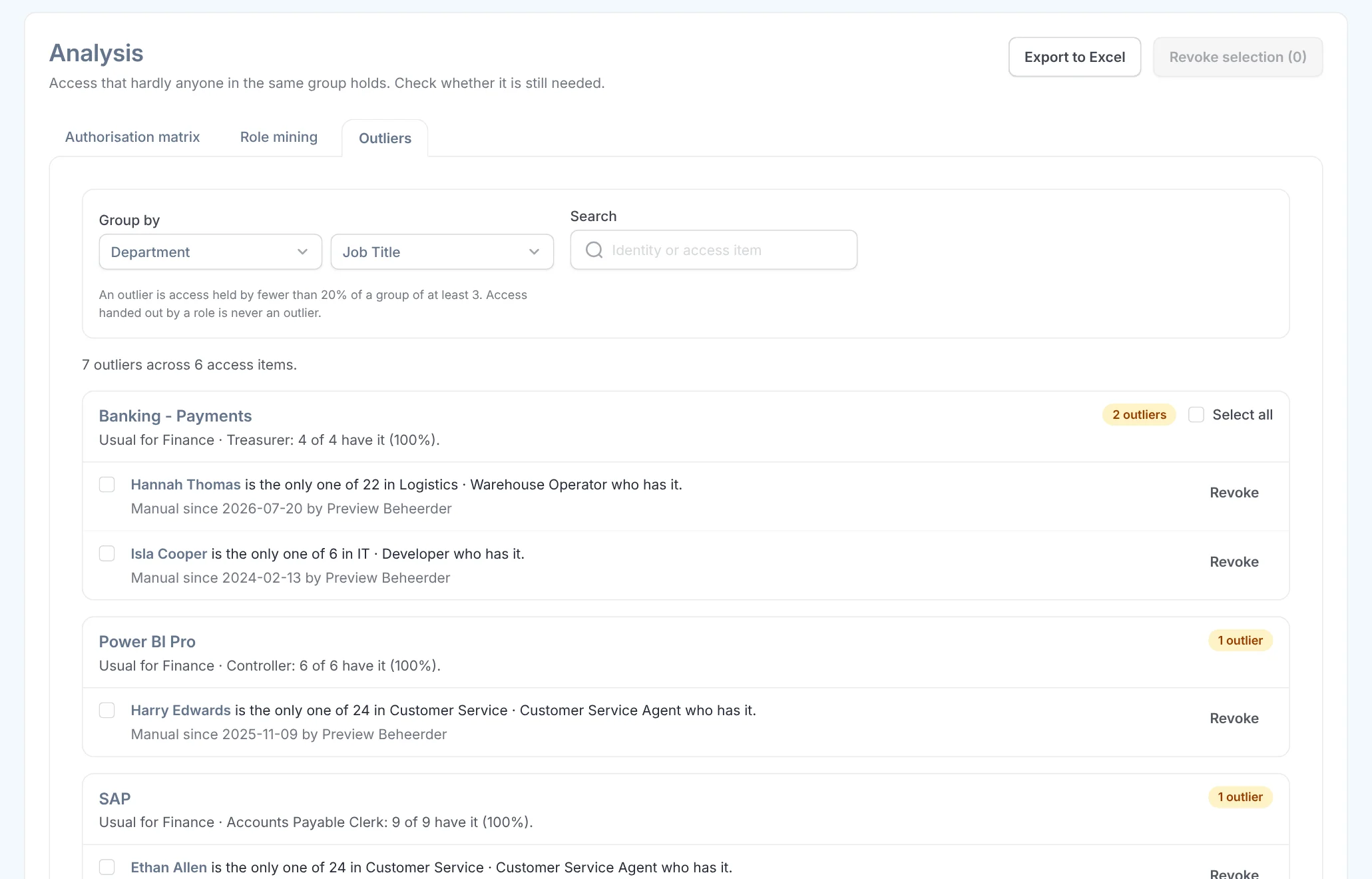
Clean up what is left
Whatever hardly anyone in the group has is listed under Deviations, with who has it, since when and who granted it. After a confirmation you revoke it.
What it delivers
For IT
A role model without a spreadsheet project
The suggestions come from your own data, sorted by how many manual assignments they take over.
For the security officer
Roles you can explain
A fixed calculation rule: the same data always gives the same suggestions, and each suggestion shows why it is there.
For the auditor
Fewer stray rights
Every role takes over manual assignments, and whatever deviates becomes visible and can be cleaned up.

Ask away
Frequently asked questions about role mining
What is role mining?
Analysing the access people have now in order to derive roles from it. It works best together with HR: the analysis shows what people in the same job have in common, and HR decides who has that job.
Where do I find role mining in Joinly?
Under Access management, Analysis. The authorisation matrix shows which groups have which access, Role suggestions turns that into conditional roles, and Deviations shows access that hardly anyone in the group has.
Does anything change when I look at the suggestions?
No. Nothing changes until you create a role or revoke something.
Does Joinly use AI for role mining?
Joinly uses a fixed calculation rule: the same data always gives the same suggestions, and each suggestion shows why it is there. That way you can explain every role to an auditor.
What if the current rights are wrong?
Role mining shows what is there, even when it is wrong. So have the suggestions reviewed by the owner of the access, and start with the large groups: that is where most of the gain is.
How many roles do you need?
As few as possible. Start with one role per large job group and add rules on department or location. Too many roles make the model as unclear as the stray rights you wanted to replace.
More of the product
- Lifecycle managementJoiners, movers and leavers from HR
- WorkflowsEverything that follows a change
- Roles and RBACAccess that follows the job
- Authorisation matrixAlways current, exportable
- Segregation of dutiesStop conflicting rights
- Logging and auditingWho, what, when and why
- Application integrationsAccounts in every application
- SCIM gatewayOne standard for provisioning
See role mining at work yourself
In your free trial environment you see with demo data how Joinly suggests roles from the access that is there.
No credit card, nothing to install.
Rather talk to someone first? Talk to an IAM specialist