
Joinly by KoppelHet

IAM solutions

IAM: who may access what, and how to keep that right by itself

Identity and access management is about one question: who should have access to what, and how do you keep that right by itself as people join, move and leave. This guide explains what IAM is and what it consists of, and helps you choose: per question, next to AFAS and Microsoft, and per sector.

The key points

  • IAM manages digital identities and their access: which accounts someone has, which rights hang on them and when they go away again.
  • It rests on four parts: the lifecycle from HR, roles, controls on that access and an audit log.
  • Microsoft Entra ID is where accounts and groups live. An IAM system decides what should happen there.
  • Choose on the questions that matter later: where the truth comes from, what happens when it is wrong for once, and whether you can show afterwards what happened.

What IAM is

Identity and access management, IAM for short, manages digital identities and their access: which accounts someone has, which rights hang on them and when they go away again. An identity is usually an employee, but also an external, an intern, a student or a technical account.

IAM consists of two questions. The first is who you are: authentication, with a password, MFA or one sign-in for every application with single sign-on. The second is what you may do next: authorisation. The full explanation is in what is identity and access management?.

Access is also where attackers get in. An account that stayed active after someone left, or an employee with far too many rights, makes a breach bigger than it needs to be. That is why identity sits at the centre of a Zero Trust architecture.
The four parts of IAM

Whatever question you ask, the answer rests on the same four parts. Each has a guide of its own.

  • The lifecycle. Joiners, movers and leavers automatically from HR, without entering anything twice. Read the guide on user provisioning.
  • Roles. Access based on job, department and location instead of copied rights. Read the guide on authorisation.
  • Controls. Segregation of duties, an authorisation matrix and approval of exceptions, so access matches what was intended. Read the guide on identity governance.
  • Showing it. An audit log that records for every change who, what, when and why. Read audit and compliance.

Under all four lie the systems where access really exists. For most organisations that is Microsoft Entra ID and often still an on-premises Active Directory; how they fit together is in the guide on Entra ID and Active Directory. The HR system on one side and the applications on the other are under integrations.

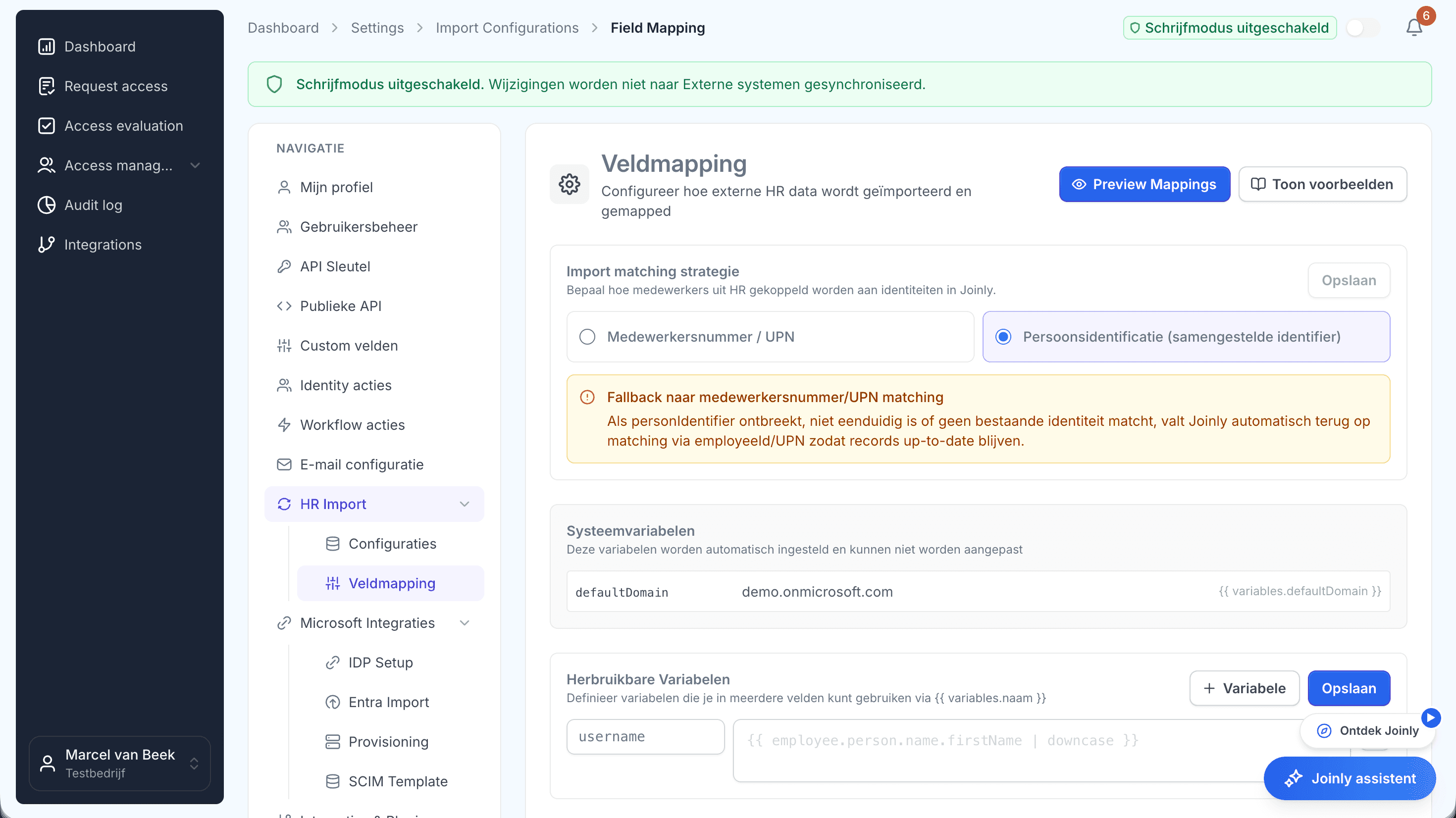
Het lifecycle-overzicht in Joinly: accounts die elke HR-mutatie automatisch volgen

Choosing an IAM system

Most IAM selections are about feature lists. The choices that matter later are about something else: where the truth comes from, what happens when that truth is wrong for once, and whether you can show afterwards what happened. Ask every vendor those questions.

IAM software makes sure everyone has the right access at the right moment, and that the access goes away when someone leaves. User provisioning software covers the creating, changing and revoking of accounts and rights. Organisations with an IT team of a few people need an IAM system they can introduce in phases. If where your data sits matters, read EU-hosted identity provisioning and the trust centre.

The price of IAM is more than a subscription, and an introduction runs in steps: first the HR integration, then the processes one at a time, up to fully automated. How the product fits together is on the product.

Next to AFAS, Microsoft and other solutions

If you work with AFAS Profit, it already holds who works there, in which job and until when, and it can be the source of your access management. Since Profit 8, AFAS can also sync user groups to Entra ID itself. Every HR system and its integration is on integrations by HR system.

Microsoft offers provisioning with Entra ID itself, and Lifecycle Workflows with Entra ID Governance. Whether you need anything next to that depends on your HR system, your target systems and who builds and maintains the integration; you read that in Joinly vs Microsoft's own provisioning.

Whoever looks for an IAM solution comes across a handful of names, and they do not all solve the same thing. Per solution what you get is under compare, for example Joinly vs Hire2Retire and Joinly vs ADManager Plus.

Externals, buildings and exceptions

The accounts that do not come from HR are the accounts that linger: last year's contractor, the supplier's guest account, the service account nobody remembers. They belong in the same lifecycle as employees, with an owner, a reason and an end date.

Whoever may reach the systems may usually enter the building too. Digital and physical access can run from one process: issued when someone joins, adjusted when they change jobs and revoked when they leave.

IAM by sector

The question is the same everywhere, the practice differs per sector.

  • Healthcare. High turnover, flexible staff, several employment contracts per person and applications with client data, under NEN 7510.
  • Education. Employees from HR and students from the student administration. Read IAM in education.
  • Government. The BIO and the Dutch Cybersecurity Act ask for access management you can demonstrate. Read IAM in government; this goes for water authorities too.
  • Housing associations. Office, neighbourhood management, maintenance and contractors, with systems full of tenant data.

If you are an MSP or IT partner handling IAM for customers, read Joinly for MSPs.

What Joinly is

Joinly is an identity and access management platform from Barneveld. It uses your HR system as the source of truth and manages accounts, roles and rights from it in Microsoft Entra ID, Active Directory and your business applications.

  • Joiners, movers and leavers automatically from HR, without entering anything twice.
  • Roles based on job, department and location instead of copied rights.
  • Segregation of duties and an authorisation matrix, so access matches what was intended.
  • An audit log that records for every change who, what, when and why.
  • All data hosted in Amsterdam, and ISO 27001 certified.

How the product fits together is on the product. The integration for each HR system is on integrations, and how organisations use it, you read in the customer stories.

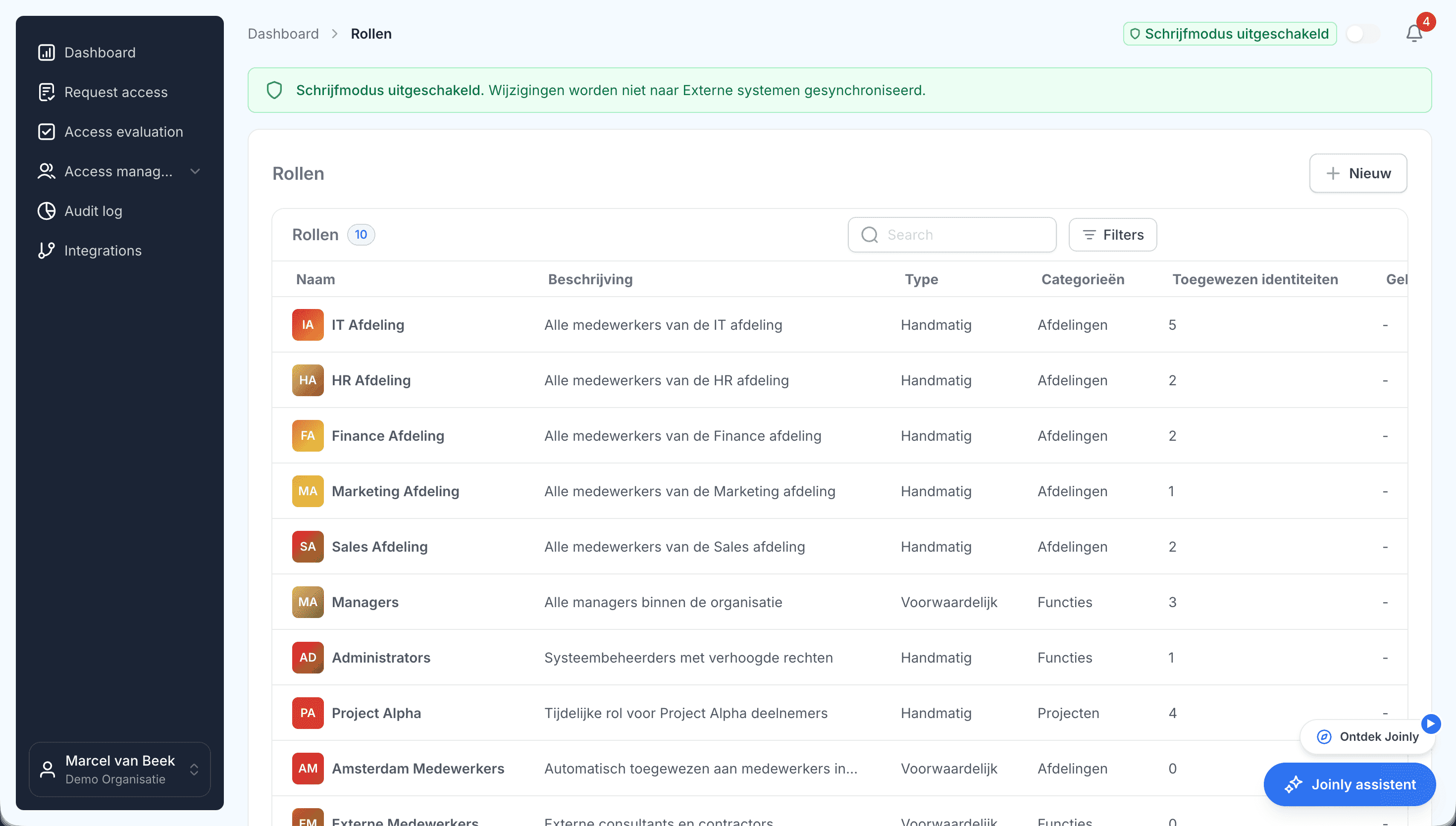
Voorwaardelijke rollen in Joinly die de functie van een medewerker volgen

What you can count on

  • No vendor lock-inYour identities and your configuration stay yours.
  • Your data out whenever you wantYou can export your data at any time.
  • Standard SLAOur standard SLA is available on request.
  • Support during implementationOur specialists set it up together with you.
  • ISO 27001 certifiedInformation security to an internationally recognised standard.

IAM solutions

Frequently asked questions about IAM

  • What is IAM software?

    Identity and access management software manages digital identities and their access: which accounts someone has, which rights hang on them and when they go away again. Joinly does that based on the HR system and records every change in an audit log.

  • What is the difference between IAM software and Microsoft Entra ID?

    Entra ID is where accounts and groups live. IAM software such as Joinly decides what should happen there: who gets which roles, when access is revoked and how that is recorded. Joinly directs, Entra carries it out.

  • Is IAM software only for IT?

    No. HR sees the personnel information, IT the technical settings and a manager sees who in their team has access to which applications. Everyone works in the same environment, with a view of their own.

  • Does IAM software also work for externals and service accounts?

    Yes. An identity in Joinly is a person or a technical account. Externals get a mandatory end date, service accounts someone responsible and a reason to end.

  • What is the difference between IAM and IGA?

    IAM makes sure people get the right accounts and access. IGA checks and documents that it stays that way. In Joinly both sit in the same platform.

  • What is user provisioning?

    User provisioning is automatically creating, changing and revoking user accounts and the rights that come with them, based on a source such as the HR system. Deprovisioning is revoking when someone leaves.

Try Joinly with demo data

Identities, roles and access in one platform, with your HR system as the source. Start in the free trial environment.

No credit card, nothing to install.

Rather talk to someone first? Talk to an IAM specialist