
Authorisation matrix
An authorisation matrix that never falls behind
Joinly builds the matrix from the access that is really there: per group of colleagues which access items they have, what share of the group, and whether a role grants it. You export it to Excel whenever the auditor asks.
No credit card, nothing to install. Talk to an IAM specialist
- ISO 27001-certified
- Certified by AFAS
- Data in Amsterdam
The matrix in Excel is never right
In many organisations the authorisation matrix is a spreadsheet. Someone made it once, and since the last reorganisation it has been out of date.
For the auditor it is the evidence that access follows policy. For IT it is a document nobody dares to update, and that has to be redone for every audit.
How it works
From actual access to a matrix you can explain
Step 1
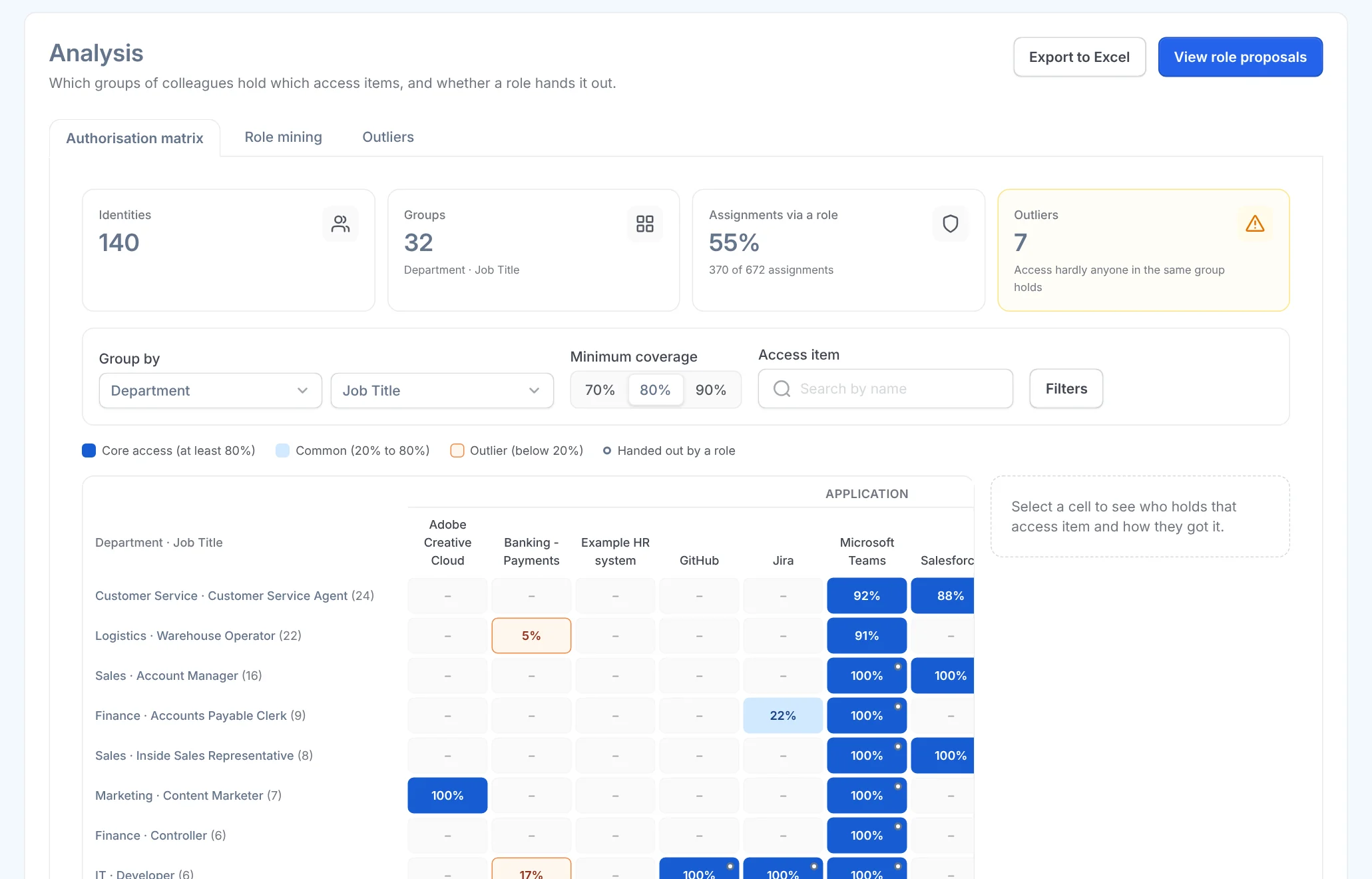
Read the matrix at a glance
Each row is a group of colleagues, for example by department and job, each column an access item. Each cell shows what share of the group has it and whether a role grants it. Dark blue is core access; an orange border is a deviation.
Export the matrix to Excel for the auditor.
Step 2
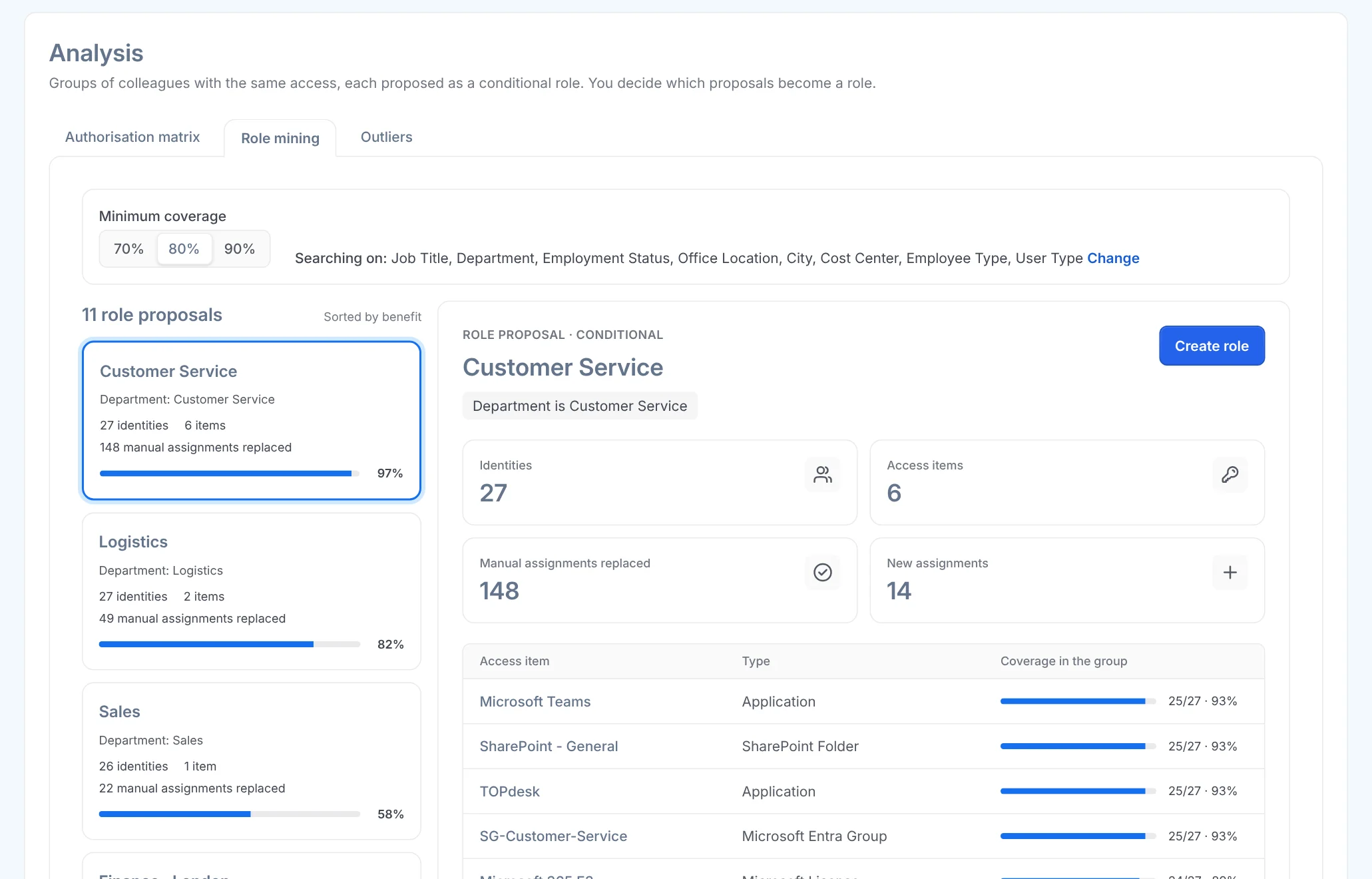
Turn a pattern into a role
If core access was assigned by hand, a role is waiting there. Role suggestions turns such a group into a conditional role, showing first who gets it and which manual assignments it absorbs.
Step 3
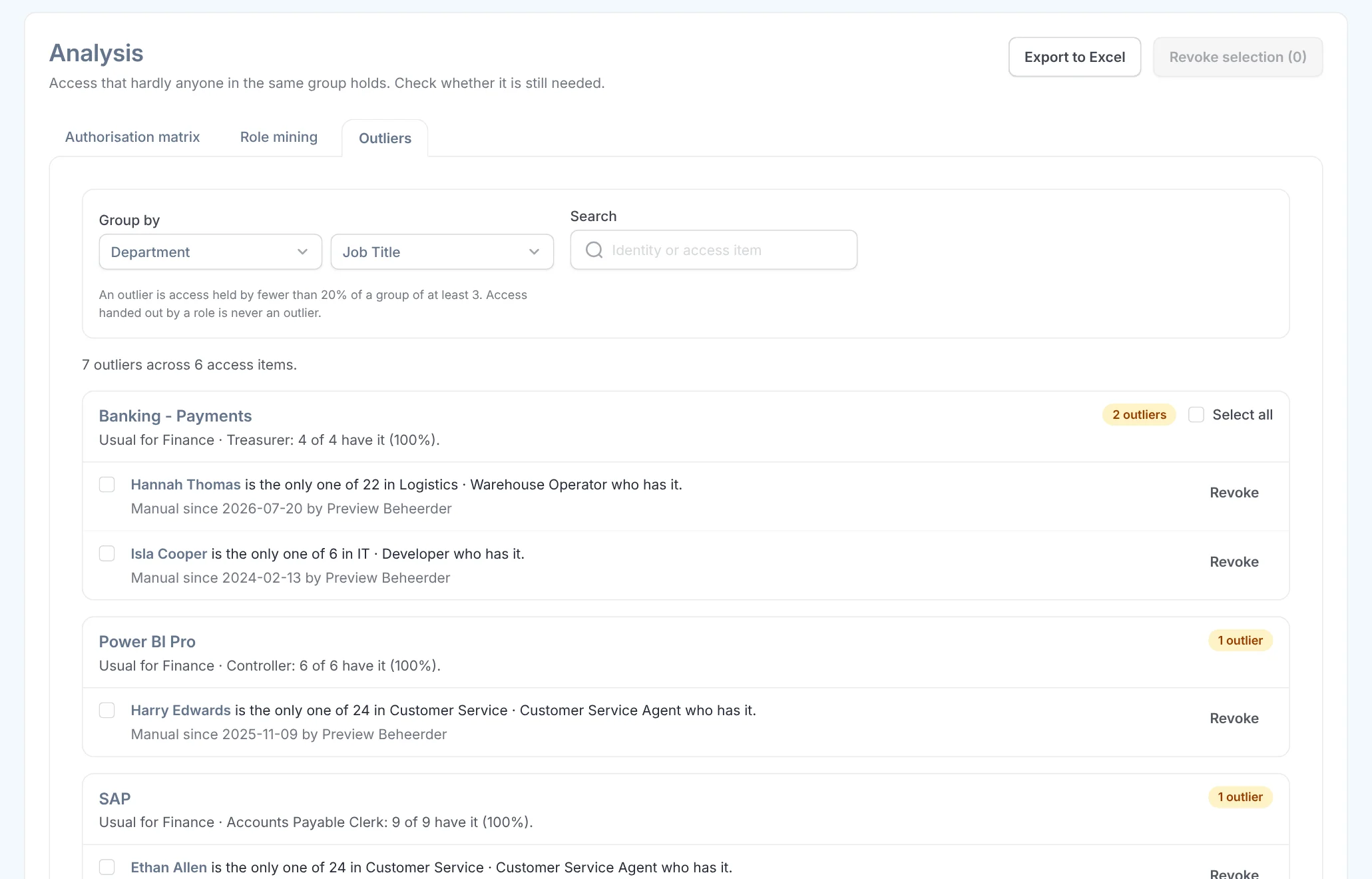
Clean up deviations
Access that hardly anyone in the group has is listed under Deviations, with who has it, since when and who granted it. After a confirmation you revoke it, and the matrix is clean again.
What it delivers
For the auditor
Evidence that access follows policy
A matrix from actual access, exportable at any moment, instead of last year's spreadsheet.
For the security officer
Deviations stand out
Access that does not fit the group is visible at a glance, with its source.
For IT
No more spreadsheet to maintain
The matrix updates itself with every HR change and every access granted or revoked.

Ask away
Frequently asked questions about the authorisation matrix
What is an authorisation matrix?
An overview of which groups of employees have which access. Auditors use it to see whether access follows policy, and you use it to design roles.
Where does the data come from?
From the access Joinly manages and reads, such as Entra groups, licences, Active Directory and connected applications, alongside your employees' HR fields.
Can I export the matrix?
Yes, to Excel, whenever you like.
What do the colours mean?
Dark blue is core access: almost everyone in the group has it. If that access was assigned by hand, a role is waiting there. An orange border is a deviation: access that hardly anyone in the group has.
How is it different from roles?
The matrix shows what is there. Roles record what should be there. Role suggestions turns a pattern in the matrix into a conditional role.
Does this help with NIS2 and ISO 27001?
Yes. Both ask you to show that access follows policy. A current matrix from actual access is that overview.
More of the product
- Lifecycle managementJoiners, movers and leavers from HR
- WorkflowsEverything that follows a change
- Roles and RBACAccess that follows the job
- Role miningRoles from the access that is there
- Segregation of dutiesStop conflicting rights
- Logging and auditingWho, what, when and why
- Application integrationsAccounts in every application
- SCIM gatewayOne standard for provisioning
See the authorisation matrix yourself
In your free trial environment you see with demo data how the matrix is built from actual access.
No credit card, nothing to install.
Rather talk to someone first? Talk to an IAM specialist