
Active Directory
Your own Active Directory, as automatic as the cloud
The Joinly Agent runs in your own network and keeps accounts, groups and mailboxes in Active Directory up to date, on-premises or hybrid alongside Microsoft Entra ID. It opens every connection itself, outbound only: no inbound firewall rule and no VPN.
No credit card, nothing to install. Talk to an IAM specialist
- ISO 27001-certified
- Certified by AFAS
- Data in Amsterdam
Source
- AFAS
- Youforce
- Nmbrs
- Workday
- Personio
Joinly
Roles and workflows decide what has to happen, the Joinly Agent carries it out in your own network
Targets
- Active Directory
- Microsoft Entra ID
- Exchange, hybrid
- Groups and OUs
The cloud runs itself, the data centre stays manual
Entra ID is often sorted quickly. The accounts in your own Active Directory remain work for the service desk, because every integration starts with a request security says no to: an open port, a VPN tunnel or a server someone has to maintain.
So when someone leaves, the account closes neatly in the cloud and simply stays open on-premises.
How it works
How Joinly keeps your Active Directory up to date
Step 1
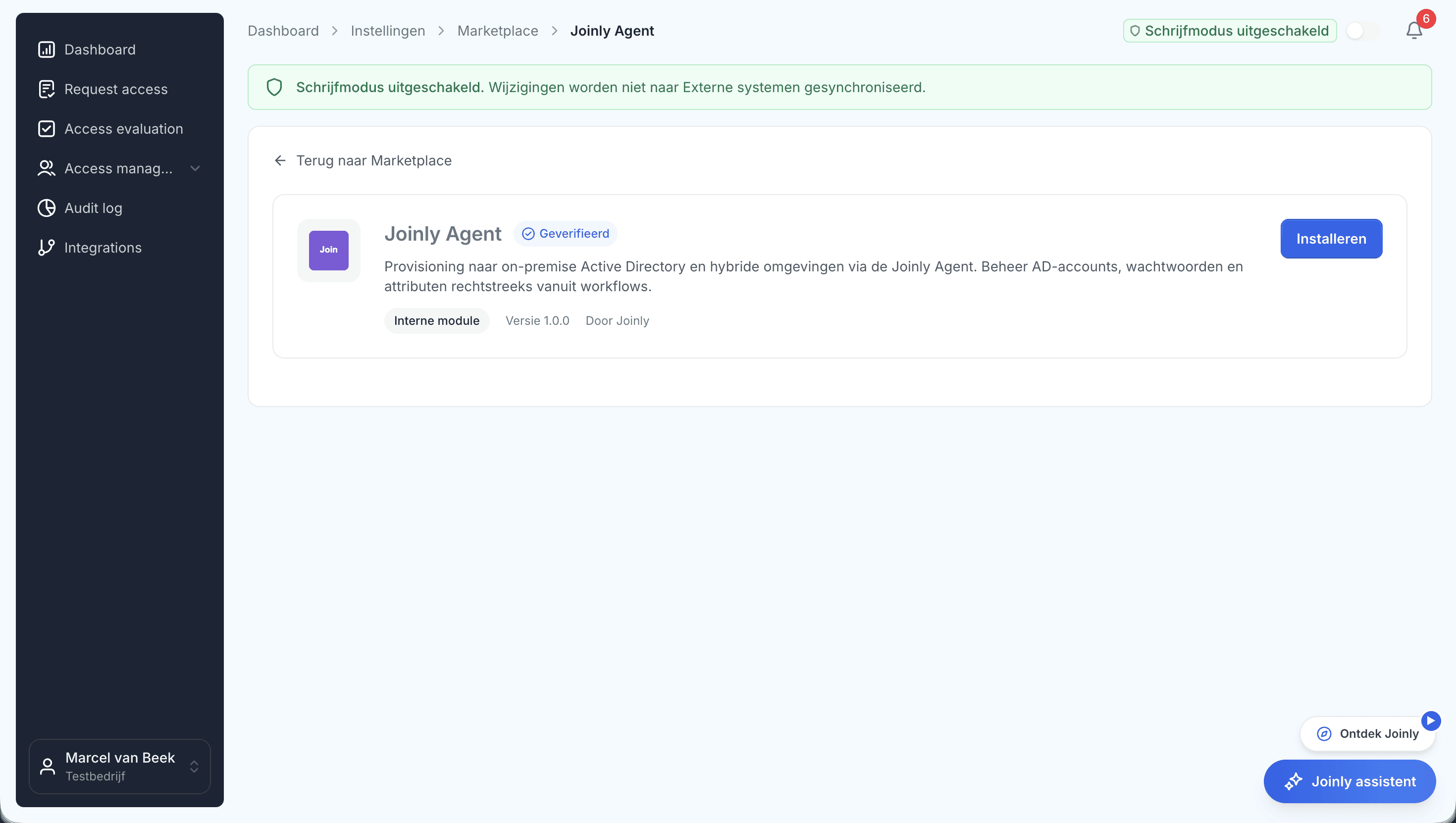
The agent runs in your own network
You install the Joinly Agent on a server that can reach your domain controllers. It checks in with Joinly, picks up the pending jobs and reports the result back. A heartbeat shows that it is running.
Outbound traffic only: no inbound firewall rule, no VPN.
Step 2
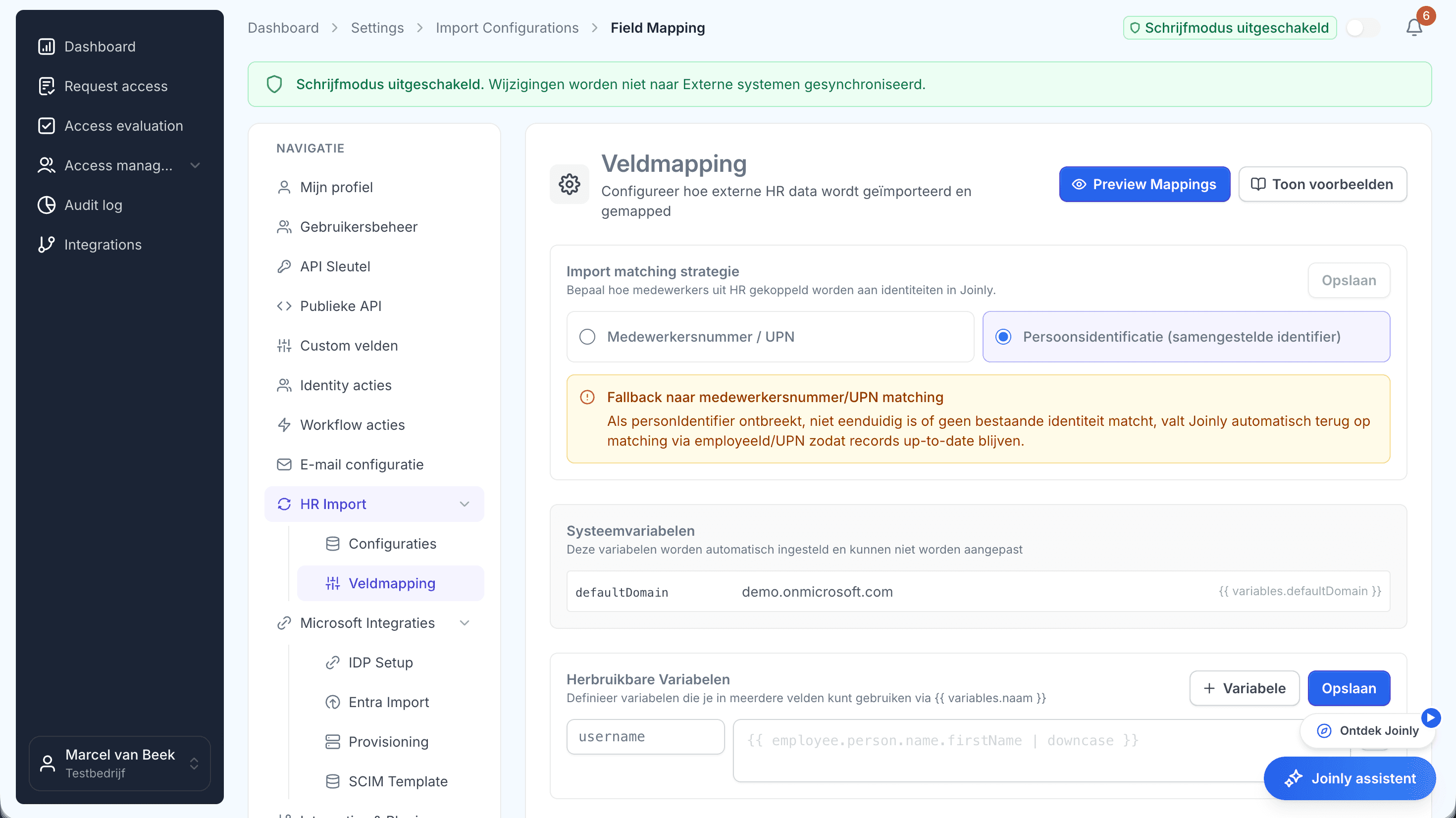
Your own naming conventions still apply
You decide which HR field fills which attribute, including the format of sAMAccountName and UPN. The target OU follows from department or location, and Joinly finds groups even in a domain whose naming has grown over the years.
Step 3
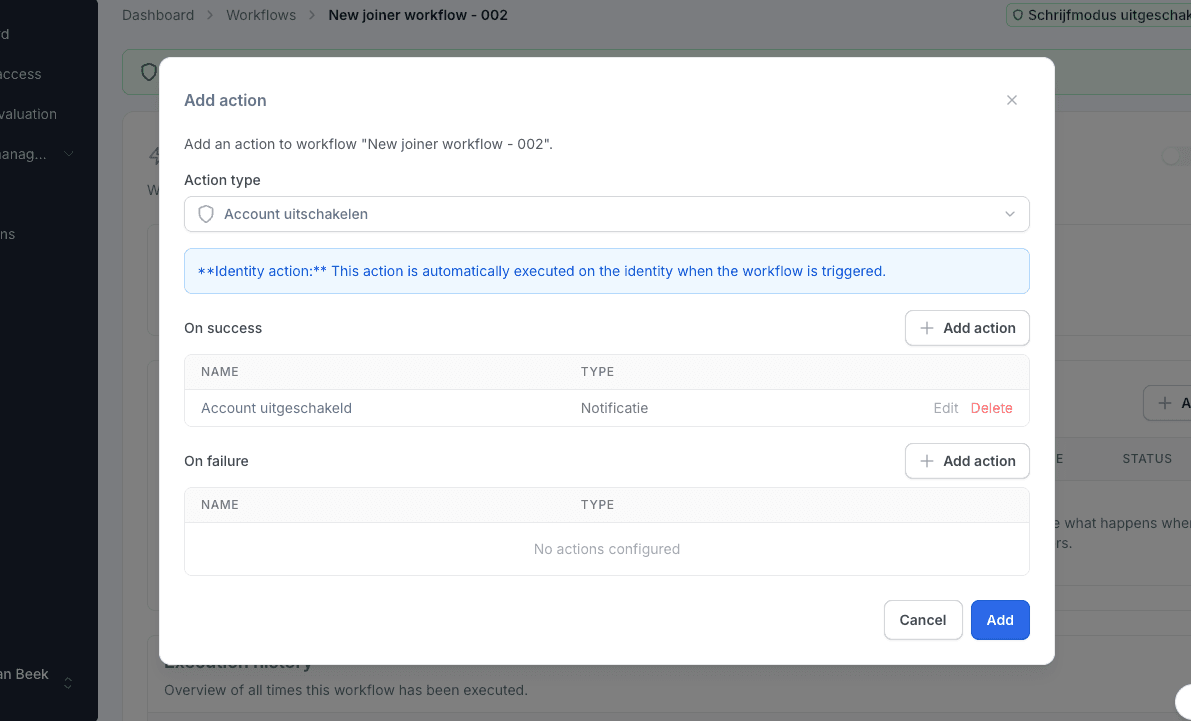
Workflows line up the work
Create, update, disable or delete an account, add and remove groups, reset a password or create a remote mailbox in hybrid Exchange. Every action can be followed by a step on success and one on failure.
Step 4
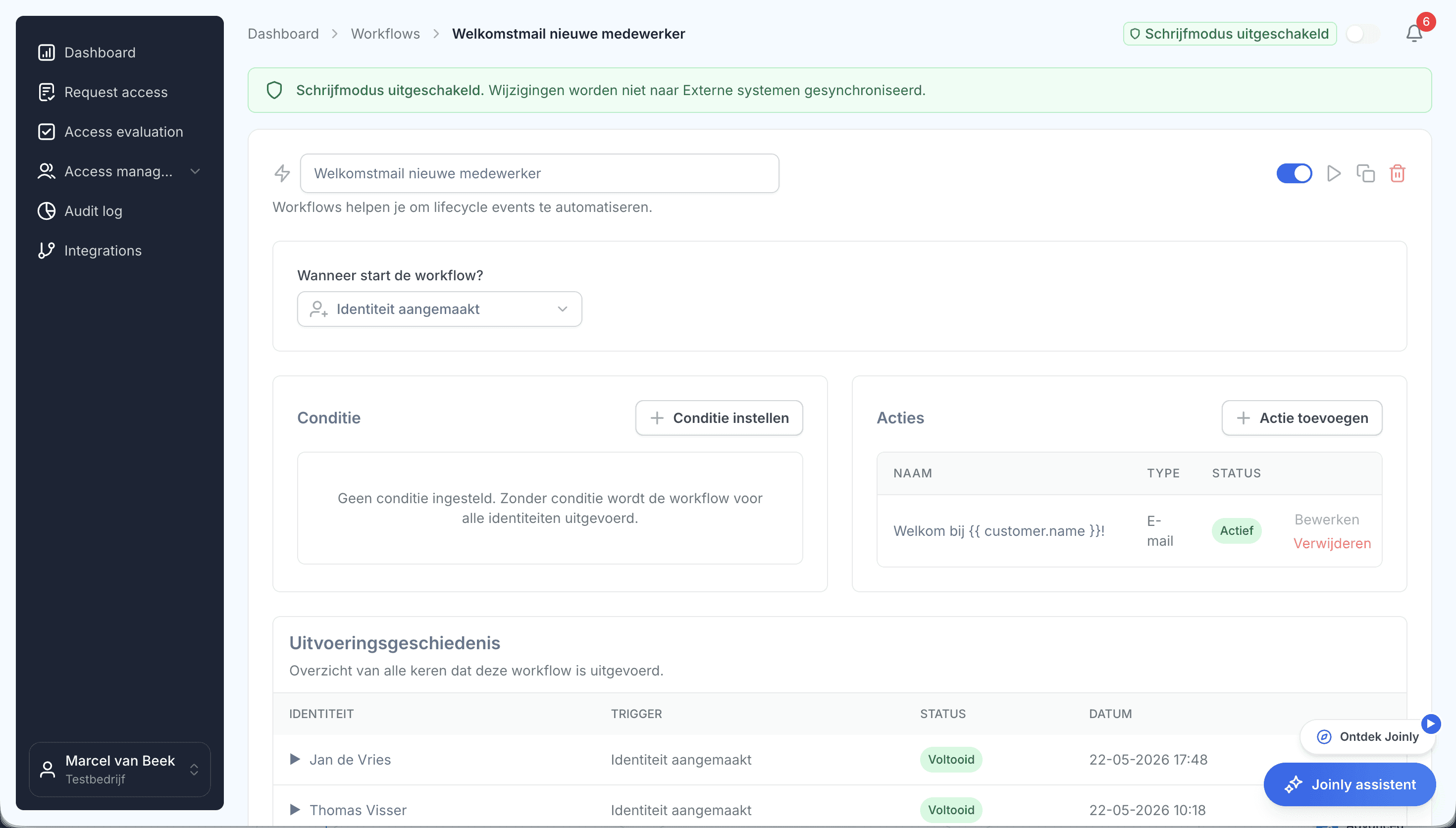
Done means AD says it is done
A workflow waits for the agent's real result. Only then do the next steps run, so a confirmation means it really happened. If the agent is offline for a while, the jobs wait until it is back.
What it delivers
For IT
No more accounts by hand
Joiners, job changes and leavers reach Active Directory by themselves, with your own naming and OU structure.
For security
Nothing open inbound
The agent only calls out. And whoever leaves is closed on-premises as quickly as in the cloud.
For the organisation
Cloud and data centre in step
One source feeds Entra ID and Active Directory at the same time. Hybrid, you work at the same pace as an organisation that has everything in the cloud.

Ask away
Frequently asked questions about Active Directory
Does Joinly work with on-premises Active Directory?
Yes. Through the Joinly Agent you manage accounts, OUs and groups in your own Active Directory, and remote mailboxes in hybrid Exchange.
Does it work in a hybrid environment?
Yes. One HR source can feed your Microsoft Entra ID and your on-premises Active Directory at the same time, with both integrations running side by side.
Do I need to open ports for the Joinly Agent?
No. Every connection is opened from your own network. No inbound firewall rule, no VPN and no publicly reachable endpoint are needed.
What happens if the agent goes offline?
Jobs stay in the queue and run as soon as the agent checks in again. The workflows waiting on them stay open and do not report a result that is not there yet.
Does this work alongside Microsoft Entra Connect?
Yes. Joinly decides what has to happen and carries it out in the source you point to. Which way your synchronisation runs is up to you.
Does our AD naming still apply?
Yes. You set which field fills which attribute and in which format sAMAccountName and UPN are built.
More of the product
- Lifecycle managementJoiners, movers and leavers from HR
- WorkflowsThe right steps for every change
- Roles and RBACAccess that follows the job
- Role miningRoles from the access that is there
- Authorisation matrixAlways current, exportable
- Segregation of dutiesStop conflicting rights
- Logging and auditingWho, what, when and why
- Application integrationsAccounts in every application
- SCIM gatewayOne standard for provisioning
See how Joinly manages accounts
In your free trial environment you see with demo data how roles and workflows manage access. We connect your own Active Directory together afterwards.
No credit card, nothing to install.
Rather talk to someone first? Talk to an IAM specialist