
Joinly by KoppelHet

User provisioning and lifecycle

Username and email address: one naming convention for every new employee

A good naming convention sets down how you turn the name in HR into a UPN, an email address and a sAMAccountName, including surname prefixes, accents and duplicate names. Microsoft recommends keeping the UPN the same as the primary email address. When someone's name changes, you change both, and the old address stays as an alias.

An employee has five names, and they have to fit together

Whoever creates an account chooses more than one name. In a Microsoft environment every employee has a sign-in name for Entra ID, a sign-in name for older Windows components, a primary email address, possibly aliases and a display name. Each of those names has its own rules.

The names of an account, where they live and which rules apply
NameWhereExampleRules
UPN (userPrincipalName)Active Directory and Entra IDjan.devries@company.nlUnique in the forest. At most 113 characters: 64 before and 48 after the @. Only letters, digits and ' . - _ ! # ^ ~, no full stop directly before the @. The domain must be verified in Entra ID.
Primary email addressproxyAddresses with SMTP: in capitals, and mailjan.devries@company.nlThe address the employee sends from. No accented characters.
AliasesproxyAddresses with smtp: in lower casej.devries@company.nlExtra addresses that arrive in the same mailbox. Up to 400 per user.
sAMAccountNameActive DirectoryjdevriesAt most 20 characters. Not allowed: " / \ [ ] : ; | = , + * ? < >. According to Microsoft you choose it when the account is created and it does not change afterwards.
Display name (displayName)Active Directory and Entra IDJan de VriesWhat colleagues see in Outlook and Teams. Required in Entra ID, at most 256 characters.

Then there is the mailNickname, the mail alias without a domain, with at most 64 characters. It decides the UPN when something goes wrong with the domain, as you can read below.
Keep the UPN the same as the email address

Microsoft sign-in screens ask for an email address, so employees type their email address. Microsoft therefore recommends keeping the UPN and the primary email address identical, from the first synchronisation out of Active Directory onwards, and changing the UPN along with the email address. An employee with jdevries@company.local as UPN and jan.devries@company.nl as email address will not remember after a week which one to sign in with.

In a hybrid environment, watch out for two situations in which Entra ID makes up a UPN itself:

  • The UPN suffix is not verified. If AD holds @company.local or a domain that is not verified in Entra ID, Entra ID turns it into <mailNickname>@<tenant>.onmicrosoft.com.
  • The UPN contains an invalid character. A space or a line break makes the UPN invalid, and Entra ID calculates an onmicrosoft.com name in the same way.

A convention that also works for surname prefixes, accents and long names

Choose the format once and write it down, including the exceptions. These are the common variants:

FormatExample for Jan de VriesWhat you need to know
firstname.surnamejan.devries@Easy to read and the most widely used. With two Jan de Vrieses you need a rule for the second.
initial.surnamej.devries@Shorter, but you get duplicate names sooner.
initial + surnamejdevries@Often fits exactly into a 20-character sAMAccountName. Less recognisable as an email address.

Then you make four choices that come up in HR data every week:

  • Preferred name or official first name. HR often has both. Johannes who goes by Hans wants hans.devries. Use the preferred name when it is filled in, and otherwise the first name.
  • Surname prefixes. Dutch names such as "de Vries" become devries or de.vries. Both work, as long as you always do it the same way.
  • Accents and special characters. A UPN and an email address cannot contain accents. Zoë becomes zoe, Gökhan becomes gokhan. In the display name the name stays as the employee writes it. An apostrophe as in O'Brien is allowed in a UPN, but leave it out of the email address: not every system handles it well.
  • Double-barrelled and long surnames. A hyphen is allowed in a UPN, so jansen-bakker works. For the 20-character sAMAccountName you need a shortening rule, for example the initial plus the first 19 characters of the surname.
Turning a name into a valid part of the UPN or email address
function ConvertTo-AccountName([string]$text) {
  # Separate accents from the letter and drop them: é becomes e, ö becomes o
  $decomposed = $text.Normalize([Text.NormalizationForm]::FormD)
  $withoutAccents = -join ($decomposed.ToCharArray() | Where-Object {
    [Globalization.CharUnicodeInfo]::GetUnicodeCategory($_) -ne 'NonSpacingMark'
  })
  # Lower case, and remove anything that is not a letter, digit, full stop or hyphen
  ($withoutAccents.ToLower() -replace '[^a-z0-9.\-]', '')
}

$firstName = ConvertTo-AccountName "Zoë"      # zoe
$surname = ConvertTo-AccountName "de Vries"   # devries
"$firstName.$surname@company.nl"               # zoe.devries@company.nl

Letters that are not a plain letter with an accent, such as ø or ß, are dropped in this example. Catch those with a replacement table of your own before you use the function.

Resolving duplicate names with a fixed order

A UPN has to be unique, and an email address can belong to only one recipient. So before creating the account, check whether the name is free everywhere it can occur: as a UPN, as a primary address, as a colleague's alias, as the address of a shared mailbox or group, and as a sAMAccountName.

  1. Try the standard format, for example jan.devries.
  2. If that is taken, add the second initial: jan.p.devries.
  3. If that is taken too, or there is no second initial, use a sequence number: jan.devries2.
  4. Record the outcome. Who the second Jan de Vries is must still be traceable three years from now.
Checking whether a name is already in use in Active Directory
Import-Module ActiveDirectory

$prefix  = "jan.devries"
$address = "$prefix@company.nl"

Get-ADUser -Filter "UserPrincipalName -eq '$address'"
Get-ADUser -Filter "SamAccountName -eq 'jdevries'"
# Shared mailboxes, groups and other people's aliases too
Get-ADObject -LDAPFilter "(proxyAddresses=smtp:$address)" -Properties proxyAddresses

When the name changes after a marriage or divorce

Someone marries, divorces, starts using their partner's name or wants a different preferred name. HR changes the name, and then the display name, the email address and, on Microsoft's advice, the UPN follow. Most organisations leave the sAMAccountName as it is: Microsoft writes that it should not change after the account is created.

  1. Change the surname sn and the display name in AD (or, for a cloud account, in Entra ID).
  2. Set the new address as the primary address (SMTP:) and keep the old one as an alias (smtp:), so mail to the old name keeps arriving.
  3. Change the UPN to the new address. Check that the domain is verified.
  4. Wait for the synchronisation and check in the Entra admin centre that the new UPN is there.
  5. Tell the employee to sign in with the new name, and what they may run into on their laptop and phone (see the table).
What a UPN change affects, according to Microsoft
WhereWhat the employee noticesWhat helps
Applications with just-in-time provisioningThe application sees a new user and creates a new, empty profile.Automated provisioning to the application, so the UPN is updated there. Test the applications that look users up by UPN.
WindowsThe old name is still on the sign-in screen.Choose Other user when signing in and enter the new UPN.
Microsoft AuthenticatorA second account appears, or notifications do not arrive.Use a verification code, or remove both accounts from the app and register again.
Intune and Company PortalThe device is no longer registered and has no access to company data.Sign in again and follow the prompts in the app to register the device again.
OneDriveOneDrive gets a new URL.Announce in advance that the OneDrive address will change.
Teams meeting notesNotes created under the old UPN can no longer be opened in Teams.They are still in OneDrive under My files, Microsoft Teams Data, Wiki.

Joinly

The name comes from HR and the account follows

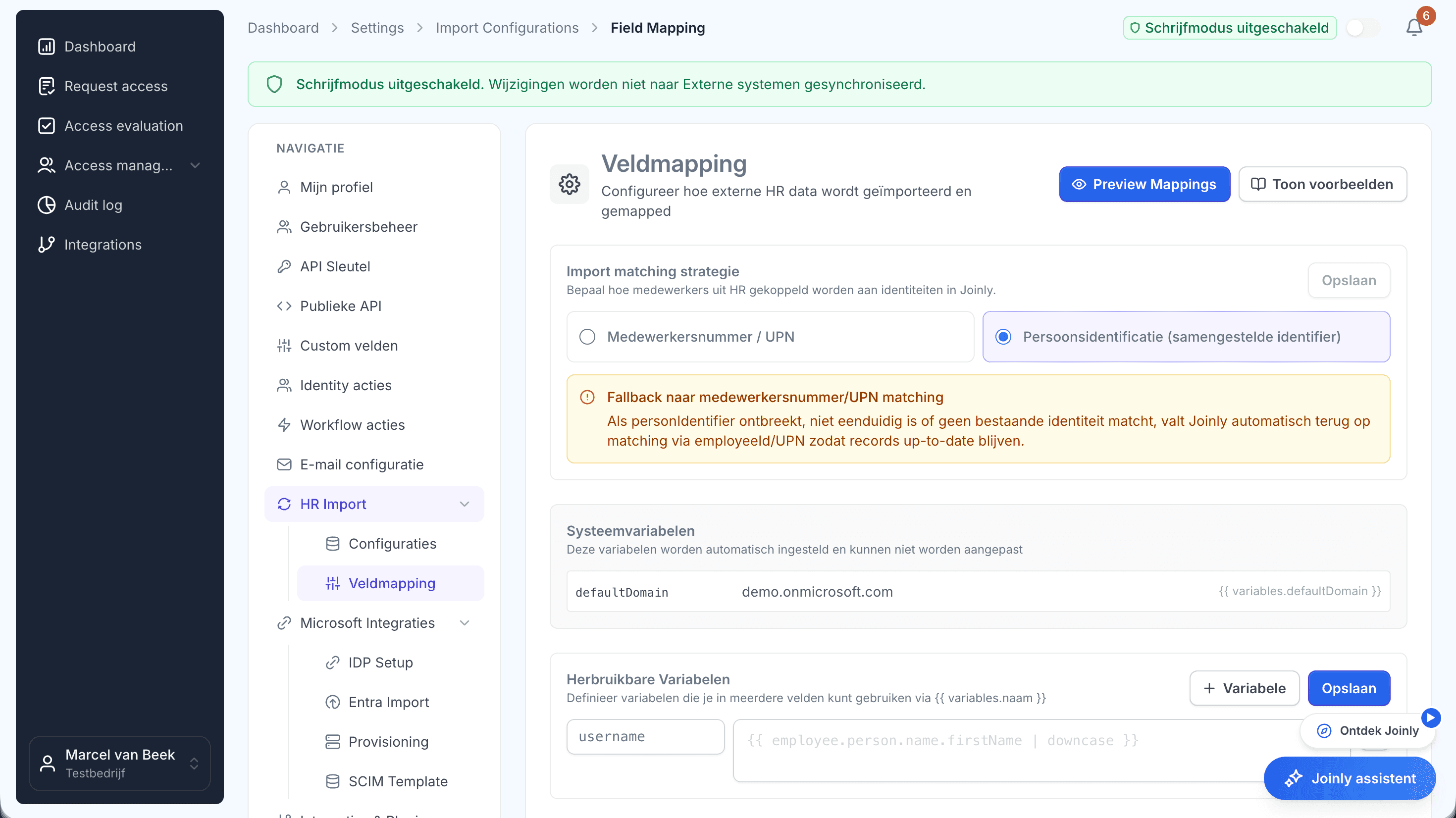
A convention on paper only helps when every account sticks to it. In Joinly you set down the naming once. Joinly uses the name data from HR, including the preferred name and partner's name, and builds the account, the display name and the email address from it. You set a rule per field, such as how an email address is built, and in Active Directory you decide the format of sAMAccountName and UPN.

If someone marries, or starts using their partner's name, HR changes the name and Joinly updates the account, so the name in the address book matches the one in HR. The email address and the username can be written back to the HR system after provisioning, so HR and IT have the same data.

Het lifecycle-overzicht in Joinly: accounts die elke HR-mutatie automatisch volgenSee identity lifecycle management in Joinly

What you can count on

  • No vendor lock-inYour identities and your configuration stay yours.
  • Your data out whenever you wantYou can export your data at any time.
  • Standard SLAOur standard SLA is available on request.
  • Support during implementationOur specialists set it up together with you.
  • ISO 27001 certifiedInformation security to an internationally recognised standard.

Username and email address

Frequently asked questions

  • How long can a sAMAccountName be?

    At most 20 characters, for compatibility with older clients. The characters `" / \ [ ] : ; | = , + * ? < >` are not allowed, and Microsoft advises choosing the name when the account is created and not changing it afterwards.

  • Should the UPN be the same as the email address?

    Microsoft recommends it. Users enter their email address when signing in, so a UPN that differs from it causes confusion. If the primary email address changes, change the UPN too.

  • Can a UPN or email address contain accents?

    No. A UPN may only contain unaccented letters, digits and the characters `' . - _ ! # ^ ~`, and the `mail` field cannot contain accented characters either. So Zoë becomes `zoe`. The display name can keep the accent.

  • What do you do with surname prefixes in an email address?

    Choose one form and stick to it: `jan.devries` or `jan.de.vries`. Both work. It goes wrong when one administrator joins the prefix to the surname and another puts a full stop between them.

  • What happens to the old email address after a name change?

    Set the new address as the primary address and keep the old one as an alias, so mail to the old name keeps arriving. A user can have up to 400 aliases. For an account synchronised from AD, you add the alias in AD to `proxyAddresses`, with `smtp:` in lower case.

  • What if two employees have the same name?

    Set a fixed order: first the standard format, then with the second initial, then with a sequence number. Check in advance that the name is free as a UPN, primary address, alias and `sAMAccountName`.

Let accounts move along by themselves

Joiners, movers and leavers from HR, with every step in the audit log. Start with demo data in the free trial environment.

No credit card, nothing to install.

Rather talk to someone first? Talk to an IAM specialist