
Joinly by KoppelHet

User provisioning and lifecycle

HR fields for provisioning: what HR must supply, and what breaks when it is missing

For user provisioning you need, per employee, at least an employee number, the name, job title, department, location, contract type, manager and a start and end date. Every field drives something: who gets an account, when, in which groups and who approves. If a field is empty or spelt differently, the automation quietly goes the wrong way.

Every account is only as good as the record in HR

Automated provisioning does exactly what HR supplies. If the start date is right, the account is ready on time. If the department is misspelt, the new colleague ends up in no department group at all, and nobody is told.

That is why a provisioning project starts with a short list: which HR fields you pass on, what each field means, and who makes sure it is right. HR owns the data about the employment. IT decides what happens with that data in Entra ID, Active Directory and the applications. Agree on that split before you switch on the first connection. Why HR should be the source, you can read in HR as the source of truth.
These are the fields you need at a minimum

You do not need a hundred fields. With these nine you can create an account, decide the right access and close the account on time.

The HR field, what provisioning uses it for and what happens when it is empty or wrong
HR fieldWhat provisioning uses it forWhen it is empty or wrong
Employee numberThe fixed key between the employee in HR and their accountThe account cannot be reliably linked to the employee. A name change or a second Jan de Vries produces a duplicate or wrong account.
Name (first name, preferred name, surname prefix, surname)The username, the email address and the display nameAn account with the official first name while everyone uses the preferred name, or a surname prefix that is sometimes included and sometimes not.
Job titleWhich role, groups and applications someone getsRole-based access does not arrive. With free text, "Nurse" and "nurse B" fall under different rules.
DepartmentDepartment groups, shared folders, TeamsThe employee falls outside the group and misses their team's files.
LocationAccess per site, printers, the place in Active DirectoryThe account lands in the wrong OU or misses the access for that site.
Contract typeTelling permanent, temporary, intern and contractor apartAn intern gets the access of a permanent employee, or contractors fall under the same rules as staff.
ManagerApprovals, the organisation chart, notifications for joiners and leaversA request does not know where to go, and nobody hears that the new colleague starts on Monday.
Start dateWhen the account is created and activatedThe account is ready too late, or open too early.
End dateWhen access is withdrawn and the account is closedThe account stays open after the employee leaves, until someone happens to notice.

Use the employee number as the key. Names change after a marriage, and an email address is tied to that name. An employee number stays the same. How to turn the name itself into a username and email address is covered in username and email address. If an employee has more than one contract, read multiple employments.

What goes wrong in practice

Most errors that make provisioning stumble arise from how and when data gets into HR. These are the situations you come across most often:

  • The employee is entered after the start date. The first working day starts without an account, and someone creates it by hand. After that there is an account that does not come from HR, and that may be created a second time at the next synchronisation.
  • A reorganisation renames the departments. HR changes the names, and every group or rule that runs on the old name empties in one go. A large part of the organisation then loses its access at the same time.
  • The job title is free text. Every spelling is a value of its own. Your rules then have to know every variant, and a new variant always falls outside them.
  • The manager has left. Their employees still point to them. Approvals go to an account that is closed, or arrive nowhere.
  • Contractors are in another system, or nowhere. Then a large share of the accounts has no start date, no end date and no owner.
  • A correction is entered as a new employment. Some HR systems handle a different job title or a changed start date by creating a new employment. To provisioning, that looks like a new employee.

Agreements with HR that keep data quality in order

You manage data quality in HR with a few agreements you make once. They cost HR little extra work, and they prevent most of the manual work in IT.

  1. Fixed value lists. HR chooses job title, department, location and contract type from a fixed list. Most HR systems have a table for this.
  2. Mandatory fields on entry. An employment cannot be saved without job title, department, manager and start date, and a temporary contract not without an end date.
  3. Enter in good time. Agree that a new employee is in HR as soon as the contract is signed. Only then can the account be ready on time.
  4. Discuss changes first. HR reports a new department name or a new job title in the value list to IT in advance, so the rules and groups are changed at the same time.
  5. Check monthly. Run an overview of active accounts with an empty driving field and of values that occur only once or twice. The latter are almost always typos.
Counting departments and finding duplicate employee numbers in Active Directory
Import-Module ActiveDirectory

$users = Get-ADUser -Filter 'Enabled -eq $true' -Properties Department, Title, EmployeeID, Manager

# Every department with its number of employees; values with 1 or 2 are often typos
$users | Group-Object Department | Sort-Object Count | Select-Object Count, Name

# Active accounts without an employee number or manager
$users | Where-Object { -not $_.EmployeeID -or -not $_.Manager } |
  Select-Object SamAccountName, Department, Title, EmployeeID

# Employee numbers that appear on more than one account
$users | Where-Object EmployeeID | Group-Object EmployeeID |
  Where-Object Count -gt 1 | Select-Object Name, @{ n = "Accounts"; e = { $_.Group.SamAccountName -join ", " } }

What happens when a faulty export gets through anyway, and how to stop it in advance, is covered in preventing provisioning errors.

From HR field to Entra ID and Active Directory

Every HR field ends up in an attribute. The names are not the same everywhere, and Entra ID sets limits on length and format. This table is a starting point for your own mapping. The fields on the Entra side, and who reads them, are covered in more detail in Entra ID user attributes.

The HR field and the attribute in Active Directory and Microsoft Entra ID
HR fieldActive DirectoryMicrosoft Entra IDNote
Employee numberemployeeIDemployeeIdAt most 16 characters in Entra ID
First name or preferred namegivenNamegivenNameAt most 64 characters
Surname with prefixsnsurnameAt most 64 characters
Display namedisplayNamedisplayNameRequired in Entra ID, at most 256 characters
Job titletitlejobTitleA different name on each side; at most 128 characters
DepartmentdepartmentdepartmentAt most 64 characters
LocationphysicalDeliveryOfficeNameofficeLocationCan also be used to choose the OU
Operating companycompanycompanyNameAt most 64 characters
CountryNo driving attributeusageLocationTwo letters under ISO 3166, such as NL; needed for a licence
Contract typeA free attribute, for example an extensionAttributeemployeeTypeMicrosoft gives Employee, Contractor, Consultant and Vendor as examples
Cost centreA free attributeemployeeOrgData (costCenter)division also sits in this field
ManagermanagermanagerA reference to the manager's account
Start dateNo attribute of its ownemployeeHireDateIn AD you choose a free field and a sync rule
End dateaccountExpiresemployeeLeaveDateTimeWriting it in Entra ID requires extra permissions

Three fields need more than copying. The country is usually written out in HR ("Netherlands") and has to be converted to NL. The manager is stored in HR as a name or employee number, while AD and Entra ID expect a reference to another account. That account therefore has to exist first, and the manager has to be created in the same run or earlier. And the end date in accountExpires makes sure in AD that the account can no longer sign in after that date; in Entra ID, employeeLeaveDateTime is the field a leaver workflow schedules on.

Joinly

HR fields that directly decide access

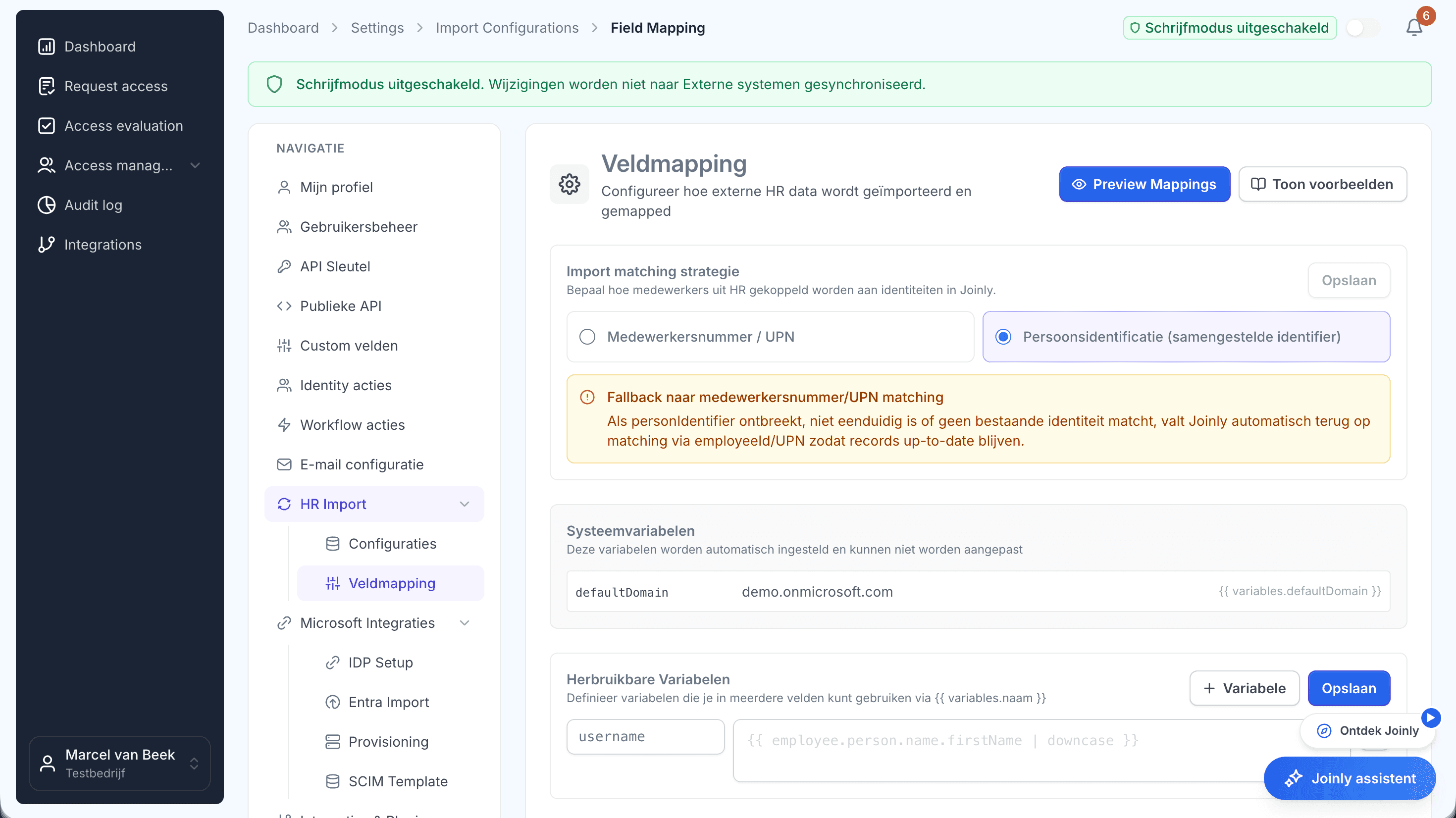
With Joinly your HR system is the source. You decide which HR field fills which attribute, in Entra ID and, through the Joinly Agent, in your Active Directory. You set a rule per field, such as how an email address is built or which OU is chosen.

You attach roles to any field from your HR system: department, job title, location, contract type or a field of your own. When HR changes a field, access moves with it. Before anything changes, you run a trial import and see which accounts would be created, changed, activated or deactivated, also as Excel. Thresholds per connection stop an import that suddenly wants to change too much, and existing accounts are recognised by employee number or UPN.

Het lifecycle-overzicht in Joinly: accounts die elke HR-mutatie automatisch volgenSee identity lifecycle management in Joinly

What you can count on

  • No vendor lock-inYour identities and your configuration stay yours.
  • Your data out whenever you wantYou can export your data at any time.
  • Standard SLAOur standard SLA is available on request.
  • Support during implementationOur specialists set it up together with you.
  • ISO 27001 certifiedInformation security to an internationally recognised standard.

HR fields for provisioning

Frequently asked questions

  • Which HR fields do you need for user provisioning?

    At a minimum an employee number, the name, job title, department, location, contract type, manager, start date and end date. With these you can create an account, decide the right access and close the account on time.

  • What is the best key for linking HR to Entra ID or Active Directory?

    The employee number, in `employeeID` in AD and `employeeId` in Entra ID. A name or email address changes with a name change, an employee number does not. In Entra ID the field is at most 16 characters long.

  • What happens when the end date is missing in HR?

    Then provisioning does not know when the account must close, and it stays open until someone closes it by hand. On a permanent contract an empty end date is correct; on a temporary contract or for a contractor it should always be filled in.

  • Which Active Directory attribute holds the job title?

    `title`. In Microsoft Entra ID the same field is called `jobTitle`, and there it may be at most 128 characters long.

  • Why does the manager not come across correctly from HR?

    Because AD and Entra ID expect a reference to another account for the manager. The manager's account therefore has to exist first, and the mapping has to translate the manager's employee number into that account.

  • How do you improve data quality in the HR system?

    With fixed value lists for job title, department and location, mandatory fields on entry, an agreement that new employees are entered as soon as the contract is signed, and a monthly check for empty fields and values that occur only once.

Let accounts move along by themselves

Joiners, movers and leavers from HR, with every step in the audit log. Start with demo data in the free trial environment.

No credit card, nothing to install.

Rather talk to someone first? Talk to an IAM specialist