Joinly by KoppelHet

User provisioning and lifecycle

Multiple employments: one person, one account and the access of every job

If one person has multiple employments, they should have one account with the access of all their jobs. Choose one primary employment for the fields where the directory holds only one value, such as job title, department and manager. When one employment ends, only the access of that job is removed and the account stays until the last employment ends.

Why a second contract can easily produce a second account

A nurse who also works evening shifts at another location. A teacher with an appointment at two schools under the same board. An employee who works a few hours a week on a zero-hours contract alongside their permanent job. In healthcare and education this is no exception, and the same goes for hospitality and cleaning.

An HR system thinks in employments, because that is where the contract, the hours and the payroll hang. Each employment gets its own record with its own job title, department, start and end date, and in many systems its own number too. A connector that treats every record as a new employee creates two accounts for the same person. Then you have two mailboxes, two licences and two passwords, and an employee who keeps having to choose which account to sign in with.

What goes wrong with one account per employment
ConsequenceWhat you notice
Double licencesYou pay for Microsoft 365 twice for one person.
Mail in two placesColleagues email one address, the rota goes to the other.
Service desk ticketsForgotten passwords, MFA on two accounts, the wrong account in the app.
Incomplete auditAnyone who wants to know what one person can access has to piece two accounts together.
A forgotten accountWhen one employment ends, the matching account easily stays open.

One account per person, with a fixed key

The rule that is almost always right: one person, one account. For that you need to be able to tie the employments in HR together. That only works with a key that stays the same per person, even when a contract is added or ends.

  • A person number or employee number that the HR system keeps per person, separate from the employment. Many systems have such a number alongside the number per contract. Ask your HR application manager which field it is.
  • Not the BSN. In the Netherlands you may only use the citizen service number where a law requires it. It does not belong in your directory as a matching key.
  • Not a name or date of birth. Two people can have the same name, and a name changes.

In Microsoft Entra ID, employeeId is the usual place for that number. The field is at most 16 characters long and holds one value. Put the person number there. If it holds the number of one contract, the key changes as soon as that contract ends.

When a second account is right
SituationAdvice
Two jobs with the same employerOne account with the access of both jobs.
Two operating companies in the same Microsoft 365 tenantOne account. The email address follows the primary employment; a second address can be an alias.
Two employers, each with their own tenantTwo accounts, because these are two organisations. Each organisation manages its own.
Someone with admin rightsA separate admin account next to the normal account. That is independent of the number of employments.

The primary employment decides job title, department and manager

There is one account, but the user object in Entra ID has room for one job title, one department, one manager, one hire date and one leave date. So you have to choose which employment fills those fields. That is called the primary employment.

What matters is that the choice follows from a fixed rule, so every synchronisation gives the same answer. If the primary employment switches every night because two contracts weigh the same, the job title, department and manager jump back and forth, and with them the groups that depend on them.

Common rules for the primary employment, in order
RuleExampleWatch out
Permanent beats temporaryA permanent appointment wins over an on-call contract.Agree what HR means by permanent and temporary.
Most hours32 hours at location A wins over 8 hours at location B.With equal hours you need a next rule.
Earliest start dateThe first contract stays primary.Works well as the last rule, because it always gives one answer.
Manual flag in HRHR ticks the main employment.Only if HR keeps it up consistently.

The same goes for the manager. The directory holds one manager, who gets the approvals, the notifications and the place in the org chart. The line manager of the second employment has no place there. So arrange approvals for access that belongs to that second job through the owner of that access, or through a role that decides per department who approves.

The roles of every employment count

The job title comes from the primary employment, the access from all employments together. The nurse in the example needs the applications and folders of both locations, the teacher the classes and the pupil tracking system of both schools.

  1. Decide per employment which role belongs to it, based on the job title, department and location of that employment.
  2. Give the account the sum of those roles. A group or licence that is in both roles is given to the account once.
  3. Check whether the combination is allowed. Two jobs together can give more access than each on its own, for example ordering in one job and approving in the other. Record such combinations and have someone assess them.
  4. Record for every piece of access which employment it comes from. You need that as soon as one ends.

When one employment ends and the other continues

This is the moment it usually goes wrong. The employee leaves one location, HR puts an end date on that employment, and the connector sees a leave date and starts offboarding. The account is closed while the employee is simply working at the other location tomorrow. Or the other way round: nobody does anything, and the access of the old job stays forever.

  1. When there is an end date, first check whether the person still has another active employment. If so, treat it as a job change.
  2. Remove only the roles and access that belonged to the ending employment. For that you need the origin of each piece of access.
  3. Decide again which employment is primary. If the ending employment was primary, the job title, department and manager change, and possibly the licence too.
  4. In the directory, set as the leave date the end date of the last employment to end.
  5. Close the account only when the last employment ends. Then follow the normal offboarding.

If the employee gets an extra contract instead, it works the other way round: the same account, the role of the new employment added, and a new choice of primary employment if the rule says so. Rights that pile up with every change are covered in privilege creep on job change.

Joinly

Multiple employments, handled from HR

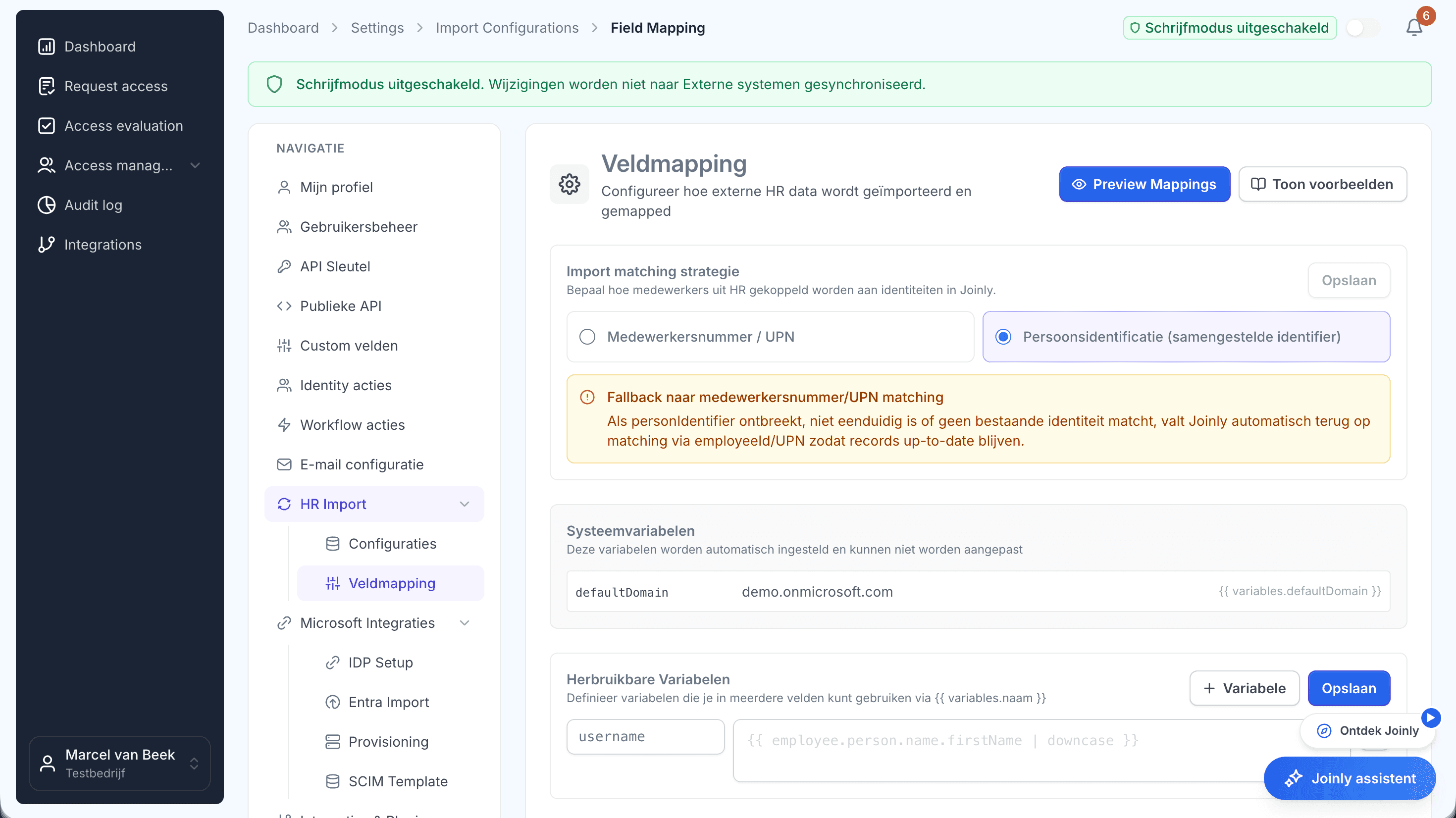
The rules above can be done by hand or with scripts, but they ask for the same check with every HR change: is this the same person, which employment is primary, which access belongs where. In organisations with many flexible contracts in particular, that happens every week.

Joinly puts the employments from HR side by side and recognises which ones belong to the same person. That person gets one identity and one account. Joinly determines the primary contract and the manager, and the roles of every employment count, based on job title, department, location or any other HR field. When one contract ends, only the rights of that job disappear. Only when the last employment ends does everything close.

If you want more to happen on a change, such as a notification to the new manager, a workflow starts on a changed field, with conditions for whom it applies to. Every change is in the audit log, with the old and the new value per field.

Het lifecycle-overzicht in Joinly: accounts die elke HR-mutatie automatisch volgenSee identity lifecycle management

What you can count on

  • No vendor lock-inYour identities and your configuration stay yours.
  • Your data out whenever you wantYou can export your data at any time.
  • Standard SLAOur standard SLA is available on request.
  • Support during implementationOur specialists set it up together with you.
  • ISO 27001 certifiedInformation security to an internationally recognised standard.

Multiple employments

Frequently asked questions

  • Does an employee with two employments get two accounts?

    They should not. One person gets one account with the access of all their jobs. Two accounts only belong with two employers that each have their own environment, or with a separate admin account.

  • Which employment is the primary one?

    You decide that with a fixed rule, for example permanent beats temporary, then most hours, then the earliest start date. The primary employment fills the fields where the directory holds one value: job title, department, manager and the dates.

  • Who is the manager with two employments?

    Entra ID holds one manager, the one from the primary employment. Approvals for access that belongs to the second job are arranged through the owner of that access or through a role per department.

  • What happens when one employment ends?

    Then only the access of that job is removed. The account stays, because the employee still works there. If the ending employment was primary, another employment becomes primary and the job title, department and manager change with it.

  • May I use the BSN to link employments?

    Better not. In the Netherlands you may only use the citizen service number (BSN) where a law requires it. Use the person number from your HR system, which stays the same per person.

Let accounts move along by themselves

Joiners, movers and leavers from HR, with every step in the audit log. Start with demo data in the free trial environment.

No credit card, nothing to install.

Rather talk to someone first? Talk to an IAM specialist