
Joinly by KoppelHet

Entra ID and Active Directory

Microsoft is retiring memberOf in dynamic groups. Here is what to do now

Do you have dynamic groups that take their members from other groups? Since 3 November 2026 they are no longer updated. Microsoft has switched off the memberOf rule, and the groups stay as they were on that day. You get no notification. Below you can read how to find them and what to replace the rule with.

What changed on 3 November

With memberOf you could create a dynamic group in Entra ID that takes its members from other groups. For example, an "All sales" group made up automatically of "Sales NL" and "Sales BE". Many administrators used that to attach a licence, an application or a Conditional Access policy.

The feature always remained a preview. Microsoft saw that such rules slowed down the processing of all dynamic groups in a tenant, and has switched them off for that reason. Since 3 November 2026 they are no longer processed. That applies to dynamic groups, to dynamic administrative units and to auto-assignment policies in entitlement management.

The groups themselves remain, with the members they had at that moment. Microsoft throws nothing away. Nothing changes any more, that is all.
Why you notice so little of it

A group that is no longer updated looks exactly the same in the admin centre as before. The rule is still there, there is no error and you get no email. You only notice when someone is missing something.

Say Sanne starts in Sales on Monday. HR has entered her and she lands neatly in the "Sales NL" group. But the CRM licence is attached to "All sales", and that group stopped following along on 3 November. So Sanne cannot get into the CRM. She reports that to the service desk within the hour.

Nobody reports the reverse. When a colleague moves from Sales to Finance, you remove him from "Sales NL", but he stays in "All sales". He keeps his licence and his access to the CRM, and nobody sees it.

How much trouble that causes depends on what the group is for:

  • Licences: new people do not get one, and anyone who left or changed jobs keeps theirs.
  • Applications and SharePoint: new people do not get in, old ones stay in.
  • Conditional Access: the policy only applies to whoever was in the group on 3 November.
  • Provisioning through SCIM: the connection stays green, but new employees and job changes no longer reach the application.
  • Administrative units and access packages: administrators and packages stay stuck on the old group of people.

Find out which groups are affected

Microsoft recommends first listing all your dynamic groups and checking which rules use memberOf. With Microsoft Graph PowerShell that is quickly done, and you include the administrative units straight away:

All dynamic groups and administrative units with a memberOf rule
Connect-MgGraph -Scopes "Group.Read.All","AdministrativeUnit.Read.All"

Get-MgGroup -All -ConsistencyLevel eventual -CountVariable count `
  -Filter "groupTypes/any(t:t eq 'DynamicMembership')" `
  -Property Id,DisplayName,MembershipRule |
  Where-Object MembershipRule -match "memberOf" |
  Select-Object DisplayName, Id, MembershipRule |
  Export-Csv .\memberof-groups.csv -NoTypeInformation -Encoding UTF8

Get-MgDirectoryAdministrativeUnit -All -Property Id,DisplayName,MembershipRule |
  Where-Object MembershipRule -match "memberOf" |
  Select-Object DisplayName, Id, MembershipRule

If you use access packages, also look in the Entra admin centre under Identity Governance at the auto-assignment policy of each package.

Note for each group what it is used for. Start with the groups for licences, Conditional Access and provisioning, because that is where a group that has stopped costs money or security.

How to replace a memberOf rule

There is no new operator that does exactly the same. Which solution fits depends on how the groups your rule now looks at are filled.

Are those groups dynamic themselves? Then it is simple. Copy their rules into your new rule and put or between them. Your group then fills on the same fields as the groups it used to look at.

Are they filled by hand, but is there a field the members have in common? Then build the rule on that field: department, job title, company name or an extension attribute. Do check first that the field really is filled for everyone, or people will fall outside it.

From memberOf to a rule on department
Was:
user.memberOf -any (group.objectId -in ['<id Sales NL>','<id Sales BE>'])

Becomes:
(user.department -eq "Sales") -and (user.accountEnabled -eq true)

Is there no field that sets them apart? Then convert the group to assigned membership and manage the members yourself from now on. Export the members before you do, so you can check afterwards that nobody dropped out.

Always check a new rule before you save. With Validate Rules in the admin centre you test it on a few people who do and do not belong in it. Then compare the expected membership with the current one: anyone in it now who will not be later loses their access as soon as you save. After saving, wait until processing has finished and check the members once more. Groups you no longer need, you pause or delete.

The real problem started earlier

Why did so many organisations use memberOf? Usually because the information only existed in a group. The Planning team existed in Entra ID as a group and nowhere as a department or job title. A group that looks at that group is then the easiest route.

If you now move to rules on attributes, those attributes have to be right. For everyone, and after every move too. Which fields those are and what goes wrong when they are empty is in user attributes in Entra ID. If you choose assigned membership, the group is right again today, but someone has to maintain it. In a year nobody will know why who is in it.

What you really wanted to arrange with such a rule was something else: that a group of colleagues gets the same access together. A licence, a few groups, an application, a shared mailbox. With groups that point at each other you build that layer on layer, and every layer can get stuck without anyone noticing. That is exactly what has happened now.

Joinly

How you handle this in Joinly

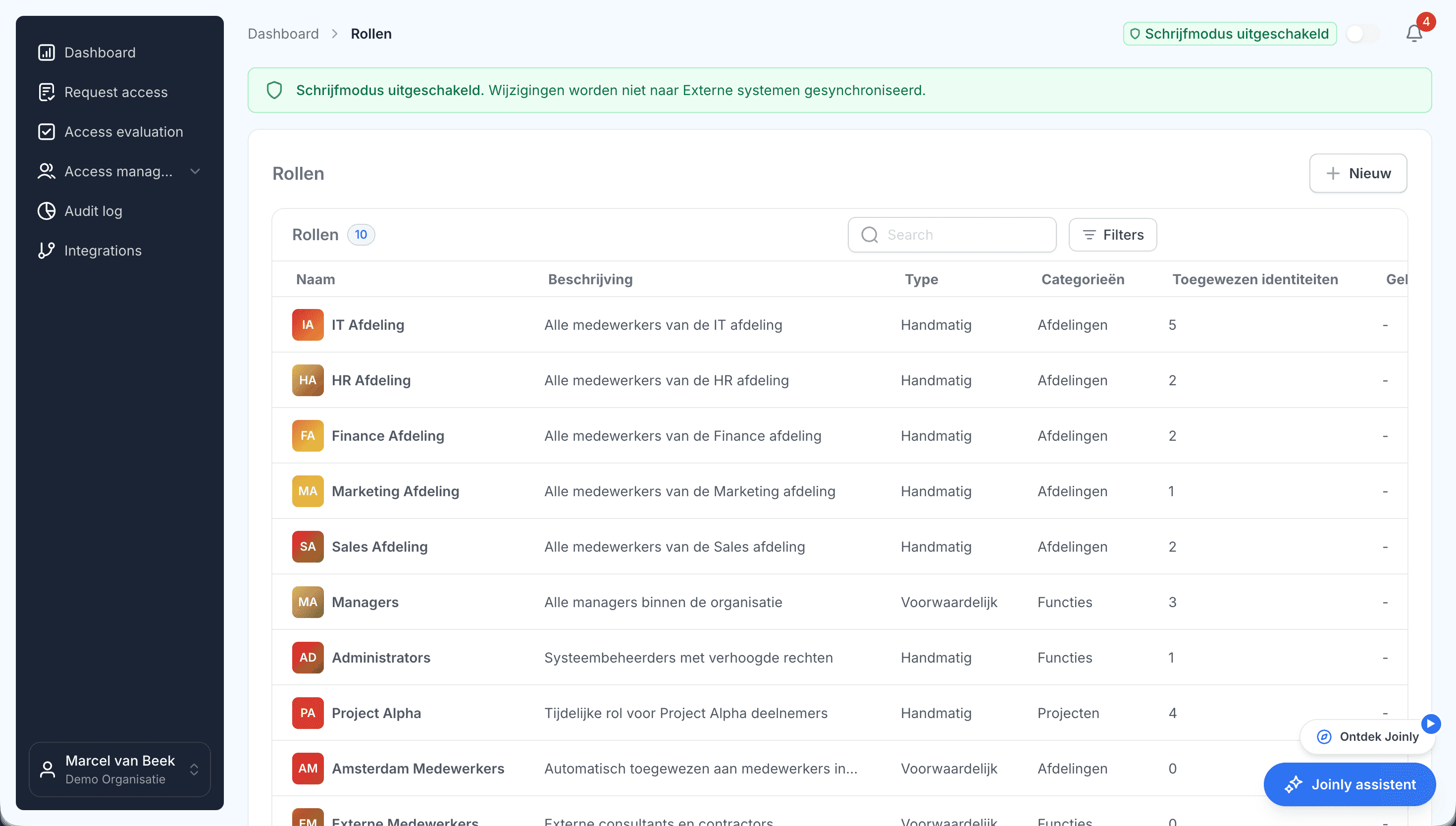
In Joinly you create a role for such a group of colleagues, for example on the Sales department from your HR system. You link everything that belongs with it to that role: the Entra groups, the CRM licence, the application and the shared mailbox. In Joinly each of those is called an access item.

When Sanne starts in Sales, she gets the role and with it everything in it. When her colleague moves to Finance, he loses the role and the access comes off. He only keeps what he also got through another role or with a reason, because Joinly keeps track of why someone has something. There is no longer a group in between that looks at another group, so there is nothing that can get stuck either.

  • Groups that Joinly fills simply stay up to date. If you built dynamic groups on groups that Joinly fills, those have now stopped. Let Joinly manage the group itself, or build the rule on the fields Joinly sets in Entra ID from HR, such as department and job title.
  • Taking over a group goes calmly. Joinly first reads who is in it now. With Evaluate you then see who will be added and who will be removed, before anything changes in Entra ID. You grant exceptions by hand, with a reason and an end date.
  • Licences simply hang on the role. You no longer need a separate licence group.
  • Everything can be traced. Every assignment and removal is in the audit log, with the role or the reason.

When someone's job changes in HR, the role changes with it, and so does every group, licence and application attached to it. In Entra ID and in your own Active Directory.

Voorwaardelijke rollen in Joinly die de functie van een medewerker volgenHow roles work in Joinly

What you can count on

  • No vendor lock-inYour identities and your configuration stay yours.
  • Your data out whenever you wantYou can export your data at any time.
  • Standard SLAOur standard SLA is available on request.
  • Support during implementationOur specialists set it up together with you.
  • ISO 27001 certifiedInformation security to an internationally recognised standard.

memberOf in dynamic groups

Frequently asked questions

  • Does memberOf still work in dynamic groups?

    No. Since 3 November 2026 Microsoft Entra ID no longer processes rules with `memberOf`. That applies to dynamic groups, dynamic administrative units and auto-assignment policies in entitlement management.

  • What happens to a group that still has a memberOf rule?

    It stays in place with the members it had when Microsoft stopped. Nobody is added and nobody is removed. You get no notification of it.

  • Why did Microsoft switch off memberOf?

    Rules with `memberOf` slowed down the processing of all dynamic groups in a tenant. The feature never left preview.

  • How do I replace a memberOf rule?

    Build the rule on fields such as department, job title or an extension attribute, or copy the rules of the groups your rule looked at if those are dynamic themselves. If no field is shared by the members, convert the group to assigned membership.

  • Do I need memberOf if I use Joinly?

    No. In Joinly you link the groups, licences and applications that belong together to one role, and that role follows the job, department or location from HR. A group that takes its members from other groups is then no longer needed.

Try Joinly on top of your own Microsoft environment

Roles, workflows, external staff and an audit log for Entra ID and Active Directory. Start with demo data in the free trial environment.

No credit card, nothing to install.

Rather talk to someone first? Talk to an IAM specialist