
Overig · Overig
What is Single Sign-on (SSO)?
Single Sign-On (SSO) allows access to multiple applications with a single login. For example, an employee logs in to Microsoft 365 and automatically gains access to Teams, SharePoint, and other integrated tools.
Marcel van Beek · CTO · 2 min read
Single Sign-On (SSO) makes it possible to access multiple applications with a single login. For example, an employee logs into Microsoft 365 and automatically gains access to Teams, SharePoint, and other integrated tools.
SSO works through a central identity platform, such as Microsoft Entra ID. This platform verifies the user and then provides secure tokens to other applications. This way, users do not need to manage separate passwords everywhere.
For IT, SSO means a significant reduction in support requests (“forgot password”) and better security. For employees, it means less friction when switching between systems.
SSO can work through different standards, including SAML, OAuth 2.0, and OpenID Connect. Modern cloud applications usually use OpenID Connect for user authentication and OAuth for API access.
In Joinly, SSO integrations are automatically set up via provisioning. This makes onboarding and offboarding much more secure and faster.
In summary: With SSO you log in once and gain access to everything you need.
Explore more blogs
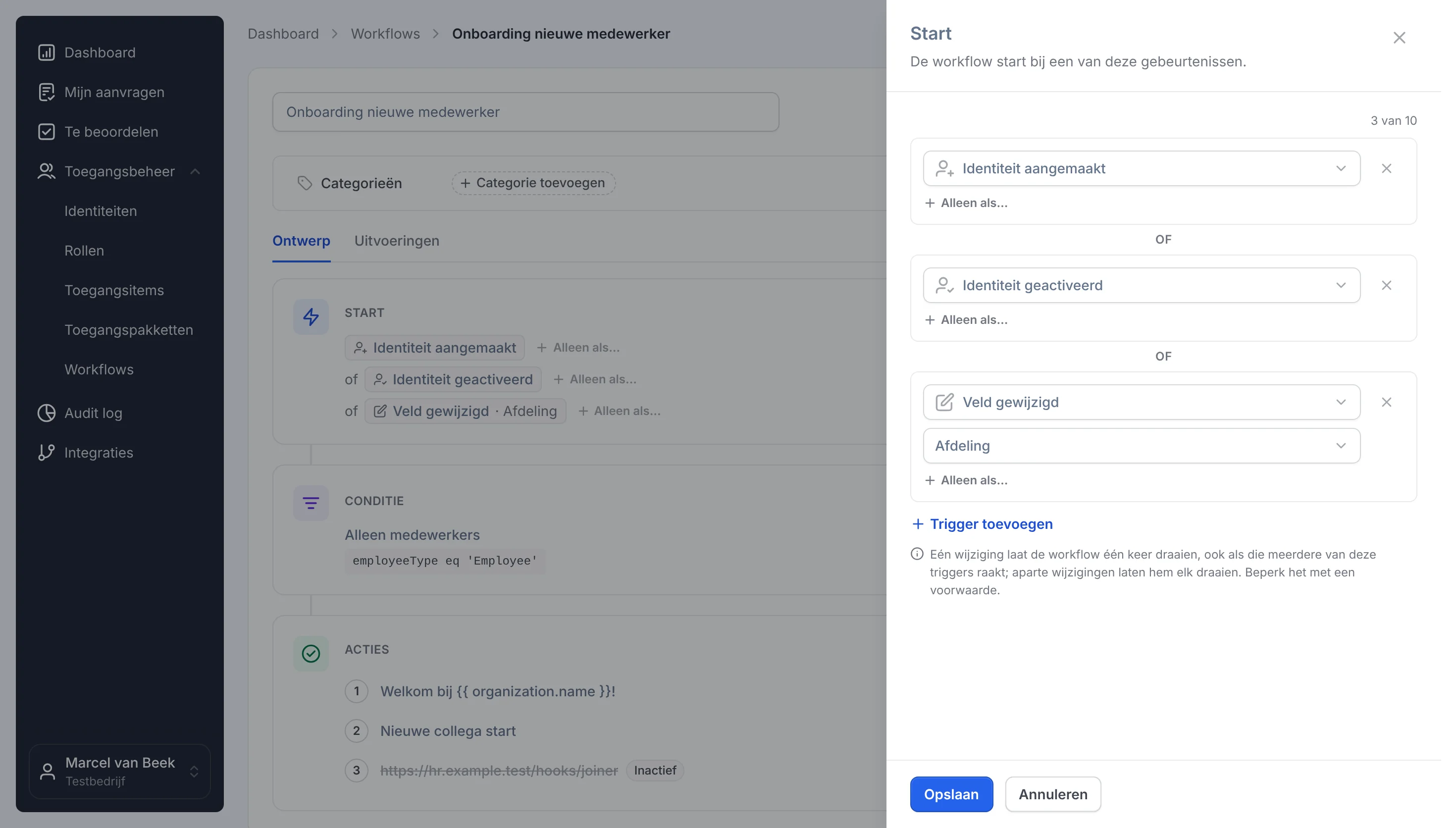
One workflow, several moments: workflows that start on more than one trigger
Created, activated or moved department: one workflow now starts at each of those moments, with a condition of its own per trigger.
Marcel van Beek · 3 min read

Segregation of Duties (SoD): wat het is en hoe je het afdwingt
Wat is segregation of duties (functiescheiding)? Uitleg, voorbeelden en waarom het vaak misgaat. Plus hoe je SoD-conflicten automatisch tegenhoudt.
Marcel van Beek · 4 min read

How do you apply AGDLP in a hybrid Entra/AD environment? (And why you shouldn't want to anymore)
Short answer: preferably not. AGDLP (Accounts → Global groups → Domain Local groups → Permissions) is a concept from the era of manual management. The entire nesting construction exists for one reason: to allow a human to assign permissions with as few mouse clicks as possible. As soon as an agent assigns group memberships directly based on HR data, this reason disappears and only the complexity remains. Moreover, in a hybrid environment, this complexity actively works against you, because Entra ID completely ignores nesting for licences and app assignment. In this article, you can read how AGDLP works and why it was once smart, where it breaks down in a hybrid environment, and what the modern alternative looks like: direct memberships, managed by automation.
Marcel van Beek · 5 min read
See what Joinly can do for your organisation?
Start a free trial today or get in touch for advice on your HR and Microsoft environment.
No credit card, nothing to install.